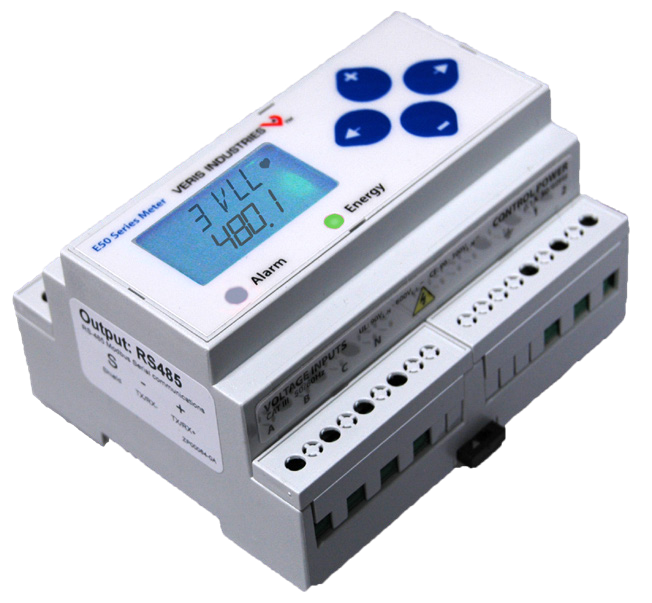
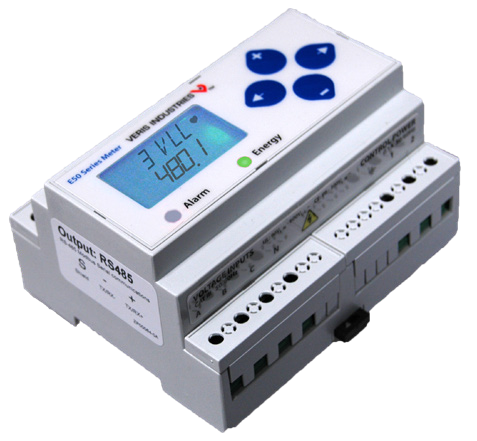
Veris Industries E51H2 and E51H5
Power and energy meter
Use the E51H series when the report needs separate energy totals for a feeder that both consumes and exports. Record the direction the operator calls import and the voltage output of the existing CTs. For monthly reporting, specify which totals the customer wants retained.
Compatibility
Compatible with Edge through a BACnet MS/TP router
The two-wire RS-485 port serves BACnet MS/TP. Edge reads the meter through the building’s BACnet/IP router.
Use the object table for ZL0109-0D and confirm the suffix on the installed meter before commissioning.
Connect it with

For a meter commissioned for BACnet MS/TP
- BACnet
- Edge
- Platforms
Models
| Models | Interface | Route into Edge |
|---|---|---|
| E51H2 | BACnet MS/TP, one pulse contact input and a phase-loss alarm output. | Choose the channels needed for live monitoring. For a tender, BTL listing 23941 identifies E51H2 at software 3.026. |
| E51H5 | BACnet MS/TP, onboard logging and two pulse contact inputs. | Ask for the configured trend objects and logging interval if historical readings are in scope. |
Interface
Documented measurements and integration boundaries for E51H2 and E51H5.
- AI 1 reports net active energy, AI 2 imported energy and AI 3 exported energy. All three are in kWh.
Assessment
E51H2 and E51H5 serial BACnet collection.
- InteroperabilityWell supported
- The installation guide lists BACnet object instances, properties and engineering units.13
- AccuracySupported with conditions
- Match the 0.333 V or 1 V secondary and primary rating to the installed CTs.1
- SecurityNot yet assessed
- Confirm access to the serial network with the controls contractor.1
- ReliabilitySupported with conditions
- Use the local LCD for a parallel reading when accepting the trend.1
- RuggednessSupported with conditions
- Veris specifies an operating range of −30 to 70 °C. Check the actual panel temperature.1
- ScalabilitySupported with conditions
- The guide specifies serial rates from 9600 to 115200 bit/s. Record the trunk rate for the meter group.1
- LifecycleSupported with conditions
- Retain the exact model suffix and distinguish alarm contacts from onboard trend logging when quoting a replacement.2
Setup
-
Match the Device instance, meter suffix and CT type to the named feeder on the panel schedule.
-
Read Present_Value on Analog Inputs 2 and 3.
During a known import interval compare the increase on AI 2 with the LCD import counter. Repeat for AI 3 during export before accepting an export channel.
-
Keep the measurement name, object type, instance and unit with the reporting channel.
The same instance can represent a different quantity on another Veris family.
Related devices
Sources
- E51H2 and E51H5 installation guide, ZL0109-0D (opens in a new tab) (PDF)
- E5x series ordering and feature comparison (opens in a new tab) (PDF)
- BTL listing 23941 for the E50H2 and E51H2 (opens in a new tab) (PDF)
Further reading
Product names and trademarks belong to their owners. Publication does not imply endorsement or a commercial relationship.