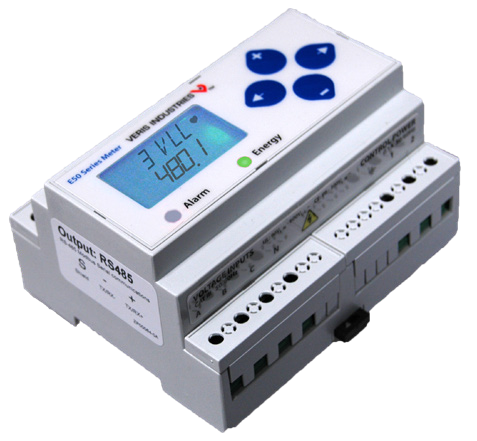
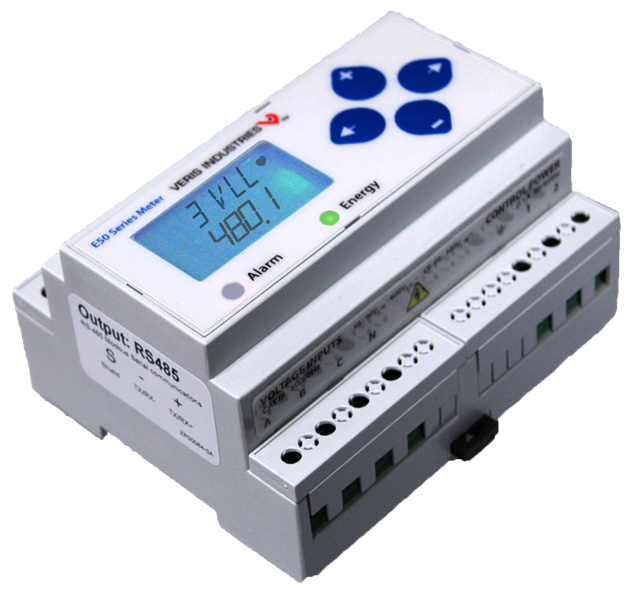
Veris Industries E50H2A and E50H5A
Power and energy meter
The A suffix identifies a different sensor input. Both models include the integrator for Veris E683 rope CTs. For a crowded switchboard, obtain the conductor dimensions and available clearance before selecting the coil. For an existing installation, identify the E683 part from its label.
Compatibility
Compatible with Edge through a BACnet MS/TP router
The two-wire RS-485 port serves BACnet MS/TP. Edge reads the meter through the building’s BACnet/IP router.
Use the object table for ZL0117-0K and confirm the suffix on the installed meter before commissioning.
Connect it with

For a meter commissioned for BACnet MS/TP
- BACnet
- Edge
- Platforms
Models
| Models | Interface | Route into Edge |
|---|---|---|
| E50H2A | BACnet MS/TP, one pulse contact input and a phase-loss alarm output. | Choose the channels needed for live monitoring. |
| E50H5A | BACnet MS/TP, onboard logging and two pulse contact inputs. | Ask for the configured trend objects and logging interval if historical readings are in scope. |
Interface
Documented measurements and integration boundaries for E50H2A and E50H5A.
- AI 1 is cumulative active energy consumption in kWh. AI 2 is total active power in kW.
Assessment
E50H2A and E50H5A serial BACnet collection.
- InteroperabilityWell supported
- The installation guide lists BACnet object instances, properties and engineering units.1
- AccuracySupported with conditions
- Identify the fitted E683 rope CTs and their position on the feeder.1
- SecurityNot yet assessed
- Confirm access to the serial network with the controls contractor.1
- ReliabilitySupported with conditions
- Use the local LCD for a parallel reading when accepting the trend.1
- RuggednessSupported with conditions
- Veris specifies an operating range of −30 to 70 °C. Check the actual panel temperature.1
- ScalabilitySupported with conditions
- The guide specifies serial rates from 9600 to 115200 bit/s. Record the trunk rate for the meter group.1
- LifecycleSupported with conditions
- Retain the exact model suffix and distinguish alarm contacts from onboard trend logging when quoting a replacement.2
Setup
-
Match the Device instance, meter suffix and CT type to the named feeder on the panel schedule.
-
Record the LCD energy total and read Present_Value on Analog Input 1.
Repeat both after an interval with load and compare the kWh increases. Include the fitted rope CT identifier with the result.
-
Keep the measurement name, object type, instance and unit with the reporting channel.
The same instance can represent a different quantity on another Veris family.
Related devices
Sources
- E50H2A and E50H5A installation guide, ZL0117-0K (opens in a new tab) (PDF)
- E5xxxA series meter selection and features (opens in a new tab) (PDF)
Further reading
Product names and trademarks belong to their owners. Publication does not imply endorsement or a commercial relationship.