Xiaomi ZNCZ04LM
Smart plug with energy metering
Xiaomi's Schuko smart plug for Zigbee networks, made by Lumi United. It switches one appliance and reports power, energy, voltage and current, with a settable overload cut-off up to 2300 W.
Also sold asMi Smart Plug (Zigbee)GMR4014GL
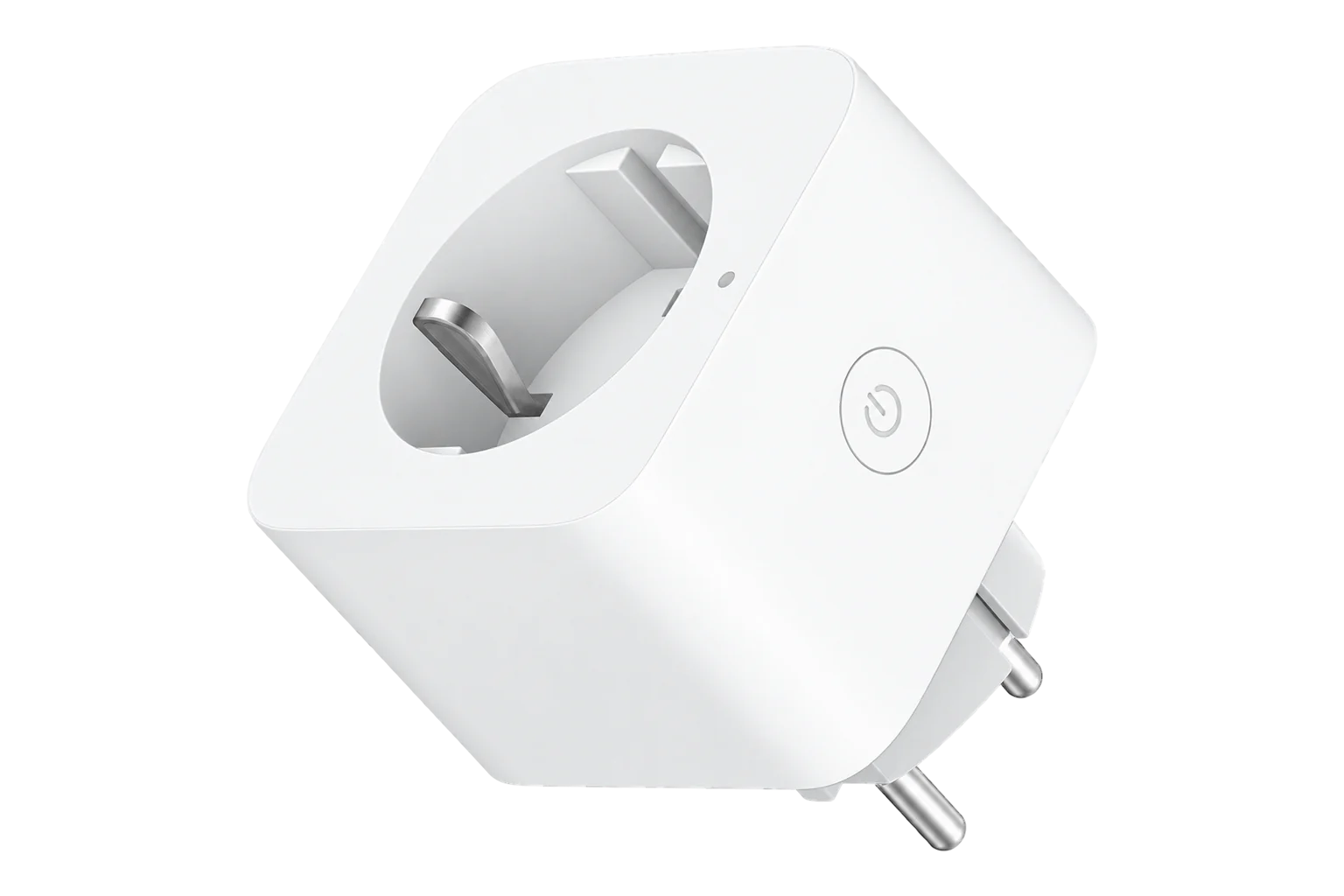
- Zigbee
Smart plug with energy metering
Compatibility
Compatible with EpiSensor Edge over Zigbee.
Pair it with the Zigbee radio on an EpiSensor Gateway. Edge reads it locally on the Gateway.
Edge reads 11 values from it, listed under Interface.
Connect it with
-
Gateway ZGW-20From €899 ex VAT Configure Gateway

Specifications
The ZNCZ04LM is sold as the Mi Smart Plug (Zigbee), SKU GMR4014GL, for Schuko outlets. Xiaomi's EU declaration of conformity names Lumi United Technology, the maker of Aqara products, as its manufacturer, and lists the IEC 60884 plug and socket standards among those it was tested to.2
- Power
- Mains. Powered from the Schuko outlet it plugs into.2
- Product name
- Mi Smart Plug (Zigbee)2
- SKU
- GMR4014GL2
- Manufacturer
- Lumi United Technology Co., Ltd2
- Radio standard
- EN 300 328 (2.4 GHz)2
- Plug and socket standards
- IEC 60884-1, IEC 60884-2-5, UNE 203152
- Metering
- Power, energy, voltage and current3
- Overload threshold
- Settable from 100 to 2300 W4
- Auto off
- After 20 minutes below 2 W, when enabled3
- Firmware updates
- Over the air, over Zigbee4
- Zigbee model ID
- lumi.plug.mmeu014
Where it is used
Plug-in fridges and bottle coolers in shops and offices, where one appliance's consumption and running pattern is worth seeing on its own.
Refrigeration energy monitoringSwitching plug-in equipment off out of hours across a group of sites, with the energy readings showing the saving.
Multi-site energy monitoring
Interface
Readings and settings, with units and ranges where Xiaomi publishes them. readable, readable and writable.3
| Reading | Unit | Range or values | Access |
|---|---|---|---|
| Measurements 5 | |||
| PowerActive power drawn by the connected appliance. | W | - | Read only |
| EnergyCumulative energy through the plug. | kWh | - | Read only |
| Voltage | V | - | Read only |
| Current | A | - | Read only |
| Load connectedWhether an appliance is plugged in. | - | Binary state | Read only |
| Controls 1 | |||
| Output | - | ONOFFTOGGLE |
Read and write |
| Settings 4 | |||
| Overload thresholdThe plug switches off above this load. | W | 100 to 2,300 W | Read and write |
| Auto offSwitches off after 20 minutes below 2 W. | - | Binary state | Read and write |
| Power-outage memoryRestores the last state after a power cut. Press the button once after enabling it. | - | Binary state | Read and write |
| LED off at night | - | Binary state | Read and write |
| Diagnostics 1 | |||
| Internal temperature | °C | - | Read only |
The plug has been reported to switch its output off when it loses contact with the network, for example on a weak signal. Keep it within good range of the Gateway or a mains-powered Zigbee router.3
After you turn on power-outage memory, press the plug's button once. The setting takes effect only after that.3
Setup
-
Open pairing in Edge
In Edge, open pairing on the Gateway's Zigbee network, and plug the ZNCZ04LM in close to the Gateway or a Zigbee router.
-
Put it into pairing mode
Press and hold the button for more than 5 seconds, and release it when the blue light blinks. The plug then joins by itself.1
-
Check the identity
Confirm that the plug reports its model as lumi.plug.mmeu01, which identifies the ZNCZ04LM.4
-
Check one reading
Plug in a load of known rating, switch it on from Edge and compare the power reading with the rating.
-
Set what happens after a power cut
Turn on power-outage memory if the load must come back by itself, then press the plug's button once so the setting takes effect.3
Related devices

Sources
- Mi Smart Plug (Zigbee) reset and pairing (opens in a new tab)
- EU declaration of conformity: Mi Smart Plug (Zigbee) ZNCZ04LM (opens in a new tab) (PDF)
- Xiaomi ZNCZ04LM device documentation (opens in a new tab)
- Aqara and Xiaomi device definitions (opens in a new tab)
Further reading
Product names and trademarks belong to their owners. Publication does not imply endorsement or a commercial relationship.