SMA Sunny Tripower 10.0 Smart Energy
Three-phase hybrid solar inverter
Sunny Tripower 10.0 Smart Energy combines a three-phase PV inverter and high-voltage battery interface. Its local SMA Modbus server provides operational measurements without using Sunny Portal. The firmware-specific parameter list matters: a register copied from a Sunny Boy or a non-hybrid Tripower can return the wrong quantity or an unavailable value.
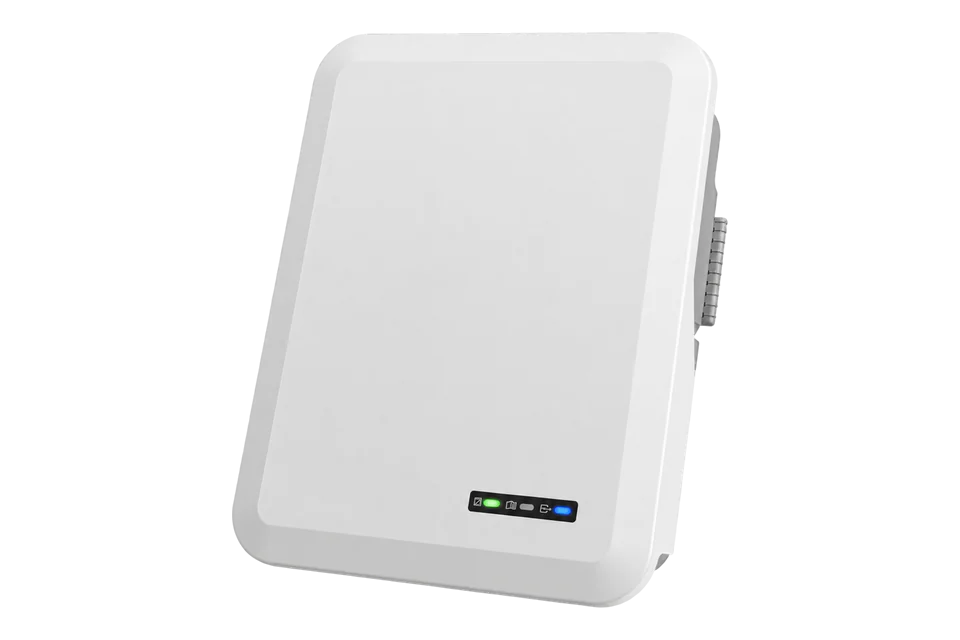
- Modbus TCP
Three-phase hybrid solar inverter
Compatibility
Compatible through local Modbus TCP
Edge can read the documented Modbus interface over the site network.
This guide targets STP10.0-3SE-40. The cited model-specific map covers firmware package 3.01.09.R; compare its definitions with the installed firmware before using it. The smaller Smart Energy models share the cited manual but are not extra devices counted by this guide. Read-only monitoring, not battery dispatch or grid-code configuration.
Connect it with
-
Gateway ZGW-20From €899 ex VAT Configure Gateway
-
Evaluation Gateway on a Raspberry Pi Edge with one device licensedFree Set up Evaluation Gateway on a Raspberry Pi

For local read-only inverter and battery monitoring
- Modbus
- Edge
- Platforms
Models
| Models | Interface | Route into Edge |
|---|---|---|
| STP10.0-3SE-40 | 10 kW three-phase Smart Energy hybrid inverter | Use the firmware-matched SMA register list and configured unit ID. |
| STP5.0 / 6.0 / 8.0-3SE-40 | Lower-power Smart Energy siblings in the same manual | Check the nameplate and firmware-specific map; do not inherit 10 kW ratings. |
| Sunny Tripower X, Sunny Boy Smart Energy and older non-hybrid Tripower | Different product platforms and parameter lists | Do not reuse this map solely because the product name contains Sunny or Tripower. |
Specifications
The STP10.0-3SE-40 is a three-phase hybrid inverter. Its installation manual and parameter archive are separate documents: the manual establishes hardware and safe access, while the archive defines the measured values for a specific firmware package.12
- Model
- STP10.0-3SE-40, 10 kW class1
- Read interface
- Local Modbus TCP; disabled by default, port 502 by default1
- Register definition
- Model-specific SMA list for firmware 3.01.09.R; not an ennexOS or generic SunSpec map2
- Unit ID
- SMA profile default 3; configurable from 3 to 1233
- Environment
- IP65; operating temperature -25 to +60 °C, subject to installation and derating limits1
Interface
Documented measurements and integration boundaries for Sunny Tripower 10.0 Smart Energy.
- Inverter AC power from GridMs.TotW, documented as signed 32-bit FIX0 in the cited map.
- Battery state of charge from Bat.ChaStt, documented as unsigned 32-bit FIX0.
- Operating state and event information alongside measurements to distinguish standby or a fault from a genuine zero.
- Battery voltage, current and energy values only where the installed battery and firmware provide them.
- Site import/export belongs to the site-meter measurement boundary; inverter AC power is not a whole-building consumption reading.
Assessment
STP10.0-3SE-40, read-only local monitoring; register example bound to firmware 3.01.09.R.
- InteroperabilitySupported with conditions
- A public model-specific register archive and SMA transport specification define local reads, types and unavailable values. Firmware matching is necessary.23
- AccuracySupported with conditions
- The map distinguishes signed inverter power and battery state of charge. These operational readings are not a substitute for a site billing meter.12
- SecuritySupported with conditions
- Modbus starts disabled. SMA explicitly requires network protection and warns about unauthorised settings access once enabled; local reads have no encrypted transport.1
- ReliabilitySupported with conditions
- The manual documents faults, protective functions, cooling and restart procedures; monitoring must handle standby and communications interruption explicitly.1
- RuggednessWell supported
- IP65 and a specified -25 to +60 °C operating range support a defined outdoor installation envelope, with mounting and derating requirements.1
Setup
Read battery state of charge
A bounded read from the manufacturer’s STPxx-3SE-40 map for firmware 3.01.09.R. The example bytes are an independent decoder fixture, not a captured inverter response.
- Target
- Configured SMA-profile unit ID, default 3, on the inverter’s TCP endpoint
- Function
- FC03 Read Holding Registers
- Start address
- 30845 decimal (0x787D), Bat.ChaStt; use the SMA address directly
- Length and representation
- 2 registers; U32, FIX0; most significant word and byte first
- Request PDU
- 03 78 7D 00 02
- Synthetic data bytes
- 00 00 00 49 gives unsigned 73, interpreted as 73%
- Unavailable value
- U32 NaN is 0xFFFFFFFF; do not display it as a percentage
- Expand to power and yield
- On the same SMA-profile unit, read FC03 address 30775, quantity 2, for GridMs.TotW: S32 FIX0 in W, big-endian. Address 30513, quantity 4, is Metering.TotWhOut: U64 FIX0 in Wh. Read all words together; preserve the full 64-bit energy value.
Acceptance: Use this published map as the starting point and compare a fresh SOC reading with the inverter battery display. Keep unavailable values separate from a genuinely empty battery; inverter power and site import/export are different measurements.
-
Record the exact hardware and firmware
Record STP10.0-3SE-40, firmware, battery and site meter. The published 3.01.09.R Parameters and Measured Values package is the starting map for the read examples below; compare the decoded values with the installed inverter interface.
-
Enable the local server
In the inverter interface, enable Modbus TCP and record its port and unit ID. Use the authorised installer account where required. Restrict access to the monitoring host; SMA warns that enabling Modbus also exposes writable settings. Do not forward this port to the internet.
-
Configure a read-only Edge connection
Use the inverter IP, configured TCP port and SMA-profile unit ID. Add only documented read-only points with their full word length and data type. SMA address numbers are protocol addresses, not Modicon 3xxxx or 4xxxx reference prefixes.
-
Check the battery measurement
Read the two-register state-of-charge value below and compare it with the inverter interface at the same time. A missing battery, unsupported point or communications failure must remain unavailable rather than becoming 0%.
-
Validate operational power
Check signed AC power and operating state together. Compare site import/export against the site meter rather than the inverter output. Repeat the identity, scaling and unavailable-value checks after firmware updates or replacement.
Common questions
- Can I use the generic SMA ennexOS map?
- This inverter has its own model-specific parameter list. Sunny Tripower X and Sunny Boy Smart Energy are different platforms. Match STP10.0-3SE-40 and the installed firmware rather than choosing by manufacturer alone.23
- Does reading Modbus require Sunny Portal?
- The documented interface is a local IP server on the inverter. Cloud monitoring and local polling are separate paths; enable and protect the local interface explicitly.1
- Can I copy a fixed SunSpec power address?
- No. This example uses the SMA profile. If choosing SunSpec instead, use the applicable SunSpec documentation and discover the actual model list; do not combine its offsets with SMA addresses.3
Related devices
Sources
- Sunny Tripower Smart Energy operating manual, revision 11 (opens in a new tab) (PDF)
- STPxx-3SE-40 parameters and measured values, firmware 3.01.09.R, version 11 (ZIP) (opens in a new tab)
- SMA Modbus technical information, revision 10 (opens in a new tab) (PDF)
- Sunny Tripower Smart Energy product information and firmware release notes (opens in a new tab)
Further reading
Product names and trademarks belong to their owners. Publication does not imply endorsement or a commercial relationship.