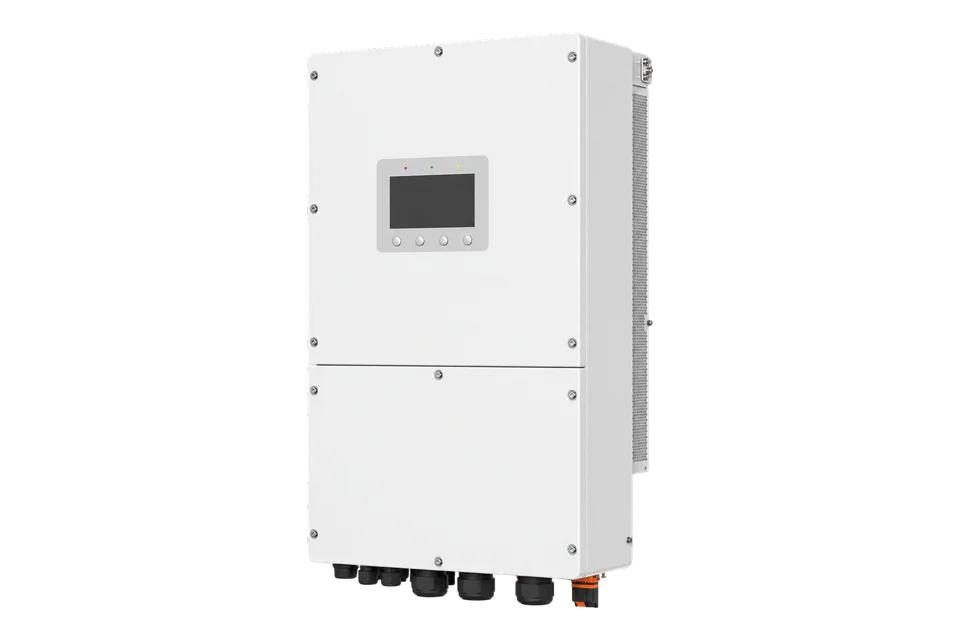
SolarEdge SE66.6K/SE100K Synergy
Commercial PV inverter
SolarEdge documents read-only inverter monitoring through SunSpec Modbus RTU or TCP for SetApp-configured Synergy inverters. Only one Modbus leader or TCP session is supported at a time. This guide covers SE66.6K and SE100K. It excludes every write, dispatch and protection function.
- Modbus TCP
- Modbus RTU
- SunSpec Modbus
Commercial PV inverter
Compatibility
Compatible for read-only SunSpec monitoring
SolarEdge's current SunSpec implementation note covers SetApp-configured inverters and documents both Modbus RTU over RS-485 and Modbus TCP over wired Ethernet.
SetApp-configured SE66.6K or SE100K Synergy inverter with exact part number and firmware recorded. One read-only Modbus leader or TCP session only; no write or control functions.
Connect it with
-
Modbus Interface ZMB-3XFrom €399 ex VAT Configure Modbus Interface
-
Gateway ZGW-20From €899 ex VAT Configure Gateway
-
Evaluation Gateway on a Raspberry Pi Edge with one device licensedFree Set up Evaluation Gateway on a Raspberry Pi


When the wired LAN can dedicate the inverter's single Modbus TCP session to Edge
- Modbus
- Edge
- Platforms
When Edge is the single permitted Modbus leader on the selected RS-485 bus
- Modbus
- Edge
- Platforms
Models
| Models | Interface | Route into Edge |
|---|---|---|
| SE66.6K | 66.6 kW for 380/400 V grids; two Synergy Units | Record the complete SExxK part number and firmware. |
| SE100K | 100 kW commercial Synergy inverter | Use the exact rating and regional part number. |
| SE90K and SE120K | Other Synergy ratings outside the retained exact datasheet | Confirm separately before use. |
Specifications
The retained exact datasheet covers SE66.6K and SE100K commercial Synergy inverters. Part-number and regional availability matter, so rating alone is not a commissioning identity.23
- Covered models
- SE66.6K and SE100K commercial Synergy inverters2
- TCP transport
- Wired Ethernet only; disabled by default; default port 1502; one connection1
- RTU transport
- RS-485 SunSpec Non-SE Logger mode; unique unit ID 1-247; one leader1
- SunSpec models
- Common and inverter models 101, 102 or 103; Synergy units may expose model 1601
Interface
Documented measurements and integration boundaries for SE66.6K/SE100K Synergy.
- Manufacturer, model, serial number and firmware from the SunSpec common model.
- Inverter AC and DC measurements, energy and state from the implemented read-only SunSpec models.
- Synergy module information where model 160 is returned by the exact inverter firmware.
Assessment
SetApp-configured SE66.6K or SE100K Synergy with one Modbus client and no writes.
- InteroperabilitySupported with conditions
- SolarEdge publishes exact SunSpec RTU and TCP setup, model and session rules; the single-client limit must be accommodated.1
- AccuracySupported with conditions
- Read-only inverter and Synergy monitoring models are documented, subject to exact model and firmware implementation.12
- SecurityLimited
- Local Modbus has no transport encryption or peer authentication, so LAN isolation, client control and read-only enforcement are required.1
- ReliabilitySupported with conditions
- Firmware releases and operating behavior are documented; communications recovery and session ownership need site testing.13
- RuggednessSupported with conditions
- Mechanical and environmental limits are published for the exact family and remain subject to the regional part number.2
- ScalabilityLimited
- Addressed RS-485 is documented, but one leader and one TCP session constrain larger monitoring designs.1
Setup
Read Synergy power through SunSpec
Use the published SolarEdge map as a best-effort starting point. Requests below use zero-based wire addresses; the PLC address column is one higher. Example response bytes are synthetic.
- Connection
- Wired LAN: enable Site Communication > Modbus TCP. Default port 1502 and direct-inverter unit ID 1; use the configured values. Reserve its single client session. For RTU, use the configured unique ID and serial settings; default framing is 115200 bit/s, 8N1.
- Identity and model
- FC03 wire 40000, quantity 2: PDU 03 9C 40 00 02 returns SunS (53 75 6E 53). Read manufacturer at 40004, model at 40020 and serial at 40052. The published common-model length is 65: header 40002 +2 +65 = inverter header 40069, where a three-phase inverter reports model 103.
- Power request
- FC03 wire 40083, quantity 2: PDU 03 9C 93 00 02. I_AC_Power at 40083 and its scale factor at 40084 are signed int16. PLC addresses are 40084 and 40085. If the discovered model position differs, use model 103 header +14 and +15.
- Decode the response
- Synthetic data 30 39 FF FF gives power 12345 and scale factor -1: 12345 × 10^-1 = 1234.5 W. Decode each word as signed; this pair is not Float32. Treat 0x8000 as unavailable, separately from zero.
- Add frequency and state
- Frequency uses FC03 wire 40085, quantity 2: unsigned value and signed scale factor. State is wire 40107, quantity 1: 4 means producing power, 5 curtailed production, 7 fault. Start with these inverter readings before adding optional Synergy module data.
Acceptance: Compare fresh power and state with the local inverter display or app. Preserve the existing logger and control configuration. This is a document-based monitoring example, not a physical Edge test.
-
Confirm the exact Synergy inverter
Record the complete part number, rating, grid voltage, serial number, SetApp configuration and firmware. Confirm the regional model matches the site.
-
Find the current communications owner
Identify any SolarEdge logger, non-SolarEdge logger or TCP client. The inverter supports one Modbus leader and one TCP session, so do not interrupt an operational system.
-
Configure one read-only route
For TCP, use wired Ethernet and the configured port. For RTU, use SunSpec Non-SE Logger mode, a unique ID and documented framing. Keep writes outside the client.
-
Discover SunSpec models
Read the SunS signature at wire 40000 and the common-model identity. The published map places model 103 at wire 40069 and signed power/scaling at 40083/40084. Discover the returned headers before polling.
-
Validate identity and a measurement
Match manufacturer, model, serial and firmware, then compare one live power value and state with the commissioned SolarEdge interface before adding more points.
Common questions
- Can Edge share the inverter with another Modbus TCP client?
- SolarEdge documents one TCP connection. Confirm the session is available rather than interrupting an existing logger or plant system.1
- Can Modbus TCP use the inverter's Wi-Fi connection?
- No. The implementation note specifies Modbus TCP over wired Ethernet LAN, not Wi-Fi.1
- Does this guide publish SolarEdge write or power-control registers?
- No. The integration is read-only. Dispatch, export control, protection and grid services require a separate engineered and accepted design.1
Related devices
Sources
- SunSpec implementation technical note, version 3.3 (opens in a new tab) (PDF)
- Three Phase Inverter with Synergy Technology Datasheet (opens in a new tab) (PDF)
- Firmware updates for commercial inverters (opens in a new tab)
Further reading
Product names and trademarks belong to their owners. Publication does not imply endorsement or a commercial relationship.