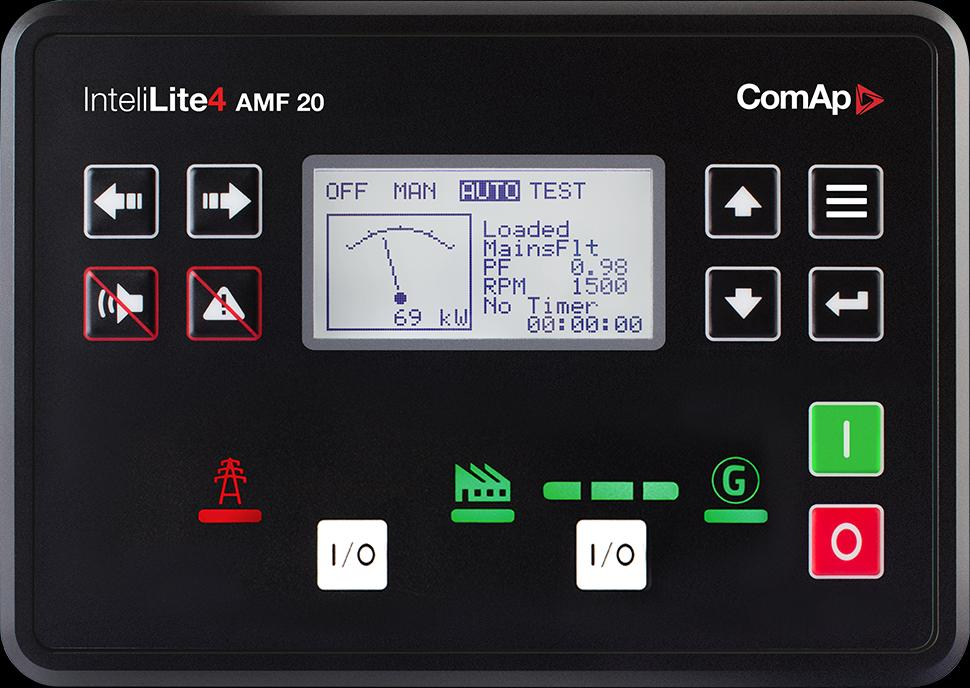
ComAp InteliLite 4 AMF 20
Single-generator AMF controller
InteliLite 4 AMF 20 provides single-generator automatic mains-failure control. Its Modbus monitoring path uses a fitted communication module. Checking that module first avoids specifying an RS-485 connection to a controller that only has its standard USB and CAN interfaces.
- Modbus RTU
- Modbus TCP
Single-generator AMF controller
Compatibility
Documented Modbus RTU and TCP interface
Optional CM-RS232-485 serial module or Ethernet communication module; integrated USB is for configuration
Do not copy the AMF 25 onboard RS-485 wiring assumption. The AMF 20 serial path uses CM-RS232-485; a TCP path needs the Ethernet option.
Connect it with
-
Modbus Interface ZMB-3XFrom €399 ex VAT Configure Modbus Interface
-
Gateway ZGW-20From €899 ex VAT Configure Gateway
-
Evaluation Gateway on a Raspberry Pi Edge with one device licensedFree Set up Evaluation Gateway on a Raspberry Pi


When the documented monitoring interface is fitted and configured
- Modbus
- Edge
- Platforms
When the documented monitoring interface is fitted and configured
- Modbus
- Edge
- Platforms
Models
| Models | Interface | Route into Edge |
|---|---|---|
| InteliLite 4 AMF 20 | Optional CM-RS232-485 serial module or Ethernet communication module; integrated USB is for configuration | Open the saved InteliConfig application, identify the fitted module and enable its Modbus interface. Export the configurable Modbus table and use those addresses and data types when defining Edge observations. |
Specifications
Do not copy the AMF 25 onboard RS-485 wiring assumption. The AMF 20 serial path uses CM-RS232-485; a TCP path needs the Ethernet option.12
- Plant role
- Single-generator AMF controller1
- Monitoring and configuration
- Optional CM-RS232-485 serial module or Ethernet communication module; integrated USB is for configuration2
- Model distinction
- Do not copy the AMF 25 onboard RS-485 wiring assumption. The AMF 20 serial path uses CM-RS232-485; a TCP path needs the Ethernet option.12
- Panel protection
- IP65 front panel and IP20 rear; standard operating temperature -20 to +70 °C.2
Interface
Documented measurements and integration boundaries for InteliLite 4 AMF 20.
- Generator and mains electrical values from the configured application
- Engine status and configured sensor values
- Mode, alarms and breaker indications exported in the Modbus table
Assessment
Optional CM-RS232-485 serial module or Ethernet communication module; integrated USB is for configuration
- InteroperabilitySupported with conditions
- Optional CM-RS232-485 serial module or Ethernet communication module; integrated USB is for configuration12
- AccuracySupported with conditions
- The documentation identifies electrical and operating measurements for this plant role. CT configuration and measurement location determine how those values are used.12
- SecurityNot yet assessed
- The cited documentation does not establish an authenticated, encrypted Edge monitoring connection.
- ReliabilityNot yet assessed
- The controller application distinguishes operating conditions and alarms. Retain communication availability alongside the plant readings.
- RuggednessSupported with conditions
- IP65 front panel and IP20 rear; standard operating temperature -20 to +70 °C.2
- ScalabilityNot yet assessed
- Assign one device identity per controller and keep generator, mains and busbar measurements separate.
Setup
-
Open the saved InteliConfig application, identify the fitted module and enable its Modbus interface.
Export the configurable Modbus table and use those addresses and data types when defining Edge observations.
-
Record CT ratios and the physical measurement location.
Compare the first electrical values with the controller display before using them in totals or trends.
-
Keep missing responses distinct from a stopped generator.
Store communication availability beside running state so a disconnected cable does not look like healthy standby.
-
Build a read-only point list for monitoring.
Remote start, synchronisation and breaker operation require a separate control design with the existing panel interlocks and feedback.
Related devices
Sources
Further reading
Product names and trademarks belong to their owners. Publication does not imply endorsement or a commercial relationship.