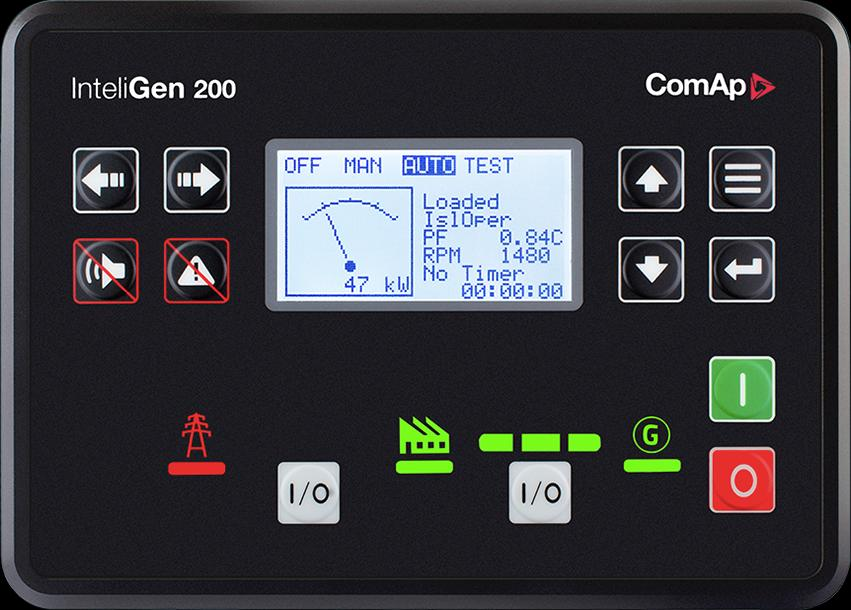
ComAp InteliGen 200
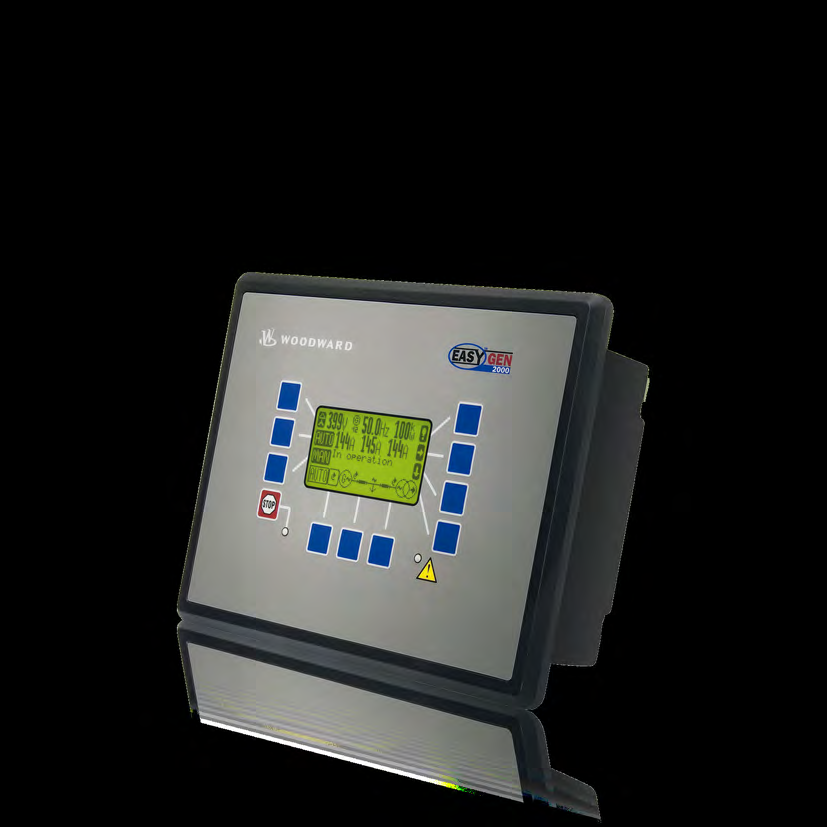
Generator paralleling controller
InteliGen 200 supports multiple generators in an island system or one generator in parallel with the mains. Its CAN link coordinates load and reactive-power sharing, while its separate RS-485 interface serves Modbus monitoring. Keeping these networks distinct preserves the existing generator-control arrangement.
- Modbus RTU
- Modbus TCP
Generator paralleling controller
Compatibility
Documented Modbus RTU and TCP interface
Integrated isolated RS-485; optional CM-Ethernet module for Ethernet monitoring
ComAp marks InteliGen 200 discontinued and names InteliGen 4 200 as its successor. CAN load sharing between up to 32 generators is different from the number of devices that a Modbus monitoring client polls.
Connect it with
-
Modbus Interface ZMB-3XFrom €399 ex VAT Configure Modbus Interface
-
Gateway ZGW-20From €899 ex VAT Configure Gateway
-
Evaluation Gateway on a Raspberry Pi Edge with one device licensedFree Set up Evaluation Gateway on a Raspberry Pi


When the documented monitoring interface is fitted and configured
- Modbus
- Edge
- Platforms
When the documented monitoring interface is fitted and configured
- Modbus
- Edge
- Platforms
Models
| Models | Interface | Route into Edge |
|---|---|---|
| InteliGen 200 | Integrated isolated RS-485; optional CM-Ethernet module for Ethernet monitoring | In InteliConfig, identify Multiple Island or Single Parallel to Mains, save the application and export the configurable Modbus table. Start with one controller on the monitoring segment before adding the rest of the plant. |
Specifications
ComAp marks InteliGen 200 discontinued and names InteliGen 4 200 as its successor. CAN load sharing between up to 32 generators is different from the number of devices that a Modbus monitoring client polls.12
- Plant role
- Generator paralleling controller1
- Monitoring and configuration
- Integrated isolated RS-485; optional CM-Ethernet module for Ethernet monitoring2
- Model distinction
- ComAp marks InteliGen 200 discontinued and names InteliGen 4 200 as its successor. CAN load sharing between up to 32 generators is different from the number of devices that a Modbus monitoring client polls.12
- Panel protection
- IP65 front panel and IP20 rear; standard operating temperature -20 to +70 °C.2
Interface
Documented measurements and integration boundaries for InteliGen 200.
- Generator voltage, current, frequency and power measurements
- Controller mode, alarms and engine measurements
- Breaker status and application-specific mains measurements where configured
Assessment
Integrated isolated RS-485; optional CM-Ethernet module for Ethernet monitoring
- InteroperabilitySupported with conditions
- Integrated isolated RS-485; optional CM-Ethernet module for Ethernet monitoring12
- AccuracySupported with conditions
- The documentation identifies electrical and operating measurements for this plant role. CT configuration and measurement location determine how those values are used.12
- SecurityNot yet assessed
- The cited documentation does not establish an authenticated, encrypted Edge monitoring connection.
- ReliabilityNot yet assessed
- The controller application distinguishes operating conditions and alarms. Retain communication availability alongside the plant readings.
- RuggednessSupported with conditions
- IP65 front panel and IP20 rear; standard operating temperature -20 to +70 °C.2
- ScalabilityNot yet assessed
- Assign one device identity per controller and keep generator, mains and busbar measurements separate.
Setup
-
In InteliConfig, identify Multiple Island or Single Parallel to Mains, save the application and export the configurable Modbus table.
Start with one controller on the monitoring segment before adding the rest of the plant.
-
Record CT ratios and the physical measurement location.
Compare the first electrical values with the controller display before using them in totals or trends.
-
Keep missing responses distinct from a stopped generator.
Store communication availability beside running state so a disconnected cable does not look like healthy standby.
-
Build a read-only point list for monitoring.
Remote start, synchronisation and breaker operation require a separate control design with the existing panel interlocks and feedback.
Related devices
Sources
Further reading
Product names and trademarks belong to their owners. Publication does not imply endorsement or a commercial relationship.