Salus Controls SP600
Metering smart plug
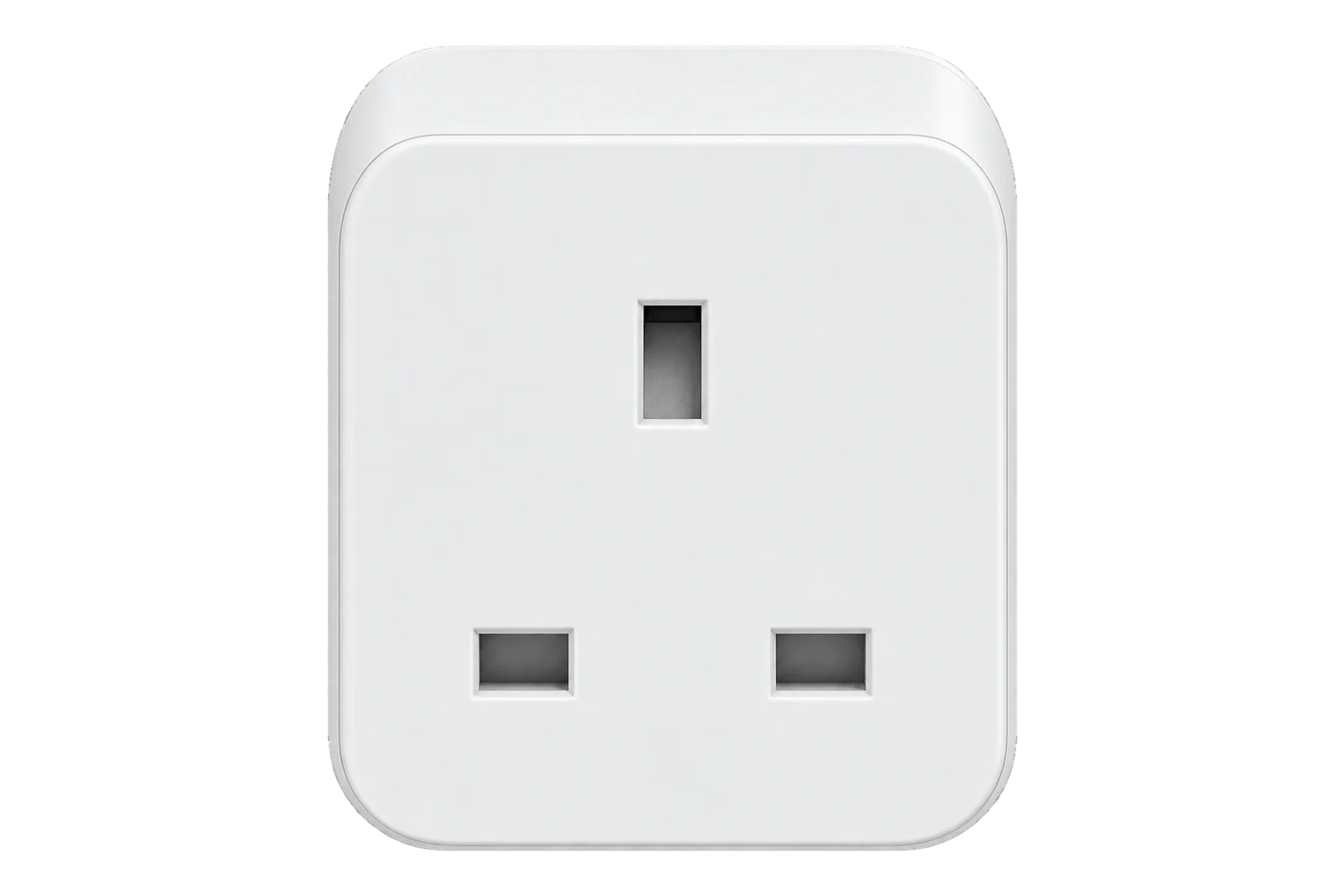
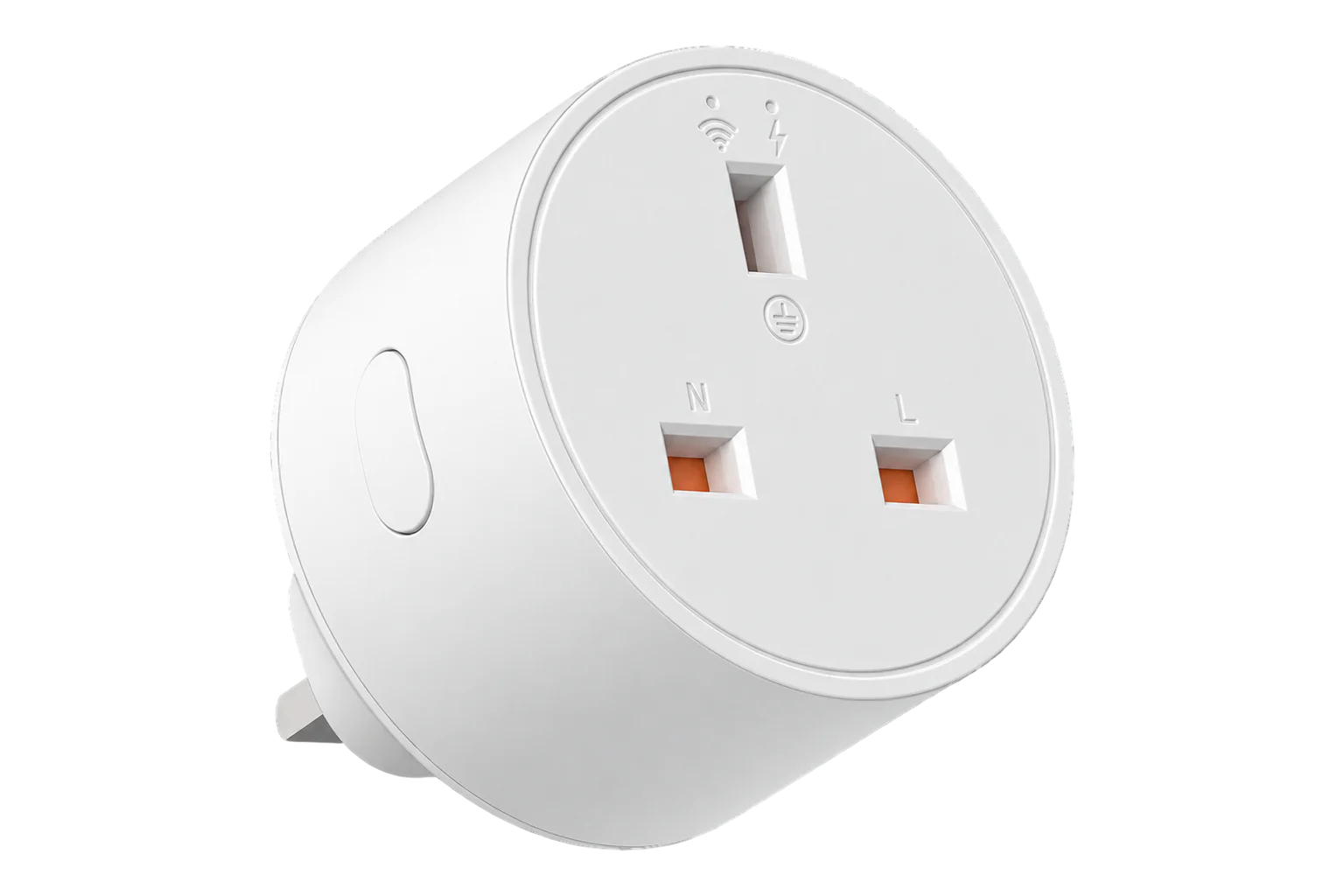
A 13 A Zigbee smart plug for UK sockets that switches one appliance and meters its power and cumulative energy. Salus sells it for its own Smart Home system, and its Zigbee radio also joins an EpiSensor Gateway.
- Zigbee
Metering smart plug
Compatibility
Compatible with EpiSensor Edge over Zigbee.
Pair it with the Zigbee radio on an EpiSensor Gateway. Edge reads it locally on the Gateway.
Edge reads 5 values from it, listed under Interface.
Connect it with
-
Gateway ZGW-20From €899 ex VAT Configure Gateway

Specifications
The SP600 is Salus Controls' smart plug for UK 13 A sockets. It plugs into the wall, takes one appliance, switches it through a relay and monitors the energy it uses. Salus rates it for 230 V AC, 50 Hz and 13 A, and pitches it at electric heating and at cutting standby consumption.124
- Power
- Mains. Powered from the 230 V AC, 50 Hz socket it plugs into; the socket switch must stay on.1
- Supply
- 230 V AC, 50 Hz1
- Current rating
- 13 A1
- Socket
- UK4
- Measurements
- Active power (W) and cumulative energy (kWh)4
- Wireless
- Zigbee, 2.4 GHz2
- Operating temperature
- -10 to 50 °C2
- Environment
- Indoor only, keep dry1
- Firmware updates
- Over the air4
- Compliance
- EU directives 2014/30/EU, 2014/35/EU, 2014/53/EU, 2011/65/EU1
Where it is used
Plug-in electric heaters and panel heaters on UK sites, metered and switched to a schedule from Edge.
HVAC energy monitoring for commercial buildingsPlug-in refrigeration such as bottle coolers and display fridges, metered one by one to find the units that run longest or draw most out of hours.
Refrigeration energy monitoring
Interface
Readings and settings, with units and ranges where Salus Controls publishes them. readable, readable and writable.
| Reading | Unit | Range or values | Access |
|---|---|---|---|
| Measurements 3 | |||
| Switch | - | - | Read only |
| Power | W | - | Read only |
| Energy | kWh | - | Read only |
| Controls 1 | |||
| State | - | Binary state | Read and write |
| Settings 1 | |||
| Power on behaviour | - | offontoggleprevious |
Read and write |
Switching uses the standard On/Off cluster, including the power-on behaviour attribute that decides whether the load comes back on after a power cut.4
Power and energy both come from the Simple Metering cluster: instantaneous demand for power and the delivered summation for energy. There is no Electrical Measurement cluster, so no voltage or current.4
Units with the date code 20160120 do not scale metering according to the ZCL. Edge reads their power as W and their energy total as Wh.4
Setup
-
Leave any Salus gateway
If the plug is paired to a Salus gateway, press its button for 10 seconds. The LED flashes red 5 times and then goes off, and the plug has left that network.1
-
Open pairing in Edge
In Edge, open pairing on the Gateway’s Zigbee network. The Gateway accepts new devices while pairing is open.
-
Plug it in
Plug the SP600 into a 13 A socket and make sure the socket switch is on. After it starts up, the LED flashes continuously while the plug looks for a network.1
-
Confirm the join
The LED stops flashing once the plug has joined. Check that Edge identifies it as Salus Controls SP600.1
-
Check one reading
Switch the relay from Edge, then run a load with a known rating, such as a heater with a rating plate, and compare the reported power with it.
Common questions
- Does the SP600 need a Salus gateway to work with Edge?
- No. Salus sells it for its own UG600 gateway and app, but the plug's radio is Zigbee. It joins the Zigbee radio on an EpiSensor Gateway and Edge reads it there without the Salus app.12
- Does it measure voltage and current?
- No. It reports active power and cumulative energy through the Simple Metering cluster, plus the relay state. For voltage and current use a plug or meter that exposes the Electrical Measurement cluster.4
- What does it do after a power cut?
- That is a setting. Edge can set the power-on behaviour to off, on, toggle or the previous state.4
Related devices
More from Salus Controls

Sources
- Smart Plug model SP600 installation manual (opens in a new tab) (PDF)
- Salus Controls product brochure (UK) (opens in a new tab) (PDF)
- SP600 Smart Plug (opens in a new tab)
- Salus Controls device definitions (salus_controls.ts) (opens in a new tab)
- Salus Controls SP600 device documentation (opens in a new tab)
Further reading
Product names and trademarks belong to their owners. Publication does not imply endorsement or a commercial relationship.