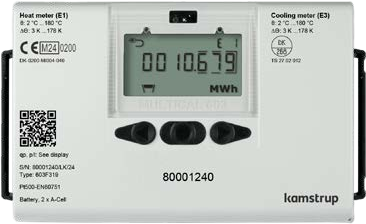
Kamstrup MULTICAL 603
Heat and cooling energy meter
MULTICAL 603 is a heat, cooling or combined heat and cooling calculator with two slots for plug-in communication modules. Kamstrup publishes a Modbus register map for its Modbus RTU module (HC-003-67) and the record coding for its wired M-Bus modules (HC-003-20, -21 and -22). Either route gives the meter's own energy, volume, power, flow and temperature values. Start with one read of heat energy E1 and compare it with the display before adding more points.
Compatibility
Compatible with EpiSensor Edge over Modbus RTU or wired M-Bus through a fitted module
Kamstrup publishes the Modbus RTU module's serial settings, function codes and register map, and the wired M-Bus modules' addressing and record coding with a decoded example. Edge reads serial Modbus RTU through a ZMB-31 or a Gateway serial interface, and one wired M-Bus meter per ZHM-21 M-Bus Interface. This is a documented starting point for read-only monitoring, not a physical test of this meter.
Applies to a MULTICAL 603 fitted with Kamstrup's Modbus RTU module HC-003-67 or a wired M-Bus module HC-003-20, -21 or -22. The read examples follow the Modbus register mapping FILE100004479 revision C (03.2025) with the default datagram xx-yy-300, and the wired M-Bus technical description 55121890 revision F1 (01.2022). Wireless M-Bus, KMP, BACnet, analog and pulse modules, and the network settings of the Modbus/KMP TCP/IP module HC-003-82, are outside this guide. Read-only monitoring: no PQT set point, primary address, clock or pulse-counter writes.
Connect it with

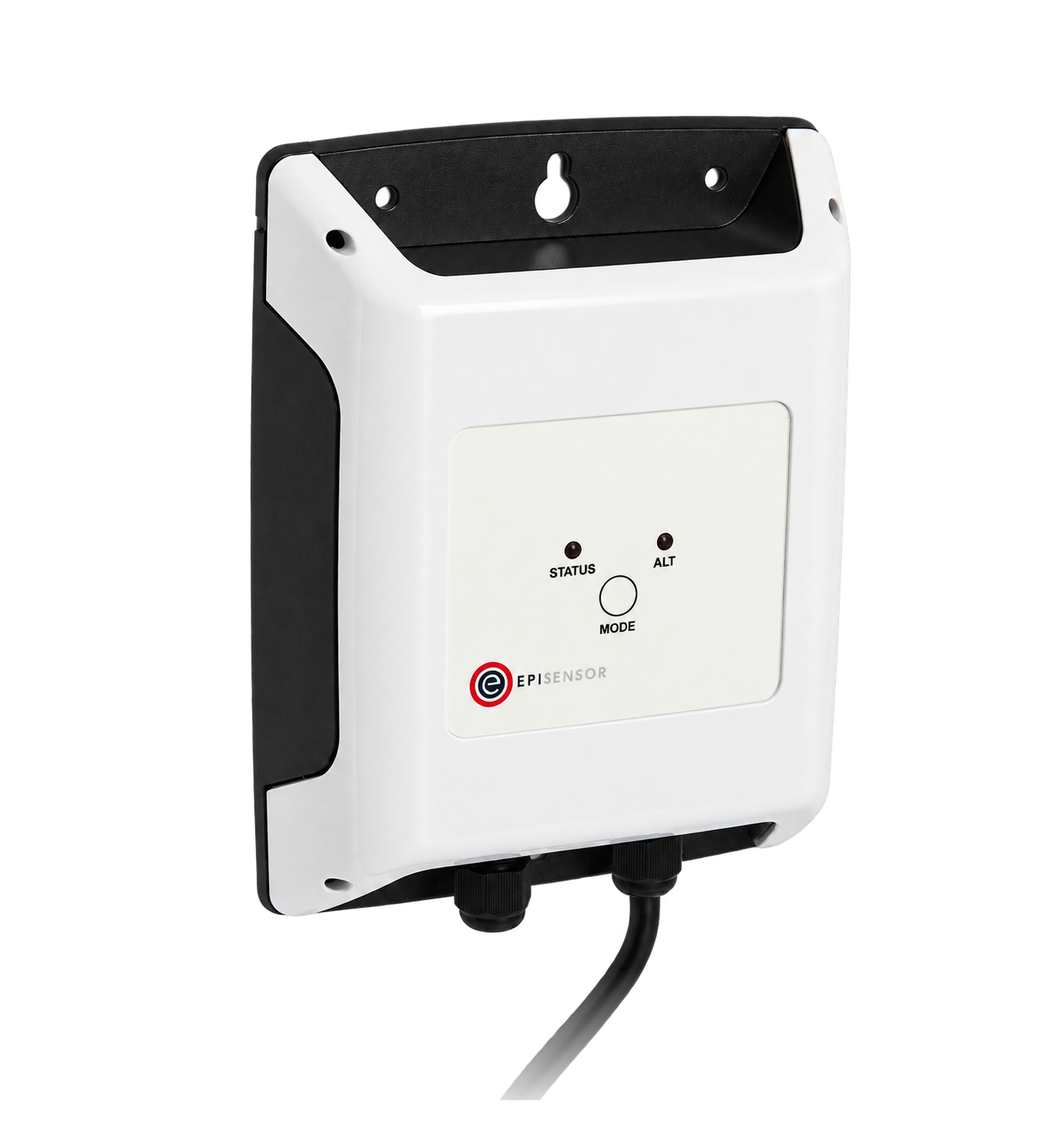

When the meter has the Modbus RTU module HC-003-67 in a module slot and is mains supplied, because the module takes its power from the meter's 230 VAC or 24 VAC supply
- Modbus
- Wireless
- Edge
- Platforms
When the meter has a wired M-Bus module HC-003-20, -21 or -22, on battery or mains supply
- M-Bus
- Edge
- Platforms
Models
| Models | Interface | Route into Edge |
|---|---|---|
| MULTICAL 603 with Modbus RTU module HC-003-67 | Isolated RS-485 Modbus RTU, 300 to 115200 bit/s, factory default 19200 bit/s, 8 data bits, even parity, 1 stop bit | Read the default datagram registers through a ZMB-31 or the Gateway serial interface. The meter must be mains supplied. |
| MULTICAL 603 with wired M-Bus module HC-003-20, -21 or -22 | EN 13757 wired M-Bus, 300, 2400, 9600 or 19200 baud detected automatically; primary, secondary and enhanced secondary addressing | Connect one meter to one ZHM-21 M-Bus Interface, which reads it at its primary address and forwards the records to the Gateway. |
| MULTICAL 603 calculator types with built-in M-Bus, or other Kamstrup modules | The datasheet lists built-in M-Bus on some calculator types, and wireless M-Bus, KMP, BACnet and other modules for the two slots | Not covered by this guide. Check the fitted interface and its own Kamstrup documentation before planning a read. |
Specifications
Communication is through plug-in modules in two slots. The Modbus RTU module HC-003-67 is powered from the meter's mains supply; the wired M-Bus modules work on battery or mains supply. Data from the meter reach either module each time the meter completes an integration.124
- Measurement
- Heat energy E1, cooling energy E3 and other energy registers, volume, mass, power, flow, temperatures and, where fitted, pressure inputs13
- Approvals
- MID 2014/32/EU heat meter approval DK-0200-MI004-040; cooling to TS 27.02 012; EN 1434; mixed-fluid variant 603-M under EN 1434 without MID1
- Approved temperature range
- 2 to 180 °C, temperature difference 3 to 178 K1
- Energy units
- MWh, kWh, GJ or Gcal, seven or eight digits on the display1
- Supply
- D-cell or 2 x A-cell lithium battery, 230 VAC or 24 VAC/VDC supply modules1
- Environment
- IP65, 5 to 55 °C, non-condensing, indoor installation1
- Modbus RTU module
- HC-003-67, isolated RS-485, 300 to 115200 bit/s, address 1 to 247, FC03 and FC04 reads2
- Modbus data types
- 32-bit IEEE float or signed 32-bit integer with 16-bit factor; 16-bit unit codes3
- Wired M-Bus modules
- HC-003-20, -21, -22 to EN 13757:2013 and OMS TR02:2015; 300 to 19200 baud automatic; 1 unit load4
- M-Bus identity
- Manufacturer KAM; version 35h for MULTICAL 6035
Interface
Documented measurements and integration boundaries for MULTICAL 603.
- Modbus default datagram (xx-yy-300): heat energy E1 is a 32-bit IEEE float at register 21 (0x0014) with its unit code at register 93 (0x005C). Cooling energy E3 is at register 25 (0x0018) and volume V1 at register 53 (0x0034).
- Modbus instantaneous values are floats from register 1: flow V1 at 1 (0x0000), actual power at 5 (0x0004), t1 at 7 (0x0006), t2 at 9 (0x0008) and t1-t2 at 15 (0x000E). Their unit codes start at register 83 (0x0052).
- The same measurement values are also published as signed 32-bit integers from register 154 (0x0099), with a signed 16-bit factor from register 236 (0x00EB): the result is 10 to the power of the factor multiplied by the integer. Heat energy E1 is at register 174 (0x00AD) with its factor at 246 (0x00F5).
- Modbus status and identity: info code at register 124 (0x007B), date at 130 (0x0081), time at 132 (0x0083) and serial number at 146 (0x0091), each an unsigned 32-bit value. A register the meter does not have reads as the invalid value 0x4F800000 for a float or 0x7FFFFFFF for a signed integer.
- Wired M-Bus standard profile (20-00-101): heat energy E1, cooling energy E3, volume V1, pulse inputs A1 and B1, operating and error hours, t1, t2 and t1-t2 with two decimals, actual power and flow, monthly maxima, info bits and date and time.
- On M-Bus, the VIF of each record carries the unit and decimal position, and Kamstrup notes that a VIF can change during the meter's life when a total outgrows its coding. Read the VIF with every value rather than fixing a scale.
- Keep cumulative energy and volume separate from instantaneous power, flow and temperature. A failed poll is missing data, not zero consumption.
Assessment
MULTICAL 603 with Kamstrup's HC-003-67 Modbus RTU module or HC-003-20, -21 or -22 wired M-Bus modules, using Kamstrup's public datasheets and technical description. No physical EpiSensor installation or billing validation is claimed.
- InteroperabilityWell supported
- Kamstrup publishes the Modbus register map, data types, address convention and function codes, and the wired M-Bus addressing, header and record coding to EN 13757 and OMS TR02.2345
- AccuracyWell supported
- The calculator carries MID heat meter approval DK-0200-MI004-040 and states its maximum permissible error against EN 1434-1; both modules expose energy, volume, power, flow and temperatures with units.135
- SecurityLimited
- Kamstrup states that wired M-Bus does not use encryption, and the Modbus RTU module accepts writes (function 0x10) to PQT Controller set points; neither document describes authentication. Protect the bus physically and configure the client for reads only.235
- ReliabilitySupported with conditions
- The calculator has a backed-up clock, EEPROM data and info loggers, info codes for sensor and flow faults, and an M-Bus status byte. The Modbus module depends on mains supply, and battery meters need at least 10 seconds between M-Bus reads.1245
- RuggednessSupported with conditions
- IP65, 5 to 55 °C non-condensing, for indoor installation, with MID mechanical class M1 and M2 and electromagnetic class E1 and E2. Module terminals take up to 1.5 mm².124
- ScalabilitySupported with conditions
- The Modbus module is a 1/8 unit load (up to 256 devices per segment) with addresses 1 to 247; the M-Bus modules support primary, secondary and wildcard search addressing. Default addresses come from customer numbers and must be checked for collisions; a ZHM-21 reads one meter.24
Setup
Decode heat energy E1 from a wired M-Bus response
Kamstrup's wired M-Bus technical description (revision F1) decodes a complete RSP_UD response for the standard profile. The bytes below are its example record, sent by a module at primary address 1 in reply to REQ_UD2. Use the installed meter's own address rather than copying address 1.
- Frame
- Long frame 68 C9 C9 68: C-field 08 (RSP_UD), A-field 01 (primary address 1), CI-field 72 (variable data, least significant byte first)
- Header
- ID 70 02 00 71 = 71000270 (BCD, least significant byte first); manufacturer 2D 2C = KAM; version 35h identifies MULTICAL 603 (34h is 403, 3Dh is 603M)
- Status byte
- 00 = no error; 08 = permanent error, 10 = temporary error, 18 = both
- First record
- 04 06 86 20 00 00 at bytes 20 to 25
- DIF and VIF
- DIF 04 = 32-bit binary, storage 0, current value; VIF 06 = energy in kWh with no decimals
- Decode
- Data 86 20 00 00 least significant byte first = 0x00002086 = 8,326
- Result
- Heat energy E1 = 8,326 kWh = 8.326 MWh in Kamstrup's example
Acceptance: This is Kamstrup's documented example, not a reading from an EpiSensor installation. On site, decode the record the installed module sends and compare energy and unit with the meter display. Kamstrup's VIF table shows the same VIF 06 serving a display configured in MWh with three decimals, so compare the value, not just the digits.
-
Identify the module
Read the module's type label (HC-003-67 for Modbus RTU, HC-003-20, -21 or -22 for wired M-Bus) or the meter's TECH loop: menu 2-101 for slot 1 and 2-201 for slot 2 shows the module type, firmware and bus address.
-
Wire the bus
For Modbus, connect A/- to 137, B/+ to 138 and the shield to 139, with 120 ohm termination at both ends; the meter must be mains supplied. For M-Bus, connect terminals 24 and 25 to the ZHM-21 lead in either polarity. Have the installer verify the wiring.
-
Find the address
Both modules default to the last digits of the meter's customer number. Modbus uses the last three, or the last two above 247, and moves to 247 when they are 000. M-Bus uses the last two or three as the primary address. Read the actual address in the TECH loop.
-
Read energy first
On Modbus, read two registers from address 0x0014 with FC04 (FC03 also reads the map) and the unit code at 0x005C; the cited documents do not state the word order of 32-bit values, so confirm it against the display. On M-Bus, decode the E1 record with its VIF. Add other points once energy matches.
Common questions
- Does every MULTICAL 603 have Modbus?
- No. Modbus RTU is the plug-in module HC-003-67, one option among many for the meter's two module slots. Check the module label or the TECH loop before planning a Modbus read.12
- Which Modbus register holds heat energy?
- In the default datagram, heat energy E1 is a 32-bit float at register 21 (address 0x0014), with its unit code at register 93 (0x005C). The same value is also a signed 32-bit integer at register 174 (0x00AD) with a power-of-ten factor at register 246 (0x00F5).3
- What is the Modbus slave address?
- By default it is the last three digits of the meter's customer number, or the last two if that would exceed 247. A customer number ending in 000 gives address 247. The address is shown in the TECH loop.2
- Can a battery-powered MULTICAL 603 be read?
- Over wired M-Bus, yes: the M-Bus modules work on battery or mains supply, with more than 10 seconds between readings on a battery meter. The Modbus RTU module takes its power from the meter's 230 VAC or 24 VAC supply, so it needs a mains-supplied meter.24
- Why does the M-Bus energy value differ from the display?
- Decode the VIF of each record: it sets the unit and decimal position, and the same VIF can match a display in kWh or in MWh with three decimals. Kamstrup also notes that a VIF can change when a total outgrows its coding.5
Related devices
Sources
- MULTICAL 603 datasheet, FILE100000683 revision G, August 2024 (opens in a new tab)
- Modbus RTU, inputs (In-A, In-B) module datasheet, 58101497 revision L1, June 2024 (opens in a new tab)
- Modbus RTU and Modbus/KMP TCP/IP register mapping datasheet, FILE100004479 revision C, March 2025 (opens in a new tab)
- Wired M-Bus modules datasheet, 58101450 revision J1, December 2022 (opens in a new tab)
- Technical description, wired M-Bus for MULTICAL 403, 603 and 803, 55121890 revision F1, January 2022 (opens in a new tab)
Further reading
- ApplicationWired M-Bus heat meter integration
- ApplicationDistrict heating network monitoring
- ApplicationHeat pump performance monitoring
- ToolM-Bus address planner
- ToolWired M-Bus segment calculator
- ToolHeat meter check
- ToolModbus register decoder
- ToolModbus register address converter
- ToolRS-485 termination and bias
- ProtocolModbus devices and register maps
Product names and trademarks belong to their owners. Publication does not imply endorsement or a commercial relationship.