Adeunis PULSE
Two-channel pulse counter
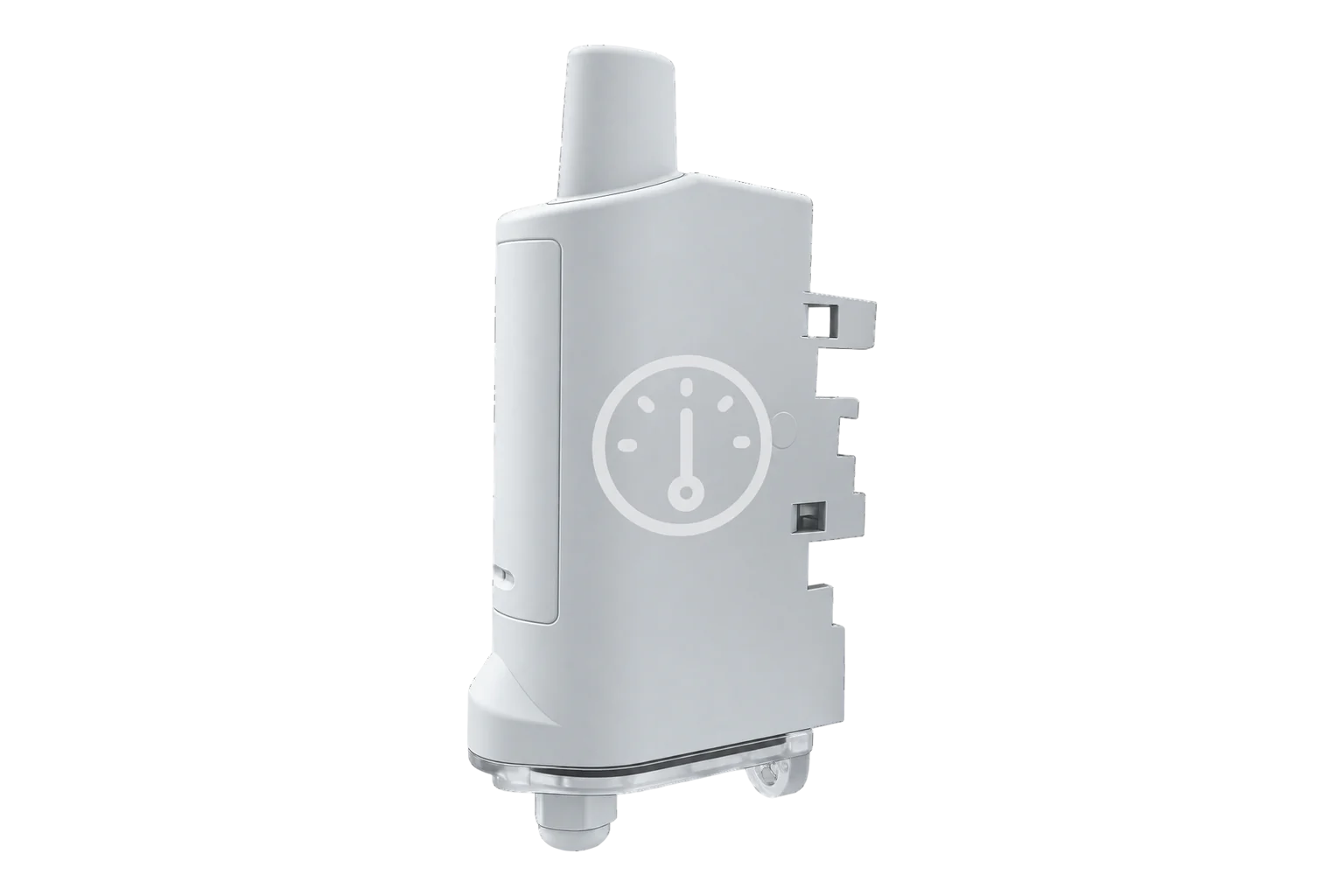
A battery-powered LoRaWAN pulse counter for water, gas, electricity and heat meters. It counts two pulse outputs, reports the meter index and flow, and raises leak, tamper and high-flow alarms. The enclosure is IP68.
- LoRaWAN
Two-channel pulse counter
Compatibility
Compatible with EpiSensor Edge over LoRaWAN.
Register it on your LoRaWAN network server with its DevEUI and keys. Edge, on the Gateway, reads its decoded uplinks from that server.
Edge reads 12 values from it, listed under Interface.
Connect it with
-
Gateway ZGW-20From €899 ex VAT Configure Gateway

Specifications
The PULSE reads the pulse output of one or two meters and sends the running count over LoRaWAN. Its two inputs take S0 outputs, dry contacts, open collectors and reed switches up to 100 Hz, so it suits most water, gas, electricity and heat meters with a pulse output. Wiring is two meters on three wires each, or one meter on five wires. Gas meters get a stronger input pull-up: 47 kΩ against 180 kΩ for water.12
- Power
- Battery. One replaceable 4000 mAh FANSO ER18505H 3.6 V cell. More than 15 years at SF7, SF10 or SF12 with one index an hour sent every three hours, both channels on and 500 pulses a day per channel. The USB-C port does not charge it.1
- Pulse inputs
- 1 or 2 channels: 2 meters on 3 wires, or 1 meter on 5 wires1
- Compatible outputs
- S0, dry contact, open collector, reed relay1
- Input frequency
- < 100 Hz1
- Input pull-up
- 180 kΩ (water), 47 kΩ (gas)1
- Input voltage
- 0 to 3.3 V operating; -0.7 to 3.6 V absolute maximum3
- LoRaWAN
- Version 1.0.4, Class A; OTAA, ABP, ADR1
- Part numbers
- ARF8230ARA (EU868), ARF8230BRA (US915), ARF8230IRA (AU915), ARF8230JRA (AS923)1
- Transmit power
- +14 dBm (EU868, AS923), +20 dBm (US915, AU915)1
- Enclosure
- IP68, 132 × 62 × 34 mm, 103 g with battery1
- Mounting
- DIN rail, tube, wall or collar1
- Operating conditions
- -25 to 70 °C, 0 to 85 % RH non-condensing1
- Local configuration
- USB-C with the Adeunis IoT Configurator3
Where it is used
Water meters with a reed or pulse output, where the daily leak check flags flow that never stops overnight.
Water consumption monitoring for commercial buildingsElectricity, gas and heat meters with an S0 or pulse output that are too far from a cable run or a mains socket.
Pulse meter remote monitoringCounting the run cycles of a pump, compressor or door to plan maintenance.
Interface
- Device class
- Class A2
- Regional plans
- EU868, US915, AU915, AS923
- Activation
- OTAA or ABP
- LoRaWAN version
- 1.0.4
- Default uplink interval
- 24 hours
Ports
| FPort | Direction | Carries |
|---|---|---|
| 1 | Uplink | All frames: 46 index of both channels, 5A and 5B logged indexes per channel, 47 high-flow alarm, 30 daily keep-alive with flow and alarms, 10 and 20 configuration |
| 1 | Downlink | Commands: 40 read registers, 41 write registers, 03 add an offset to the counters, 48 reboot, 49 set the time |
Decoded fields
Readings and settings, with units and ranges where Adeunis publishes them. readable, readable and writable.2
| Reading | Unit | Range or values | Access |
|---|---|---|---|
| Measurements 5 | |||
| Index, channel AFrame 46 bytes 2 to 5, or frame 5A bytes 2 to 5; unsigned 32-bit | pulses | 0 to 4,294,967,295 pulses | Read only |
| Index, channel BFrame 46 bytes 6 to 9, or frame 5B bytes 2 to 5; unsigned 32-bit | pulses | 0 to 4,294,967,295 pulses | Read only |
| Flow at alarmFrame 47: flow on channels A and B when a high-flow threshold was crossed, 16-bit each | pulses/h | 0 to 65,535 pulses/h | Read only |
| Highest flow in the last 24 hoursKeep-alive frame 30, one value per channel | pulses/h | - | Read only |
| Lowest flow in the last 24 hoursKeep-alive frame 30, one value per channel | pulses/h | - | Read only |
| Settings 5 | |||
| History periodRegister 321, stored in steps of 2 s; default 86,400 s (24 hours) | s | 2 to 131,070 s | Read and write |
| Logged indexes per frameRegister 301: sets the sending period with register 321; default 1, 0 turns periodic frames off | - | 0 to 65,535 | Read and write |
| Flow calculation periodRegister 325, both channels; default 60 | min | 1 to 1,440 min | Read and write |
| High-flow threshold, channel ARegister 326 (327 for channel B); 0 turns the alarm off | pulses/h | 0 to 65,535 pulses/h | Read and write |
| Leak threshold, channel ARegister 328 (329 for channel B), used with the number of daily periods below it in registers 330 and 331 | pulses/h | 0 to 65,535 pulses/h | Read and write |
| Diagnostics 2 | |||
| High-flow, leak and tamper alarmsKeep-alive frame 30, byte 2: one bit per alarm and channel; cleared once the daily frame is sent | - | - | Read only |
| Low batteryStatus byte, bit 1, in every frame | - | - | Read only |
Every frame starts with a frame code and a status byte. The status byte carries a 3-bit frame counter and flags for configuration done, low battery, timestamp present and a configuration inconsistency. Values longer than a byte are big-endian.2
Frames 5A and 5B carry the index at the time of sending as a 32-bit count, then the drop to each earlier logged index as 16-bit values. An EU868 frame holds up to 23 samples, 21 with timestamps; US915 and AS923 frames hold 3. When a frame is full the oldest samples are lost and a warning bit is set.2
Timestamps are seconds since 1 January 2013 and are sent only on EU868 units with timestamping turned on (register 318). The clock can follow the network through DeviceTimeReq (register 319).2
Setup
-
Register it on the network server
Add the PULSE to the site’s LoRaWAN network server for OTAA with the DevEUI, AppEUI and AppKey supplied by Adeunis. It ships configured for OTAA.3
-
Wire the meters
Connect each meter’s pulse output to channel A or B, and its fraud contact if it has one. For a gas meter, turn on the input pull-up for that channel (register 320).2
-
Start it with a magnet
The PULSE ships in PARK mode. Hold a magnet against it for more than 6 seconds: the green LED lights, then flashes quickly while it starts and joins. It tries 10 times, then waits 12 hours before trying again.3
-
Match the meter index
Add the meter’s current reading, in pulses, as an offset with downlink 03, so the reported index matches the register on the meter.2
-
Test the pulses
Turn on the pulse detection test (register 341) to send both counters every 2 minutes for an hour, and check the count rises as the meter turns. The device then reboots, joins again and returns to its own settings.2
Common questions
- Does it report litres or kilowatt-hours?
- No. It reports the number of pulses, and flow in pulses per hour. Multiply by the meter’s pulse value, for example 10 litres or 1 Wh per pulse, to get volume or energy.2
- How often does it send?
- By default it logs the index every 24 hours and sends it at once. Register 321 sets the logging period in steps of 2 seconds and register 301 how many logged indexes go in each frame, so an hourly index sent every three hours is 1,800 and 3. A daily keep-alive frame is sent every 24 hours whatever the settings.23
- How does leak detection work?
- Set a leak threshold in pulses per hour and a number of periods per day. Each flow period below the threshold counts as a period of zero flow. If a day has fewer zero-flow periods than the number you set, as with a dripping tap or a running cistern, the next daily keep-alive frame carries a leak alarm for that channel.23
Related devices
Sources
- PULSE ARF8230xRA datasheet (opens in a new tab) (PDF)
- Technical reference manual, PULSE ARF8230xRA, LoRaWAN and Sigfox (opens in a new tab)
- User guide, PULSE ARF8230ARA LoRaWAN EU863-870 (opens in a new tab)
- PULSE: impulse interface (opens in a new tab)
- Adeunis PULSE device type definition (opens in a new tab)
Further reading
Product names and trademarks belong to their owners. Publication does not imply endorsement or a commercial relationship.