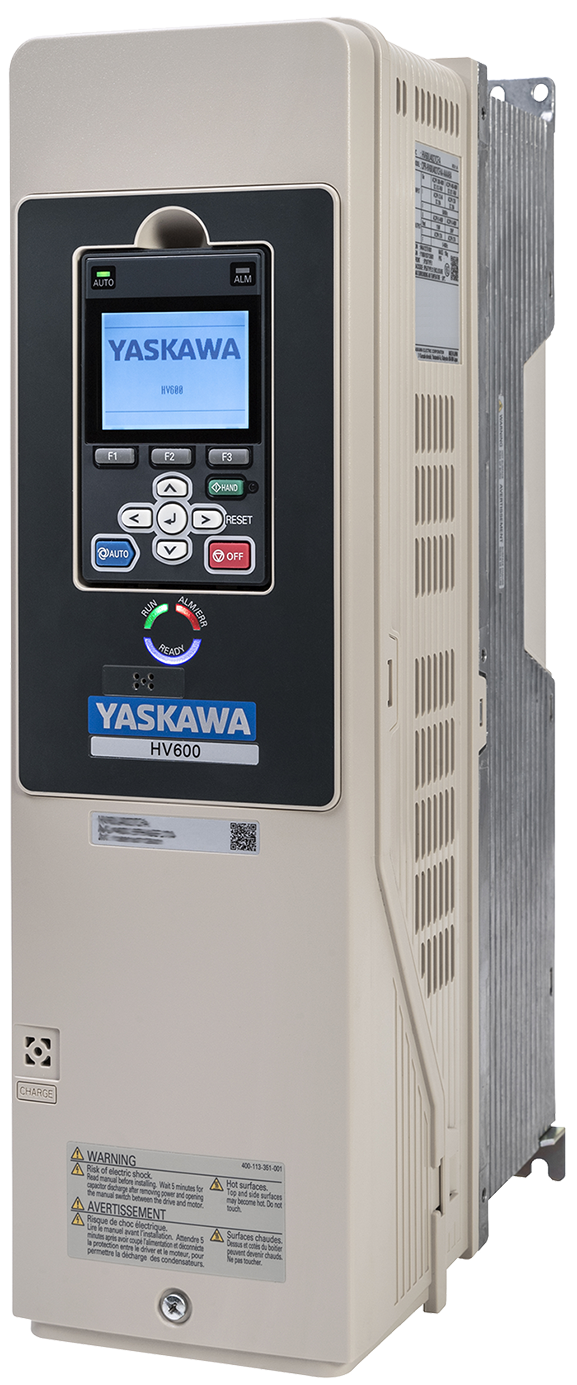
Yaskawa HV600
HVAC variable frequency drive
Establish whether the schedule calls for a standalone HV600, an enclosed drive or a bypass package. Yaskawa documents IP and serial options across these packages. A bypass contactor can supply the motor while drive output is zero.
Compatibility
Compatible with Edge over BACnet
HV600 has an embedded MS/TP port. A BACnet router carries its objects to the IP network used by Edge.
Confirm JOHB-SMP3-MA in CN5 if the quote assumes direct BACnet/IP.
Connect it with

For a drive on an existing serial network
- BACnet
- Edge
- Platforms
For a drive fitted with JOHB-SMP3-MA
- Wired
- Edge
- Platforms
Models
| Models | Interface | Route into Edge |
|---|---|---|
| HV600 | Embedded BACnet MS/TP. | BTL lists HV600 at software 2.01 for the serial connection. |
| HV600 with JOHB-SMP3-MA | BACnet/IP option in CN5. | Allow for an Ethernet connection to the drive panel. |
Interface
Documented measurements and integration boundaries for HV600.
- Motor current describes the load on the drive output. An input energy total needs a separate point or meter.
- Read the Device object’s Model_Name and Firmware_Revision and keep them with the point list for this asset.
Assessment
HV600 in a building automation network.
- InteroperabilityWell supported
- The listing identifies the embedded MS/TP interface at software 2.01.3
- AccuracyNot yet assessed
- The project point schedule and operating mode determine which feedback represents the motor.2
- SecurityNot yet assessed
- Site network access controls require a separate review.2
- ReliabilityNot yet assessed
- The listing covers protocol operation.3
- RuggednessNot yet assessed
- Select the enclosure for the panel location.1
- ScalabilitySupported with conditions
- Several drives can share a routed serial network. Include trunk capacity in the site survey.1
- LifecycleSupported with conditions
- Retain the tested software version and installed interface with the asset record.3
Setup
-
Record the nameplate, equipment tag, Device instance and connection used.
-
Read Object_List from the Device object.
Match the required feedback object to the installer’s point schedule and read its Present_Value.
-
For a motor-current trend, compare the drive output current with its keypad reading in drive mode.
Request bypass status separately for an installation with a bypass.
Related devices
Sources
- BACnet connections by drive series (opens in a new tab)
- HV600 protocol implementation conformance statement (opens in a new tab) (PDF)
- HV600 MS/TP listing, software 2.01 (opens in a new tab) (PDF)
Further reading
Product names and trademarks belong to their owners. Publication does not imply endorsement or a commercial relationship.