Elsys ERS CO2 LoRa
Indoor CO₂ and climate sensor
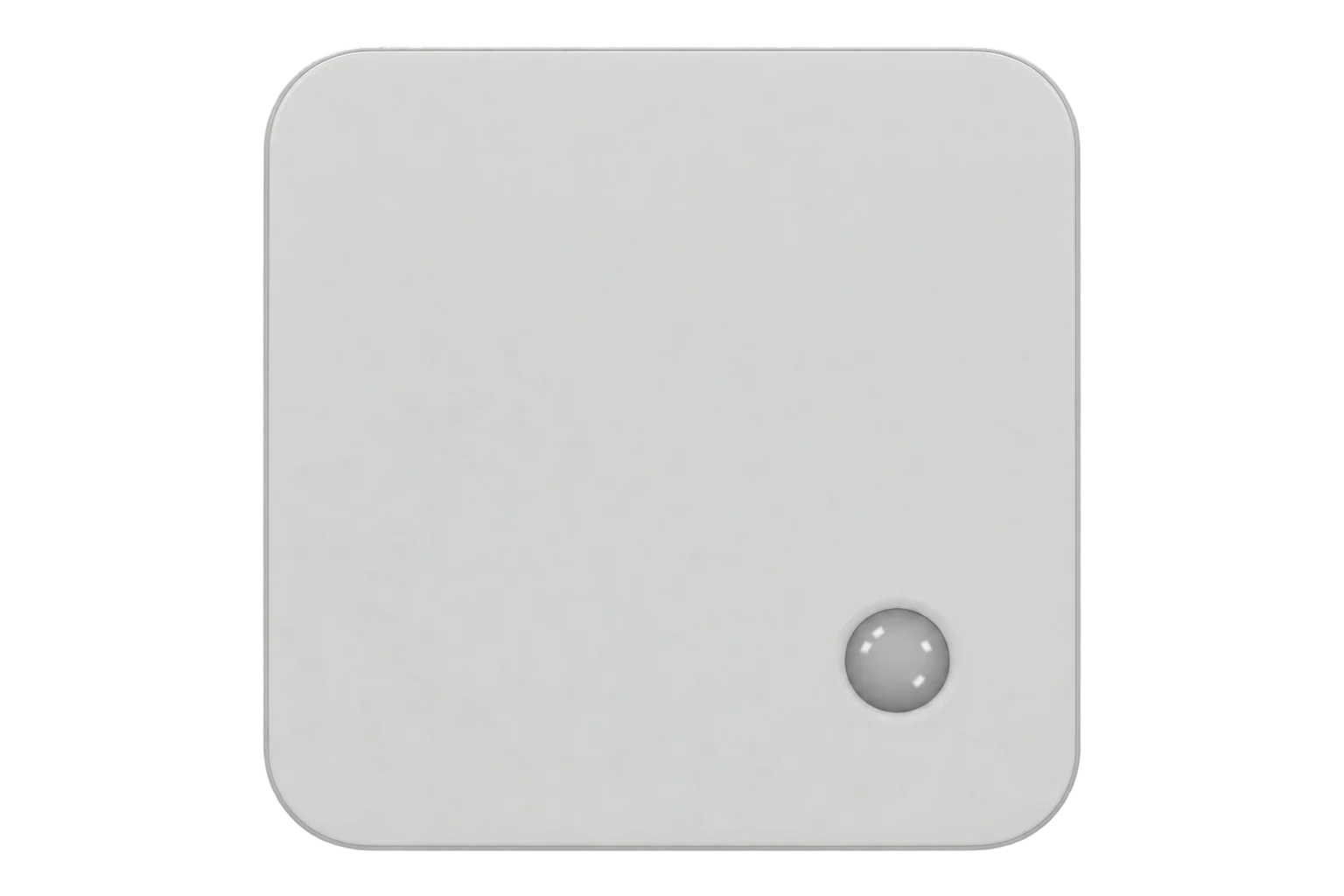
A wall-mounted LoRaWAN room sensor that measures CO₂, temperature, humidity, light and motion, runs on one or two AA lithium cells and is configured by NFC from a phone.
- LoRaWAN
Indoor CO₂ and climate sensor
Compatibility
Compatible with EpiSensor Edge over LoRaWAN.
Register it on your LoRaWAN network server with its DevEUI and keys. Edge, on the Gateway, reads its decoded uplinks from that server.
Edge reads 11 values from it, listed under Interface.
Connect it with
-
Gateway ZGW-20From €899 ex VAT Configure Gateway

Specifications
The ERS CO2 LoRa is Elsys’s indoor climate sensor with a CO₂ cell. It measures CO₂ from 400 to 10,000 ppm to ±30 ppm ±3 % of reading up to 5,000 ppm, temperature to ±0.2 °C, relative humidity to ±2 % RH and light from 4 to 2,000 lx, and counts motion with a passive infrared sensor.1
- Power
- Battery. One or two 3.6 V ER14505 AA lithium thionyl chloride cells; the ERS CO2 LoRa has two battery slots and Elsys recommends filling both. Up to 10 years depending on settings and environment.2
- CO₂ range
- 400 to 10,000 ppm, 1 ppm resolution1
- CO₂ accuracy
- ±30 ppm ±3 % of reading (400 to 5,000 ppm); ±10 % of reading (5,001 to 10,000 ppm); at 15 to 35 °C and 0 to 80 % RH1
- Temperature
- ±0.2 °C accuracy, 0.1 °C resolution1
- Humidity
- 0 to 100 % RH, ±2 % RH accuracy, 1 % RH resolution1
- Light
- 4 to 2,000 lx, ±10 lx accuracy, 1 lx resolution1
- Motion
- Passive infrared sensor1
- LoRaWAN
- Version 1.0.4, Regional Parameters RP002-1.0.3; OTAA, ABP, ADR1
- Frequency plans
- EU868, US915, AU915, AS923, KR920, IN8651
- Transmit power
- 14 dBm or 20 dBm depending on region1
- Operating conditions
- 0 to 50 °C, 0 to 95 % RH non-condensing, indoor1
- Enclosure
- PC and ABS, IP20, 76.4 × 76.4 × 22.5 mm, 70 to 95 g with batteries1
- Article number
- ERS2CO21
Where it is used
Meeting rooms, classrooms and open-plan offices, where CO₂ and motion together show whether ventilation matches occupancy.
Indoor environmental monitoringDemand-controlled ventilation, where room CO₂ shows when air handling units can run slower.
HVAC energy monitoring for commercial buildingsLibraries, shops and other public rooms, where the traffic-light LED shows people when a room needs air.
Interface
- Device class
- Class A4
- Regional plans
- EU868, US915, AU915, AS923, KR920, IN865
- Activation
- OTAA or ABP
- LoRaWAN version
- 1.0.4
Ports
| FPort | Direction | Carries |
|---|---|---|
| 5 | Uplink | Readings in the Elsys payload format, and the sensor settings sent after joining |
| 6 | Downlink | Settings: header 3E, then setting ID and value pairs (the configured port plus one) |
Decoded fields
Readings and settings, with units and ranges where Elsys publishes them. readable, writable only.1234
| Reading | Unit | Range or values | Access |
|---|---|---|---|
| Measurements 6 | |||
| CO₂Type 06, 2 bytes; fresh air reads about 400 to 420 ppm | ppm | 0 to 10,000 ppm | Read only |
| TemperatureType 01, 2 bytes, signed, 0.1 °C steps | °C | - | Read only |
| Relative humidityType 02, 1 byte, 1 % steps | % RH | 0 to 100 % RH | Read only |
| LightType 04, 2 bytes, 1 lx steps; the sensor measures 4 to 2,000 lx | lx | 4 to 2,000 lx | Read only |
| Motion eventsType 05, 1 byte: PIR triggers since the last report | - | 0 to 255 | Read only |
| OccupancyType 11, 1 byte, sent when the PIR is in occupancy mode: a level from 0 to 2 that rises with motion and falls after a set time without it | - | 0 to 2 | Read only |
| Settings 3 | |||
| Send periodDownlink setting 1F, 4 bytes | - | - | Write only |
| CO₂ sample periodDownlink setting 19, 4 bytes | - | - | Write only |
| CO₂ calibration actionDownlink setting 29 (firmware 2.3.2 and later): force a baseline calibration or restore the factory calibration | - | - | Write only |
| Diagnostics 2 | |||
| Battery voltageType 07, 2 bytes | mV | 0 to 65,535 mV | Read only |
| Sensor settingsType 3E, sent after joining: the device’s current configuration | - | - | Read only |
Each measurement is one type byte followed by its value, and one uplink can carry several. The lower six bits of the type byte give the type; the upper two bits are used only when timestamped measurements are turned on. Multi-byte values are big-endian: 00 CD after type 01 is 20.5 °C.3
The uplink port can be changed; downlinks always go to the configured port plus one. The datasheet lists Class C as a configurable option, and the operating manual also lists the HK923 frequency plan.124
Setup
-
Fit the batteries
Fit two 3.6 V ER14505 AA lithium cells. If you fit only one, use slot A.2
-
Register it on the network server
Add the sensor to the site’s LoRaWAN network server with its DevEUI, JoinEUI and AppKey for OTAA. The keys can be read and changed over NFC with the Elsys Sensor Settings app.2
-
Watch the join
On start-up the LED blinks long red, then long green. Each join request is a short yellow blink: the sensor starts at SF7 every 15 seconds or so and slows down until it joins. A short green blink marks each uplink.2
-
Check the first uplinks
After joining, the sensor sends its settings, then readings on port 5. Confirm the server decodes CO₂, temperature and humidity with an Elsys payload decoder.3
-
Mount it
Mount it on a wall at 1.6 m with the ventilation slots vertical, out of direct sunlight and away from radiators, windows and air vents. Keep sensors apart, or their PIRs can trigger each other.2
Common questions
- How is the CO₂ sensor calibrated?
- It runs an automatic baseline correction every 8 days, which assumes the sensor sees fresh air (about 400 ppm) at some point in each period. A full correction needs three such periods, about a month. In rooms occupied around the clock, Elsys advises turning the automatic correction off and calibrating by hand in fresh air once a year: take the sensor outside for about 10 minutes.25
- Which LoRaWAN ports does it use?
- Port 5 for uplinks by default. Downlink settings go to the configured port plus one, so port 6 by default.4
- How long do the batteries last?
- Up to 10 years, depending on the sample and send periods, the data rate and the room. Elsys publishes a battery life calculator for specific settings. Two cells last longer than one.26
- How does it report motion?
- The PIR has four modes. Count reports the number of triggers since the last uplink; Trigger sends an uplink on each detection; Trigger Once sends one per report period; Occupancy reports a level from 0 to 2 that rises with motion and falls after a set time without it. After each detection and transmission the PIR ignores movement for 8 seconds.2
Related devices
Sources
- ERS Series LoRa datasheet (opens in a new tab) (PDF)
- Operating manual, ERS Series LoRa (opens in a new tab) (PDF)
- Application note: ELSYS uplink payload description (opens in a new tab) (PDF)
- Application note: downlink payload specification (opens in a new tab) (PDF)
- ERS best practice (opens in a new tab) (PDF)
- ERS CO2 LoRa product page (opens in a new tab)
- Elsys ERS CO2 LoRa device type definition (opens in a new tab)
Further reading
Product names and trademarks belong to their owners. Publication does not imply endorsement or a commercial relationship.