Dragino LHT65N
Temperature and humidity sensor
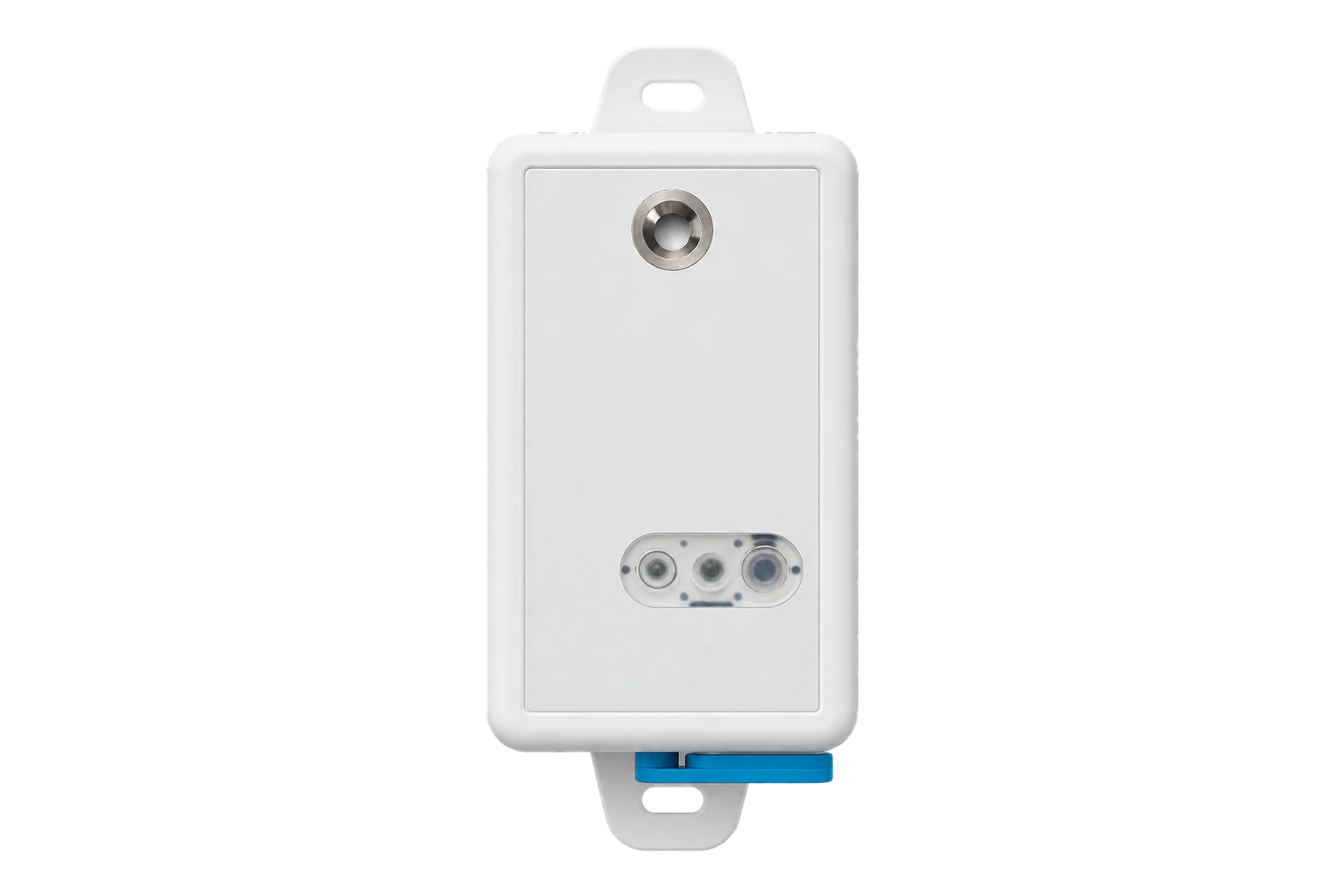
A battery-powered LoRaWAN temperature and humidity sensor with a connector for an external probe, reporting every 20 minutes by default and logging up to 3,328 readings when the network is down.
- LoRaWAN
Temperature and humidity sensor
Compatibility
Compatible with EpiSensor Edge over LoRaWAN.
Register it on your LoRaWAN network server with its DevEUI and keys. Edge, on the Gateway, reads its decoded uplinks from that server.
Edge reads 11 values from it, listed under Interface.
Connect it with
-
Gateway ZGW-20From €899 ex VAT Configure Gateway

Specifications
The LHT65N measures air temperature and relative humidity with a built-in sensor, and reads a second value from an external probe plugged into its connector. Dragino rates the built-in sensor at ±0.3 °C and ±3 % RH typical, with a resolution of 0.01 °C and 0.04 % RH, over -40 to 85 °C and 0 to 96 % RH.1
- Power
- Battery. One 2400 mAh CR17450 Li-MnO2 cell, not rechargeable and replaceable by removing two screws on the back. Up to 10 years depending on the reporting interval; the device works down to about 2.5 V and the cell should be changed below 2.6 V.1
- Temperature range
- -40 to 85 °C (built-in sensor)1
- Temperature accuracy
- ±0.3 °C typical, 0.01 °C resolution1
- Humidity range
- 0 to 96 % RH (built-in sensor)1
- Humidity accuracy
- ±3 % RH typical, 0.04 % RH resolution1
- External temperature probe
- -55 to 125 °C; ±0.5 °C from -10 to 85 °C, ±2 °C across the full range; 0.0625 °C resolution1
- Long-term drift
- < 0.02 °C per year, < 0.25 % RH per year1
- LoRaWAN
- Version 1.0.3, Class A, OTAA by default1
- Frequency plans
- EU868, US915, AU915, AS923, KR920, CN470, EU4331
- Default reporting interval
- 20 minutes1
- Datalog
- Up to 3,328 records1
- Antenna
- Built-in spring antenna (the LHT65S variant has an external SMA antenna)1
Where it is used
Fridges, freezers and cold rooms, with the external probe inside the space and the transmitter outside where the radio signal is better.
Cold room and cold store temperature monitoringRoom temperature and humidity in offices, stores and plant rooms, where a battery sensor avoids new cabling.
Indoor environmental monitoringHot and cold water pipe temperatures, with the probe strapped to the pipe.
Legionella temperature monitoring
Interface
- Device class
- Class A1
- Regional plans
- EU868, US915, AU915, AS923, KR920, CN470, EU433
- Activation
- OTAA
- LoRaWAN version
- 1.0.3
- Default uplink interval
- 20 minutes
Ports
| FPort | Direction | Carries |
|---|---|---|
| 2 | Uplink | Periodic readings: battery, built-in temperature and humidity, external sensor mode and value (11 bytes) |
| 3 | Uplink | Alarm mode on firmware 1.3.1 and later: several external probe samples in one uplink |
| 5 | Uplink | Device information: model, firmware version and frequency band, sent in reply to downlink 26 01 |
| 8 | Uplink | Current alarm settings, sent in reply to downlink A5 FF |
Decoded fields
Readings and settings, with units and ranges where Dragino publishes them. readable, writable only.12
| Reading | Unit | Range or values | Access |
|---|---|---|---|
| Measurements 8 | |||
| TemperatureBuilt-in sensor; bytes 3 and 4, signed 16-bit, divided by 100 | °C | -40 to 85 °C | Read only |
| Relative humidityBuilt-in sensor; bytes 5 and 6, lower 12 bits divided by 10 | % RH | 0 to 96 % RH | Read only |
| External temperatureE3 probe (external sensor mode 1); bytes 8 and 9, signed 16-bit, divided by 100; 327.67 when no probe is connected | °C | -55 to 125 °C | Read only |
| External temperature (TMP117 probe)External sensor mode 2; signed 16-bit, divided by 100 | °C | - | Read only |
| External probe temperature (SHT31)External sensor mode 11, firmware 1.4.1 and later | °C | - | Read only |
| External probe humidity (SHT31)External sensor mode 11, firmware 1.4.1 and later | % RH | - | Read only |
| Pulse countExternal sensor mode 8: count of pulses on the external input | - | - | Read only |
| Analogue inputExternal sensor mode 6, with the E2 cable; about 0.24 mV resolution | V | 0.1 to 1.1 V | Read only |
| Settings 1 | |||
| Reporting intervalDownlink 01 followed by a 3-byte time in seconds, for example 01 00 00 3C for 60 s | s | - | Write only |
| Diagnostics 2 | |||
| Battery voltageBytes 1 and 2, lower 14 bits in mV | V | - | Read only |
| Battery statusGood (2.65 V or more), OK, Low or Ultra Low (2.50 V or less) | - | - | Read only |
All values are big-endian. The first two bytes carry the battery voltage in mV in bits 0 to 13 and a battery status in bits 14 and 15. Built-in temperature is a signed 16-bit value in hundredths of a degree; humidity is in tenths of a percent.12
The lower four bits of byte 7 set the external sensor mode, which decides what the last four bytes mean: 1 is the E3 temperature probe, 2 a TMP117 probe, 4 interrupt mode, 6 an analogue input, 8 pulse counting, 9 and 10 a probe reading with a Unix timestamp, 11 an external SHT31 temperature and humidity probe. In mode 1 with no probe connected the external temperature reads 327.67 °C.1
Datalog timestamps come from the network server through the LoRaWAN DeviceTimeReq command, so the server must support LoRaWAN MAC 1.0.3 or later. Stored readings can also be polled by downlink 31 with a start and end Unix time.1
Setup
-
Register it on the network server
Add the LHT65N to the site’s LoRaWAN network server as a Class A device using OTAA, with the DevEUI, AppEUI (join EUI) and AppKey printed on the sheet in the box.1
-
Wake it from deep sleep
It ships in deep sleep. Hold the ACT button for more than 3 seconds: the green LED blinks five times quickly, and stays on for 5 seconds once the device has joined.1
-
Add the decoder
Load Dragino’s LHT65N decoder for the installed firmware on the network server; it decodes port 2 uplinks into named fields.2
-
Send a test uplink
Press ACT for 1 to 3 seconds to send an uplink at once. The blue LED blinks if an external probe is detected and the red LED if not.1
-
Check one value
Compare the decoded temperature with a reference thermometer beside the sensor, and confirm the external probe reads a real value rather than 327.67, before you enable exports from Edge.
Common questions
- Which LoRaWAN port does the LHT65N use?
- Periodic readings arrive on port 2 as an 11-byte payload, every 20 minutes by default. Port 3 carries alarm-mode samples, port 5 the device information reply and port 8 the alarm settings reply.1
- Why does the external temperature read 327.67 °C?
- That is the value 7FFF, which the device sends in external sensor mode 1 when no probe is connected. Plug in the probe, or change the external sensor mode if nothing will be connected.1
- How long does the battery last?
- Dragino quotes up to 10 years from the 2400 mAh CR17450 cell, depending on how often the device sends. The device works down to about 2.5 V, and Dragino advises changing the cell once it falls below 2.6 V. Any brand of CR17450 fits.1
Related devices
Sources
- LHT65N/S LoRaWAN temperature and humidity sensor user manual (opens in a new tab)
- LHT65N payload decoder for firmware 1.5.6 (opens in a new tab)
- LHT65N-E31F LoRaWAN temperature and humidity sensor (opens in a new tab)
- Dragino LHT65N device profile (opens in a new tab)
- Dragino LHT65N device type definition (opens in a new tab)
Further reading
Product names and trademarks belong to their owners. Publication does not imply endorsement or a commercial relationship.