Crompton Instruments Integra 1630
Power and energy meter
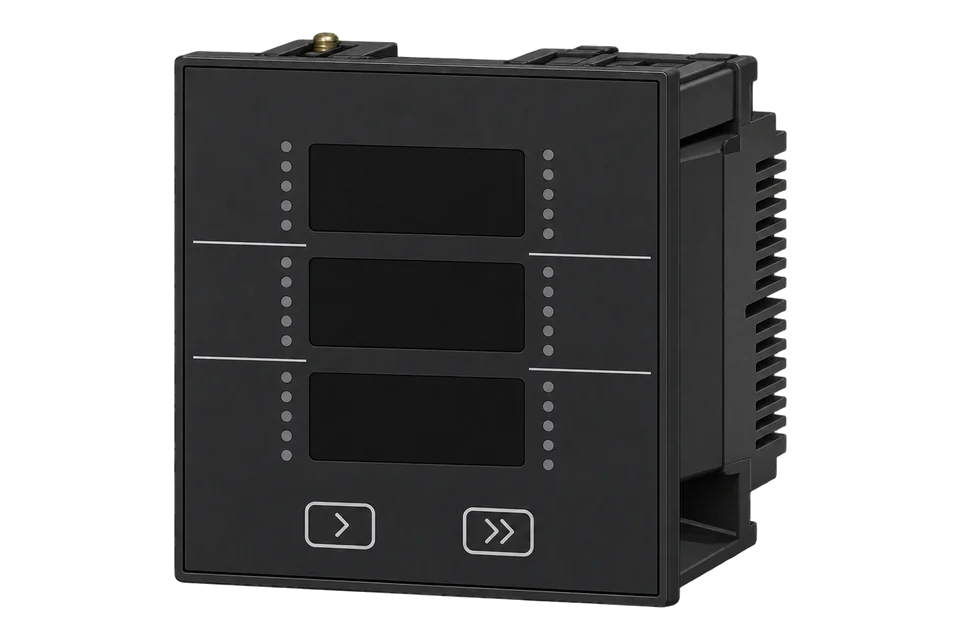
The Integra 1630 is a DIN 96 panel meter from Crompton Instruments, now a TE Connectivity brand, that measures single-phase, three-phase three-wire and three-phase four-wire circuits through 5 A CTs. Its communication port is an option card chosen in the order code: 010, 110 and 210 add RS485 Modbus RTU, 070 adds Ethernet with Modbus TCP, 080 BACnet/IP, 090 BACnet MS/TP and 050 Profibus. TE's communications guide lists every measurement as an input register from 30001 with its start address in hex, and every value as a 32-bit IEEE 754 float in two registers with the most significant register first. Requests must ask for whole register pairs, at most 40 values at a time.
Compatibility
Compatible with EpiSensor Edge over Modbus RTU, Modbus TCP or BACnet/IP
The Integra 1630 is compatible with EpiSensor Edge over Modbus RTU on the RS485 option card (010, 110 or 210), read through a ZMB-31 Modbus Interface or a Gateway serial port, over Modbus TCP on the 070 Ethernet card, and over BACnet/IP on the 080 card with an Edge build that includes the BACnet/IP client. TE's communications guide publishes the input and holding register tables with start addresses, function codes and the float format.
Integra 1630 auxiliary and self-powered models with the 010, 110, 210, 070 or 080 option, read with the register tables in the Integra 1630 Communications Guide Rev 07. Site check: read Volts 1 from wire address 0x0000 as a float pair and compare it with the display. Read-only monitoring: no writes to energy reset, demand reset, password, register order or set-up registers.
Connect it with
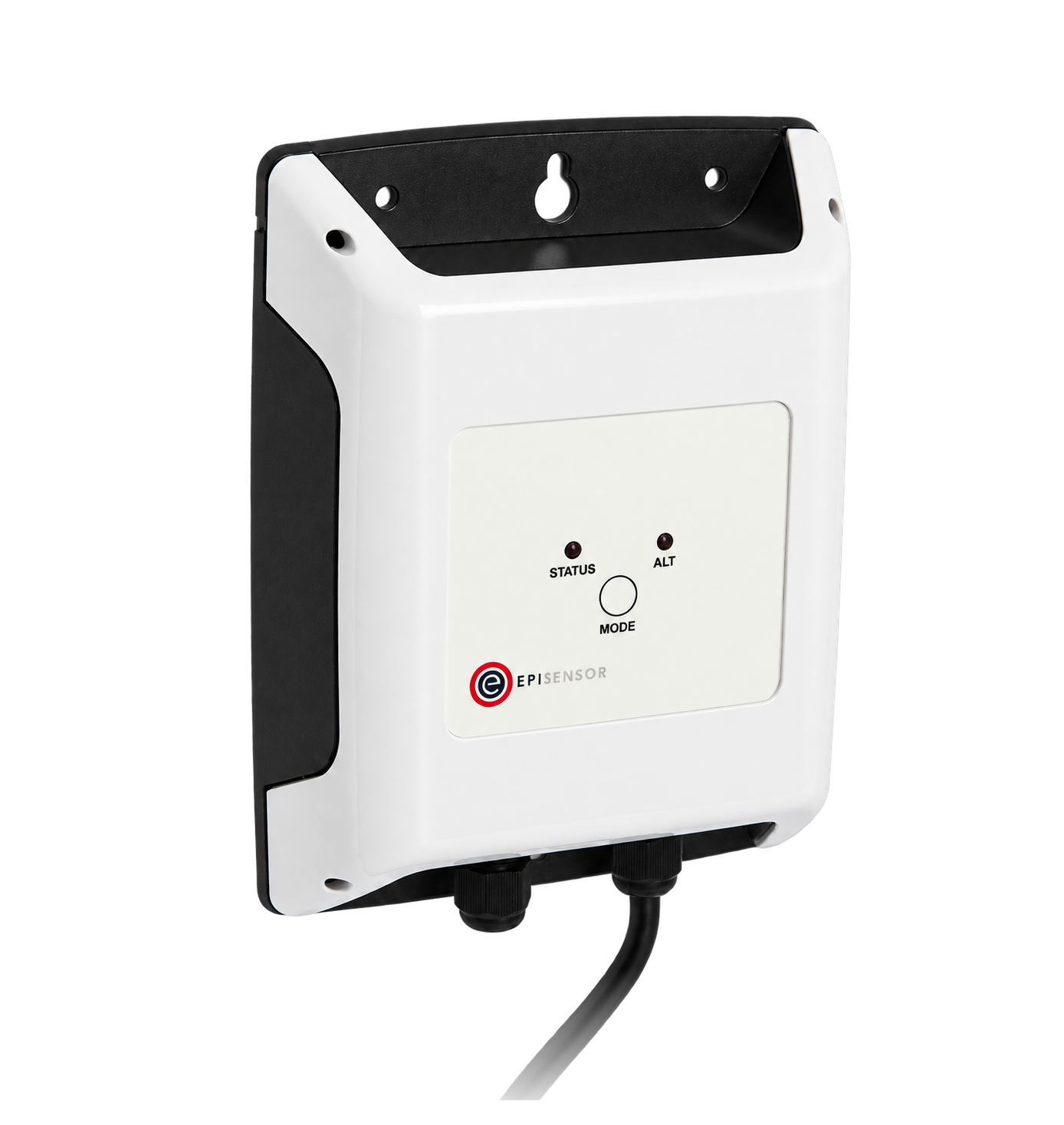
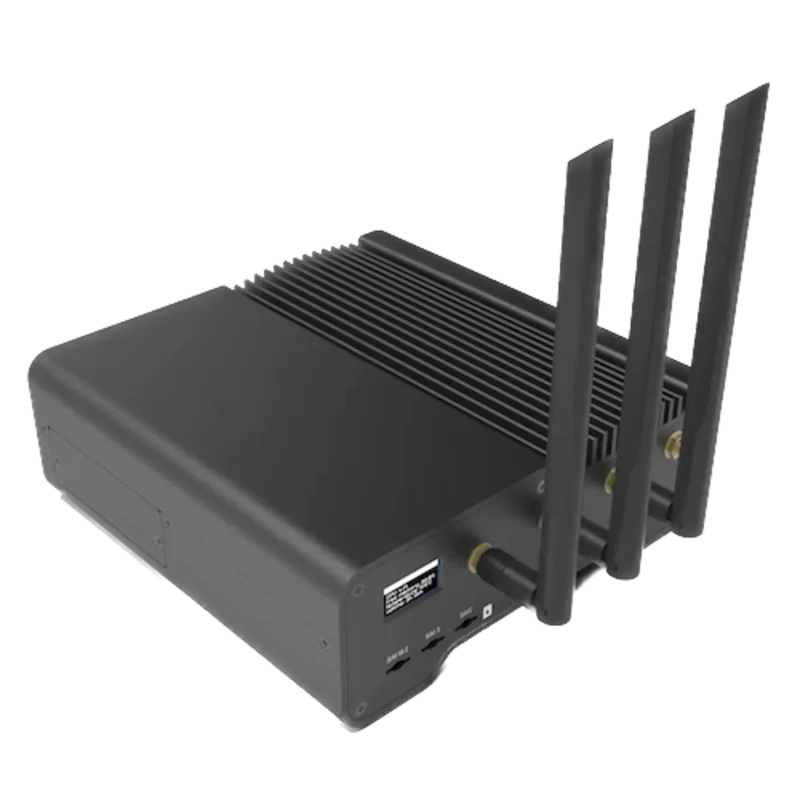
For a panel meter in a switchboard where a wireless link avoids running a data cable back to the Gateway
- Modbus
- Wireless
- Edge
- Platforms
When the Gateway sits near the meter, or several Integra meters share one wired RS485 bus
- Wired
- Edge
- Platforms
When the meter was ordered with option 070
- Modbus
- Edge
- Platforms
When the meter was ordered with option 080
- BACnet
- Edge
- Platforms
Models
| Models | Interface | Route into Edge |
|---|---|---|
| INT-1630-L-5-M-010, -110, -210 and INT-1630-M-5-M-010, -110, -210 | RS485 Modbus RTU card, alone (010) or with one (110) or two (210) kWh pulse relays; L is 100 to 240 V L-L, M is 241 to 480 V L-L, 5 A CT input | Read the input registers with FC04 through a ZMB-31 or a Gateway serial port. The same port also answers Johnson Controls N2 requests, chosen by the format of each request. |
| INT-1630-L-5-M-070 and INT-1630-M-5-M-070 | Ethernet card for Modbus TCP, static IP address, 10/100Base-T RJ45 | Read over Modbus TCP on port 502 with unit identifier 1. The card answers any single-register read with 1630 and sends no exception codes, so always read register pairs. |
| INT-1630-L-5-M-080 and INT-1630-M-5-M-080 | Ethernet card for BACnet/IP (B-ASC profile), Analogue Input objects numbered by Integra parameter | Read the Analogue Input objects with an Edge build that includes the BACnet/IP client. |
| INT-1630 with option 090, 050, 000, 100 or 200 | BACnet MS/TP (090), Profibus DP (050) or pulse relays only (000, 100, 200) | Edge has no MS/TP or Profibus client. TE describes the outputs as plug-in option cards, so ask TE about an 010, 070 or 080 card for the installed meter, or measure the same circuit with an EpiSensor electricity monitor. |
Specifications
The Integra 1630 is a DIN 96 panel meter with a three-line LED display that measures voltage, current, power, power factor, frequency, energy, demand and THD to the 31st harmonic on single-phase, three-phase three-wire and three-phase four-wire circuits. TE quotes 0.2% accuracy on some measurements. Communication and pulse outputs are plug-in option cards selected in the order code.34
- Order codes
- INT-1630-L-5-M-option (100 to 240 V L-L) and INT-1630-M-5-M-option (241 to 480 V L-L), 5 A CT input, auxiliary 100 to 250 V AC/DC. Options: 000 none, 100 and 200 one or two pulsed outputs, 010 Modbus RTU RS485, 110 and 210 Modbus RTU with one or two kWh pulsed outputs, 050 Profibus, 070 Modbus TCP, 080 BACnet IP, 090 BACnet MSTP.34
- Voltage inputs
- 57.7 to 277 V L-N, 100 to 480 V L-L nominal; 120% continuous; VT primary up to 400 kV, limited so that primary voltage and current stay within 360 MW at 120% of input.24
- Current inputs
- 5 A nominal (1 A option), 120% continuous, 20 times nominal for 1 s; CT primary 1 to 9999 A; burden under 0.6 VA.24
- Accuracy
- Voltage ±0.17% of range maximum, current ±0.17% of nominal, frequency ±0.15% of mid frequency, active power and VA ±0.2% of range maximum, VAr ±0.5%, power factor 1% of unity, THD ±1%, active energy 0.3% of range maximum (better than class 1, IEC 1036), kVArh 0.6%.4
- Communication
- RS485 2-wire half duplex Modbus RTU slave at 4800, 9600, 19200 or 38400 baud, even, odd or no parity, address 1 to 247, maximum latency 150 ms; function codes 03, 04, 08 (sub-function 0) and 16. Ethernet card: Modbus TCP on port 502 or BACnet/IP, static IP 192.168.1.100 from the factory.12
- Auxiliary supply
- 100 to 250 V AC or DC (85 to 287 V AC, 85 to 312 V DC absolute), 45 to 66 Hz, 6 VA; optional 12 to 48 V DC. Self-powered models take their supply from L1 and neutral and cannot measure 3-phase 3-wire.24
- Housing
- 96 × 96 × 79 mm maximum, typically under 60 mm behind the panel; 92 × 92 mm cut-out; polycarbonate; shrouded screw-clamp terminals; IP54.34
Interface
Documented measurements and integration boundaries for Integra 1630.
- TE's tables print each input register as a 3X number from 30001 next to its Modbus start address in hex: Volts 1 is register 30001 with start address 00 00. The wire address is the register number minus 30001, so Volts 1 is 0x0000. Read input registers with function 04 and holding registers, numbered from 40001 the same way, with function 03.
- Every value is a 32-bit IEEE 754 float in two registers, most significant register first by default. The start address and the register count must both be even, a request may carry at most 40 values (80 registers), and a request that splits a float returns exception 02. Values need no scaling: volts are volts and power is in watts.
- Phase voltages Volts 1, 2 and 3 at 30001, 30003 and 30005 (hex 0000, 0002, 0004), line to neutral on a 4-wire system and line to line on a 3-wire system; Volts Ave at 30043 (hex 002A). Line voltages L1-L2, L2-L3 and L3-L1 at 30201, 30203 and 30205 (hex 00C8, 00CA, 00CC) and their average at 30207 (hex 00CE).
- Currents 1, 2 and 3 at 30007, 30009 and 30011 (hex 0006, 0008, 000A); Current Ave at 30047 (hex 002E), Current Sum at 30049 (hex 0030) and Neutral Current at 30225 (hex 00E0), 4-wire only.
- Phase power: W at 30013, 30015 and 30017 (hex 000C, 000E, 0010), VA at 30019, 30021 and 30023 (hex 0012, 0014, 0016) and var at 30025, 30027 and 30029 (hex 0018, 001A, 001C), 4-wire and single-phase only. System totals: Watts Sum 30053 (hex 0034), VA Sum 30057 (hex 0038) and var Sum 30061 (hex 003C).
- Power factor per phase at 30031, 30033 and 30035 (hex 001E, 0020, 0022), Power Factor Ave at 30063 (hex 003E) and a signed power factor at 30255 (hex 00FE) labelled +Ind/-Cap. The operation guide gives the opposite sign for the per-phase and system power factor (negative for an inductive load), so check the sign on a known inductive load before using it. Frequency at 30071 (hex 0046).
- Energy: Wh Import 30073 (hex 0048), Wh Export 30075 (hex 004A), varh Import 30077 (hex 004C), varh Export 30079 (hex 004E) and VAh 30081 (hex 0050). The table names the counters but states no unit, and the display shows kWh and kvarh, so compare the first reading with the energy screen before choosing the unit in Edge. The counters roll over at 6, 7 or 8 digits (Max Energy Count, holding register 40307), and TE notes a reporting error under one part per million above 16 MWh from the float format.
- Demand: W Demand Import 30085 (hex 0054), W Max. Demand Import 30087 (hex 0056), VA Demand 30101 (hex 0064), VA Max. Demand 30103 (hex 0066), A Demand 30105 (hex 0068) and A Max. Demand 30107 (hex 006A); per-phase current demand from 30259 (hex 0102). Hours Run at 30253 (hex 00FC); THD per phase from 30235 and the means at 30249 and 30251.
- A parameter that the table marks as invalid for the wiring system returns zero, for example phase power on a 3-wire system or neutral current on a 3-wire system. Do not store those points on that system.
- Holding registers to read once at commissioning, with FC03: System Type at 40011 (hex 000A), 1 for single phase 2 wire, 2 for 3 phase 3 wire and 3 for 3 phase 4 wire; System Voltage at 40007 and System Current at 40009 (the VT and CT primaries); Node Address at 40021 (hex 0014); serial number at 40043 and 40045.
- Write registers: Demand Time 40001, Energy Reset 40015, Password 40025, Register Order 40041, Hours Run Reset 40099 and the set-up values. Energy Reset needs no password: writing 0 resets the counters. Register Order changes the float word order for every Modbus transaction. Keep all of them out of a monitoring poll.
- On the 070 Modbus TCP card the meter answers any single-register read, input or holding, from address 1 to 9999 with the fixed value 1630 and does not return exception codes. Always read whole float pairs over TCP; a one-register probe proves only that the card is there.
Assessment
Integra 1630 auxiliary and self-powered models with the 010, 110, 210, 070 or 080 option, read with the register tables in the Integra 1630 Communications Guide Rev 07. Site check: read Volts 1 from wire address 0x0000 as a float pair and compare it with the display. Read-only monitoring: no writes to energy reset, demand reset, password, register order or set-up registers.
- InteroperabilitySupported with conditions
- TE publishes Modbus RTU and Modbus TCP register tables with register numbers, hex start addresses, function codes 03, 04 and 16, the float format and the word order, plus a BACnet/IP object mapping. The port is an option card, reads must be whole float pairs of at most 40 values, and the Modbus TCP card returns 1630 to any single-register read instead of an exception.13
- AccuracySupported with conditions
- Voltage and current to ±0.17%, active power to ±0.2% and active energy to 0.3% of range maximum, better than class 1, with separate import and export counters for active and reactive energy. Accuracy is stated against range maximum, the energy counters carry no unit in the register table, and phase power is unavailable on 3-wire systems.14
- SecurityLimited
- A four-digit password protects the settings marked r/wp, but it is not normally enabled when the meter ships and Energy Reset at 40015 is write only with no password. Modbus RTU, Modbus TCP and BACnet/IP carry no encryption or authentication. Keep the bus and network private and the client read-only.12
- ReliabilitySupported with conditions
- Energy readings are stored during power down, the meter carries CE EMC and LVD compliance with a 3.25 kV dielectric test, and the auxiliary supply tolerates 85 to 287 V AC. TE documents a transient Err1 that clears after removing the auxiliary supply for 10 seconds, and communication setting changes apply only after a power cycle.24
- RuggednessSupported with conditions
- Rated -20 to +60 °C operating, 0 to 90% RH non-condensing, IP54, 30 g shock and vibration to 150 Hz, with CAT III inputs. It is a panel instrument and needs a switchboard or enclosure.34
- ScalabilitySupported with conditions
- Up to 32 electrical nodes including the master on 1200 m of RS485, addresses 1 to 247 and up to 38400 baud. Larger sites need several buses or the Ethernet card, which carries one meter per IP address.1
Setup
Read Volts 1 at register 30001, then frequency and the system type
Section 1.2 of TE's Integra 1630 Communications Guide Rev 07 lists Volts 1 at register 30001 with start address hex 00 00, Frequency at register 30071 with start address hex 00 46, and System Type at holding register 40011 with start address hex 00 0A. Section 3.8.1 prints the Volts 1 request and its response byte for byte, which is the first read below.
- Request
- 01 04 00 00 00 02 71 CB: Modbus address 1, FC04, address 0x0000 (register 30001, Volts 1), two registers. This is the query printed in TE's guide.
- Address convention
- TE prints both columns, so the convention is fixed: the wire address is the register number minus 30001 for input registers and minus 40001 for holding registers. Register 30001 is 0x0000, 30071 is 0x0046 and 40011 is 0x000A. Sending 0x0001 for Volts 1 starts inside the float and the meter returns exception 02.
- Response
- 01 04 04 43 66 33 34 1B 38: four data bytes, which TE's guide decodes as Volts 1 = 230.2 V. The most significant register 0x4366 comes first, then 0x3334, so the float is 0x43663334.
- Frequency read
- 01 04 00 46 00 02 90 1E reads two registers from 0x0046. Synthetic response 01 04 04 42 48 00 00 6F EA: 0x42480000 = 50.0 Hz.
- System type read
- 01 03 00 0A 00 02 E4 09 reads holding register 40011 with FC03. Synthetic response 01 03 04 40 40 00 00 EE 27: 0x40400000 = 3.0, three phase four wire.
- Acceptance
- Keep the points when Volts 1 agrees with the Volts L1-N screen, frequency is close to the supply and System Type matches the installed wiring. A value that decodes to nonsense usually means the register order was changed on that meter, so swap the two words and compare again.
Acceptance: The Volts 1 request and response are TE's printed example. The frequency and system type responses are synthetic decoder checks, not captured meter replies. A real reply must agree with the display before current, power and energy points are enabled.
-
Identify the option card
Read the order code on the rear label. Options 010, 110 and 210 have the RS485 Modbus port, 070 the Modbus TCP Ethernet card and 080 the BACnet/IP card. A meter with 090, 050 or pulse relays only has no port Edge can read.
-
Read the communication settings
Hold the adjust and next keys together for five seconds to enter set-up, then step through to the bAUd, PAri and Addr screens. Enter the same baud rate, parity, stop bits and address in the Edge serial client or the ZMB-31. A setting changed over Modbus only takes effect after the meter is power cycled.
-
Wire the RS485 pair
Connect A to A, B to B and the cable screen to Gnd with screened twisted pair, daisy-chain any further meters without stubs, earth the screen at one point and fit a 120 ohm resistor at each end of the line.
-
Read Volts 1 as a float pair
Send FC04 for two registers from wire address 0x0000, which is register 30001, and decode the four bytes as a float with the most significant register first. Compare it with the Volts L1-N screen.
-
Confirm the wiring system
Read System Type from holding register 40011 (wire address 0x000A) with FC03. 3 means three phase four wire; on a 3-wire system leave out the phase power and neutral current points, which read zero.
-
Add the remaining points
Add frequency, currents, power and the energy counters, always in register pairs and at most 40 values per request, and check the first energy reading against the kWh screen before storing it. Never write to the energy reset, demand time, password or register order registers.
Common questions
- Which address do I send for register 30001 on the Integra 1630?
- Send 0x0000. TE's table prints the start address in hex beside each register number: Volts 1 is register 30001 at start address 00 00 and Frequency is 30071 at 00 46. Subtract 30001 for input registers and 40001 for holding registers. A client that takes one-based register numbers enters 30001 directly.1
- Why does the Integra 1630 return an exception when I read one register?
- Every Integra value is a float in two registers, and the guide requires an even start address and an even register count. A read of one register, or one that starts on the second half of a float, returns exception 02. Read whole pairs, at most 40 values (80 registers) per request.1
- What word order does the Integra 1630 use?
- Most significant register first by default, so 43 66 33 34 decodes as 230.2. The Register Order holding register at 40041 can switch the meter to reversed order for every transaction when 2141.0 is written to it in the order wanted. If values decode wrongly, check that setting with the site owner rather than writing to it from Edge.1
- Does the Integra 1630 have Modbus TCP?
- Only with option 070, an Ethernet card that answers Modbus TCP on port 502 with unit identifier 1 and a static IP address, 192.168.1.100 from the factory, changed with TE's Ruinet utility. The card answers any single-register read with the value 1630 and sends no exception codes, so test it with a float pair such as Volts 1.123
- Can Edge read the BACnet version of the Integra 1630?
- Yes for option 080, BACnet/IP, with an Edge build that includes the BACnet/IP client. TE maps each measurement to an Analogue Input object whose instance number is the Integra parameter number, so Volts 1 is AI 1. Option 090 is BACnet MS/TP, which Edge does not read.13
- Can a Modbus client reset the Integra 1630 energy counters?
- Yes. Writing 0 to the Energy Reset register at 40015 with function 16 resets the active and reactive energy counters, and TE marks it write only with no password. A monitoring poll must never write it; keep Edge read-only and agree any reset with the site owner.12
Related devices
Sources
- Integra 1630 Communications Guide, Rev 07 (February 2021): Modbus RTU input and holding registers, Modbus TCP, BACnet IP and Metasys N2 (opens in a new tab) (PDF)
- Integra 1630 Operation and Set up (auxiliary and self-powered models), INT-1630-INSTAL-OP Issue 10 (February 2021) (opens in a new tab) (PDF)
- Integra 1630 Digital Metering System datasheet, EPP-3533-DDS-6/20, with the product coding system (opens in a new tab) (PDF)
- TE's Crompton Instruments Digital Metering Systems catalogue, EPP-2410-03/19, chapter 4: Integra 1630 specifications and accuracy (opens in a new tab) (PDF)
Further reading
Product names and trademarks belong to their owners. Publication does not imply endorsement or a commercial relationship.