Camille Bauer SINEAX AM1000/AM2000/AM3000
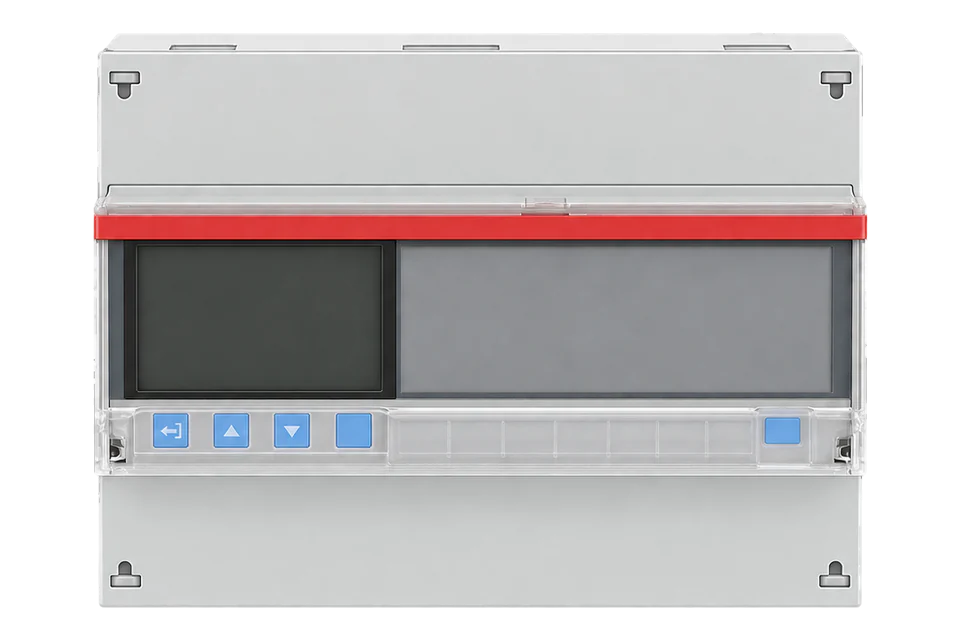
Panel-mounted power analyser
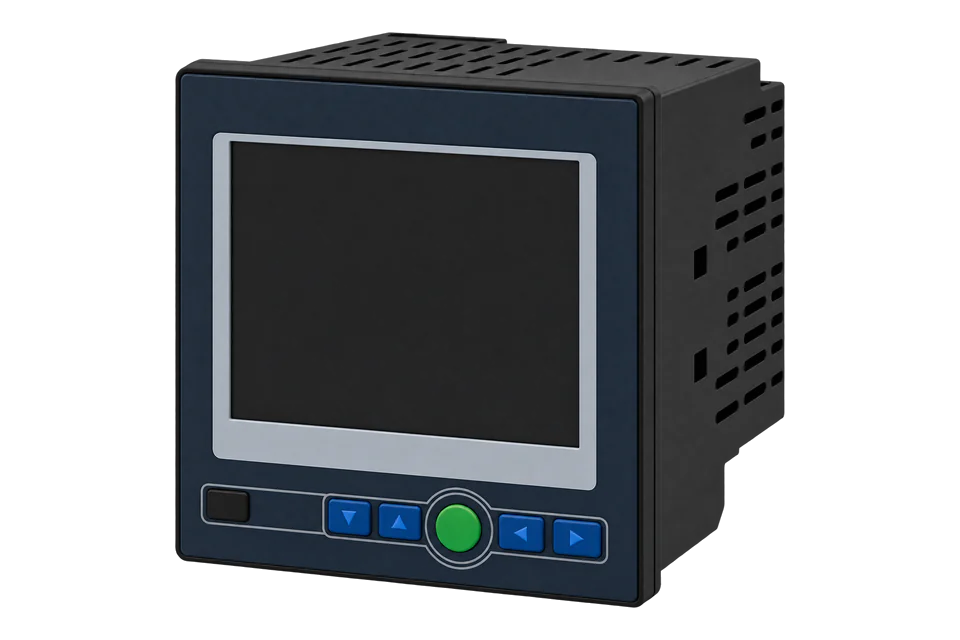
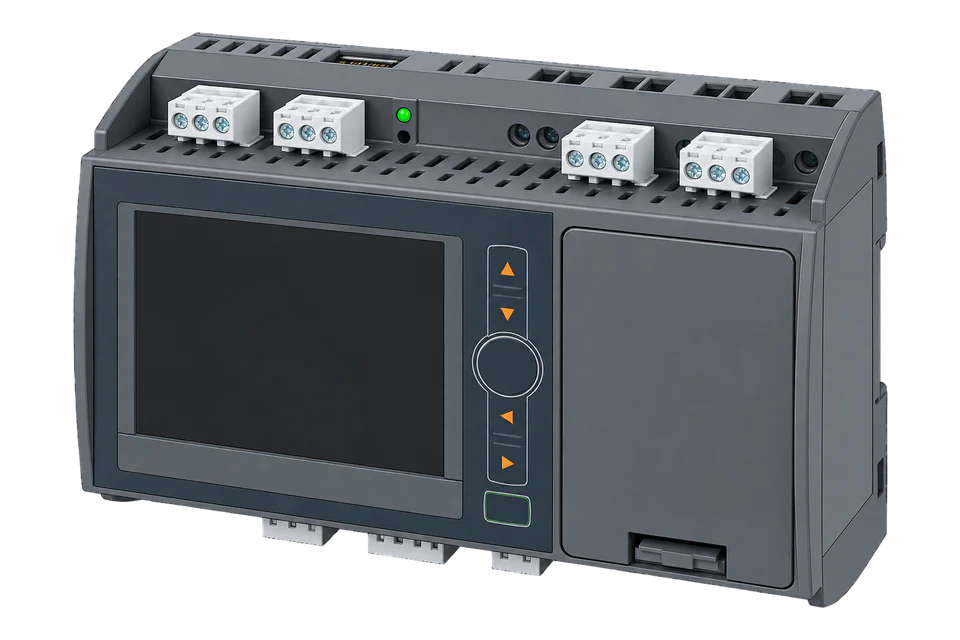
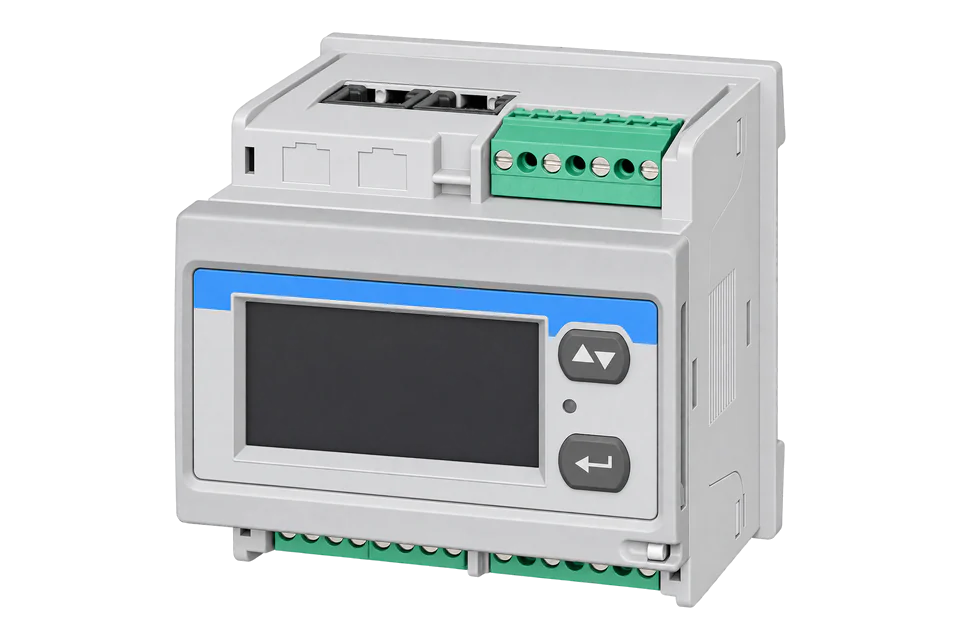
The SINEAX AM series measures three or four-wire networks through 1 A or 5 A current transformers and shows the values on a TFT display. The AM1000 is a 96 mm panel or DIN-rail device, the AM2000 and AM3000 are 144 mm panel devices, and the AM3000 adds a fourth voltage and current input and tighter accuracy. One Camille Bauer Modbus description covers all three: values are holding registers read with function 03 at the 4x register number minus one, and 32-bit floats arrive with the low word first. Modbus is blocked from the factory and has to be enabled in the security settings before Edge can read it.
Compatibility
Compatible with EpiSensor Edge over Modbus TCP or Modbus RTU
The SINEAX AM1000, AM2000 and AM3000 are compatible with EpiSensor Edge over Modbus TCP on the standard Ethernet interface, read from the Gateway on port 502, and over Modbus RTU on the optional RS-485 interface through a ZMB-31 Modbus Interface or a Gateway serial port. Camille Bauer publishes the register description with addresses, data types, units and the REAL32 register order.
SINEAX AM1000, AM2000 and AM3000 with a Modbus/TCP or Modbus/RTU bus connection in the order code, read with Modbus description PM 1000168 000 11. An AM2000 with bus option 2 has a web server but no Modbus/TCP. PROFINET and IEC 61850 interfaces are outside this guide. Site check: enable Modbus in the security settings, read U1N at register 102 and compare it with the display. Read-only monitoring: no writes to coils, meter-setting registers or analogue outputs.
Connect it with
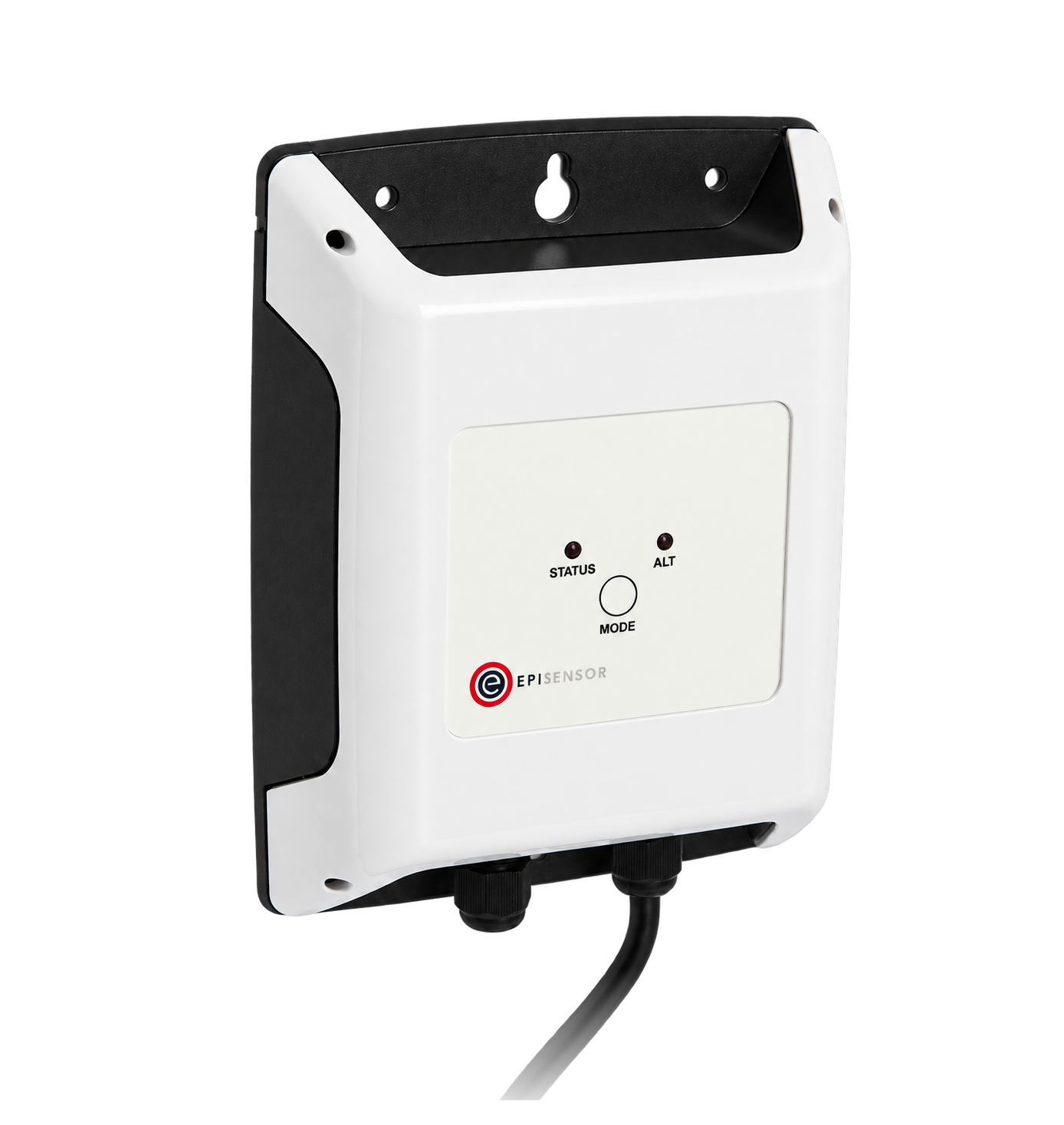
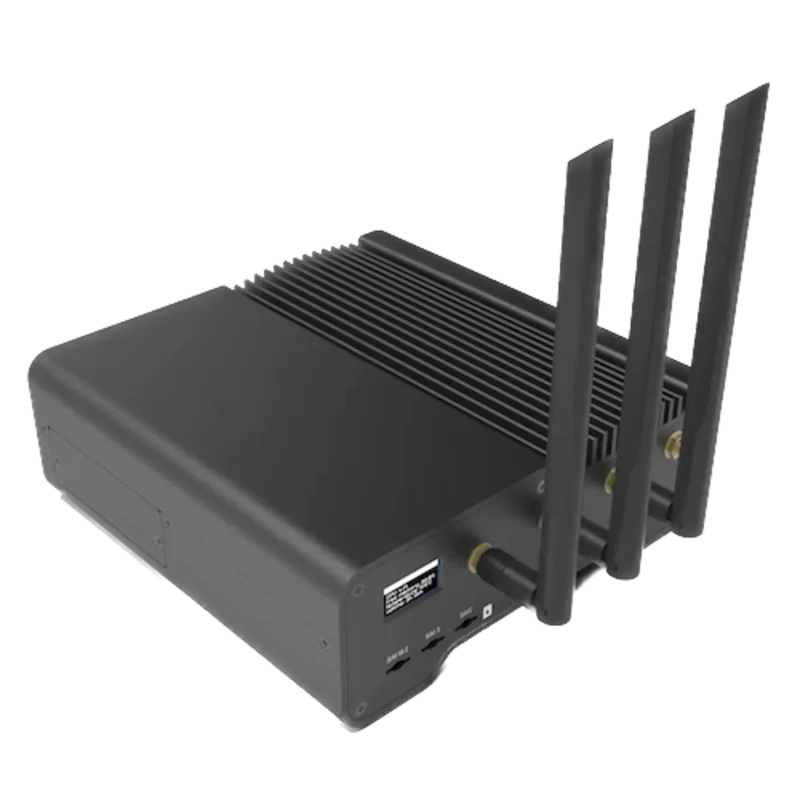
For any AM device whose order code includes Ethernet with Modbus/TCP (standard on the AM3000)
- Modbus
- Edge
- Platforms
For a device with the RS-485 Modbus/RTU option in a panel without a network connection
- Modbus
- Wireless
- Edge
- Platforms
When several AM devices share one RS-485 line near the Gateway
- Modbus
- Edge
- Platforms
Models
| Models | Interface | Route into Edge |
|---|---|---|
| SINEAX AM1000 (order code AM1000-..., bus connection digit 1, 2 or 3) | 96 mm panel or DIN-rail device, 3 voltage and 3 current inputs; bus option 1 Ethernet (Modbus/TCP), 2 RS-485 (Modbus/RTU), 3 both | Modbus TCP from the Gateway with option 1 or 3, Modbus RTU through a ZMB-31 or Gateway serial port with option 2 or 3. |
| SINEAX AM2000 (order code AM2000-..., bus connection digit 1 to 4) | 144 mm panel device; bus option 1 RS-485, 2 RS-485 plus Ethernet web server only, 3 and 4 RS-485 plus Ethernet with Modbus/TCP | Modbus RTU on every Modbus option; Modbus TCP only with bus option 3 or 4. |
| SINEAX AM3000 (order code AM3000-..., bus connection digit 1 or 2) | 144 mm panel device, 4 voltage and 4 current inputs; Ethernet with Modbus/TCP standard, option 2 adds RS-485 | Modbus TCP from the Gateway, or Modbus RTU with option 2. Earth current at 192 is available on the AM3000 only. |
| AM devices with PROFINET (extension A) or IEC 61850 (extension B) | Additional Ethernet ports for those protocols | Not Edge routes. Read the same device over its standard Modbus/TCP interface. |
Specifications
The SINEAX AM series are multifunctional power measurement devices for single-phase to four-wire unbalanced systems up to 693 V L-L, measured through current transformers. The AM1000 and AM2000 share an accuracy class; the AM3000 has a fourth voltage and current channel, a disturbance recorder option and higher accuracy.23
- Models
- AM1000 (96 mm panel or DIN rail), AM2000 and AM3000 (144 mm panel); bus connection chosen in the order code.3
- Inputs
- Nominal current 1 to 5 A (maximum 7.5 A); nominal voltage 57.7 to 400 V L-N, 100 to 693 V L-L; nominal frequency 42 to 50 to 58 Hz or 50.5 to 60 to 69.5 Hz.3
- Accuracy
- AM1000/AM2000: voltage and current ±0.2%, power ±0.5%, active energy class 0.5S. AM3000: ±0.1%, ±0.2%, class 0.2S. Frequency ±0.01 Hz.3
- Ethernet
- 100BaseTX RJ45, Modbus/TCP, http, https and NTP; standard on the AM3000, optional on the AM1000 and AM2000; factory IPv4 address 192.168.1.101; Modbus/TCP on port 502.23
- Modbus RTU
- RS-485 on plug-in terminal A, B and C/X; 9600, 19,200, 38,400, 57,600 or 115,200 baud; at most 32 devices and 1200 m.23
- Power supply
- AM1000: 100 to 230 V AC/DC or 24 to 48 V DC. AM2000/AM3000: 110 to 230 V AC (130 to 230 V DC), 110 to 200 V AC/DC or 24 to 48 V DC.3
- Protection
- IP54 front, IP30 housing, IP20 terminals; protection class II; measurement category U 600 V CAT III, I 300 V CAT III.3
- Environment
- Operating -10 to +55 °C without UPS (0 to +35 °C with the AM3000 UPS), storage -25 to +70 °C, below 95% humidity, up to 2000 m, indoors only.3
Interface
Documented measurements and integration boundaries for SINEAX AM1000/AM2000/AM3000.
- Camille Bauer numbers holding registers from one and addresses them from zero: U1N at register (4x)102 is sent as address 101 (0x0065). Read every value with function 03; function 04 is not implemented.
- REAL32 values use two registers with the first register holding bits 0 to 15, so the low word comes first. Camille Bauer's example reply E8 73 43 6A decodes as 0x436AE873 = 234.908 V.
- Voltages, REAL32 in V: system voltage U at 100, U1N, U2N and U3N at 102, 104 and 106, and U12, U23 and U31 at 108, 110 and 112.
- Currents, REAL32 in A: system current I at 116, I1, I2 and I3 at 118, 120 and 122, and neutral current I4/IN at 124. Earth current IPE at 192 is available on the AM3000 only.
- Power, REAL32: active power P at 126 and P1 to P3 at 128 to 132 (W), reactive power Q at 134 and Q1 to Q3 at 136 to 140 (var), apparent power S at 142 and S1 to S3 at 144 to 148 (VA).
- System frequency F at 150 (Hz) and power factor PF at 152 with PF1 to PF3 at 154 to 158, all REAL32. The table marks which values exist for each connection type, so a 3-wire system has no per-phase power.
- Energy, REAL32 in Wh or varh: active import (quadrants I+IV) high tariff at 4100 and low tariff at 4108, active export (II+III) at 4102 and 4110, reactive QI+II at 4104 and 4112 and reactive QIII+IV at 4106 and 4114. The tariff in use is coil 180 (0 high, 1 low).
- The same counters at full resolution are REAL64 values from 2600 (four registers each), which Edge's Modbus client does not read; Camille Bauer describes the REAL32 copies as reduced resolution.
- Device operating hours at 2740 are a UINT32 in seconds; decode it with the same low-word-first order and compare it with the display.
- THD/TDD from 4200 and individual harmonics from 4230 need firmware 1.0x.875 or later. Min/max values with timestamps start at 1100 and 1000, power mean values at 2000.
- Function 0x11 (Report Slave ID) returns device ID 0x0B for the AM1000, 0x0C for the AM2000 and 0x0D for the AM3000.
- Writes: coils 1 to 59 reset min/max values and counters and drive remote I/O, registers 2750 to 2885 and 3160 to 3287 set meter contents and 2900 to 2931 set analogue outputs. Keep them out of a monitoring poll.
Assessment
SINEAX AM1000, AM2000 and AM3000 with a Modbus/TCP or Modbus/RTU bus connection, read with Modbus description PM 1000168 000 11. PROFINET and IEC 61850 interfaces are outside this guide. Read-only monitoring: no writes to coils, meter-setting registers or analogue outputs.
- InteroperabilityWell supported
- The Modbus description gives addresses, data types, units, the address offset, the REAL32 register order with a decoded example and per-connection availability of every value.1
- AccuracyWell supported
- Voltage and current ±0.2% (AM3000 ±0.1%) and active energy class 0.5S (AM3000 0.2S) are stated; system accuracy still depends on the current transformers.3
- SecuritySupported with conditions
- Modbus services are blocked until enabled, Ethernet devices offer role-based access control, HTTPS, a client whitelist and a security log, and the RS-485 Modbus interface cannot change parameters. Modbus/TCP itself is unencrypted and port 502 is always open once enabled.2
- ReliabilitySupported with conditions
- Default values for unavailable quantities, a summary alarm and an internal clock with NTP or GPS synchronisation are documented; treat failed reads as missing data.13
- RuggednessSupported with conditions
- Operating -10 to +55 °C, IP54 front, IP30 housing and IP20 terminals are documented for indoor panel installation.3
Setup
First read: U1N at register 102, low word first
This uses Camille Bauer Modbus description PM 1000168 000 11. Voltage U1N is at register (4x)102 as REAL32 in V and system frequency F at register 150; both are read with function 03 at the register number minus one, and the first register of a REAL32 holds bits 0 to 15.
- Function
- FC03, read holding registers. Function 04 is not implemented.
- Address convention
- Register 102 is sent as 101 (0x0065). Register 150 is sent as 149 (0x0095).
- Request
- 11 03 00 65 00 02 D6 84: Modbus address 17, FC03, address 0x0065, two registers, RTU CRC. Over Modbus TCP the same PDU goes to port 502 with unit identifier 0xFF.
- Synthetic response
- 11 03 04 E8 73 43 6A 9E 96: four data bytes from Camille Bauer's own example, first register 0xE873, second 0x436A.
- Decode
- REAL32 with the low word first: join the second register before the first, 0x436AE873 = 234.908 V. Read high word first, the same bytes give 0xE873436A, a large negative number.
- Frequency read
- 11 03 00 95 00 02 D6 B7 reads F; the reply 11 03 04 00 00 42 48 DB 64 joins to 0x42480000 = 50.0 Hz.
- Acceptance
- Both values match the display. A huge or negative voltage means the word order is set high word first; exception 01 means function 04 was sent; no reply means Modbus is still blocked in the security settings.
Acceptance: The response bytes are a synthetic decoder check that reuses the data bytes of Camille Bauer's U1N example with a CRC computed for this guide, not a captured device reply. Keep a point when a real reply agrees with the display.
-
Check the bus connection in the order code
Read the order code on the nameplate. The fourth digit names the bus connection: Ethernet with Modbus/TCP, RS-485 with Modbus/RTU or both. An AM2000 with option 2 has an Ethernet web server but no Modbus/TCP.
-
Enable Modbus in the security settings
Camille Bauer blocks Modbus/RTU and Modbus/TCP by default as part of the security system. Enable the Modbus service on the display or web page before the first read. If the client whitelist is on, add the Gateway's IP address.
-
Set the network or serial parameters
For Modbus TCP change the standard interface from 192.168.1.101 to an address on the site network and keep port 502. For Modbus RTU set the device address and baud rate, and give every device on the bus its own address.
-
Set the Edge point format
Configure holding registers (function 03), two registers per value, 32-bit float with the low word first, at the 4x register number minus one.
-
Start with the U1N read
Read U1N with the example below and compare it with the display. Then add currents, total power, frequency and the REAL32 energy registers from 4100.
Common questions
- Why does the AM device not answer Modbus at all?
- The security system blocks communication services such as Modbus/RTU and Modbus/TCP by default; they must be enabled in the configuration. If the client whitelist is active, the Gateway's IP address must be on it too.2
- Which word order do the floats use?
- Camille Bauer states that the first register contains bits 0 to 15 and the second bits 16 to 31. Its U1N example returns E8 73 43 6A, which is 0x436AE873 = 234.908 V once the second register is placed first. Set the Edge point to 32-bit float, low word first.1
- Which energy registers should Edge read?
- Read the REAL32 copies from 4100 in Wh and varh: active import (I+IV) at 4100 and 4108 for high and low tariff, active export (II+III) at 4102 and 4110. The REAL64 counters from 2600 have full resolution but are four registers each, which Edge's Modbus client does not read.1
- Can Edge change settings over Modbus?
- Not in this guide. The handbook states that the RS-485 Modbus interface cannot be used for device parameterisation, and the coils and setting registers that Modbus does accept (resets, meter contents, analogue outputs) stay out of a monitoring poll.12
- Can I use the AM series for billing?
- The datasheet gives active energy class 0.5S (AM1000, AM2000) or 0.2S (AM3000) to EN 62053-22 and no MID approval. Treat it as a monitoring device and use an approved meter where billing is required.3
Related devices
More from Camille Bauer

Sources
- Modbus interface SINEAX AM1000 / AM2000 / AM3000, PM 1000168 000 11 (opens in a new tab) (PDF)
- Device handbook SINEAX AMx000, PM 1000162 000 15 (operating instructions 2022-02) (opens in a new tab) (PDF)
- SINEAX AM-series datasheet with technical data and order codes for AM1000, AM2000 and AM3000 (opens in a new tab) (PDF)
- SINEAX AM1000 product page with the AM-series document list (German) (opens in a new tab)
Further reading
Product names and trademarks belong to their owners. Publication does not imply endorsement or a commercial relationship.