Multi-site energy monitoring with Core
See fleet health, remote devices, local rules and Gateway onboarding in EpiSensor Core. The sites, readings and incidents shown are demonstration data.
Read the transcript
Ardglass Foods started out with one plant and one Gateway. Now there are six sites, across Ireland and the UK, from a mill in Leeds and a creamery in Cork to a depot in Manchester, each with a Gateway of its own. So how does one energy manager keep an eye on all of them, without signing in to six Gateways, one at a time?
That's what Core is for. Every Gateway connects out to Core over a secure link, so it works from behind the site's firewall, with no ports to open and no VPN to set up. And Core brings them all together, in one place.
Here it is: every site on the map, coloured by whether its Gateway is online, and the whole fleet summed up in the sidebar. The Gateways register goes deeper. Each Gateway's status, its Edge and Core Client versions, and any health warnings. So it's easy to spot that Cork's disk is filling up, and that the Manchester depot hasn't been heard from in twenty-seven hours.
That doesn't mean the depot has stopped. Its Gateway keeps reading its sensors, storing their data and running its own rules. When the link comes back, it sends Core the queued readings, with their original timestamps.
Devices from every site share one list, each labelled with the Gateway it's on. While the depot's out of touch, its devices show as offline, not as live. And you can work on any Gateway, without going to site. For a new rule at the Dublin cold store, choose its Gateway first, then a limit on a reading, and the wizard lists that site's own devices. If Chill Room 1 goes above five degrees, raise an alert. The rule is saved to the cold store's own Gateway, and runs there. It doesn't depend on Core, or on anyone's browser being open.
Back in the register, Manchester's online again. And when a new site opens, like the bakery in Glasgow, adding its Gateway is easy. Enter its serial, and download a setup file. On the bakery's Gateway, drop the file into Core Client, and it connects, with no restart and nothing else to set up. Glasgow Bakery joins the register and the map, and Core keeps track of its health from then on.
Every site keeps its own Edge, so its recording and its rules never depend on the link. And Core gives you the whole portfolio in one place: every Gateway, every device and every rule, from one login. That's Core, by EpiSensor.
Related videos
-
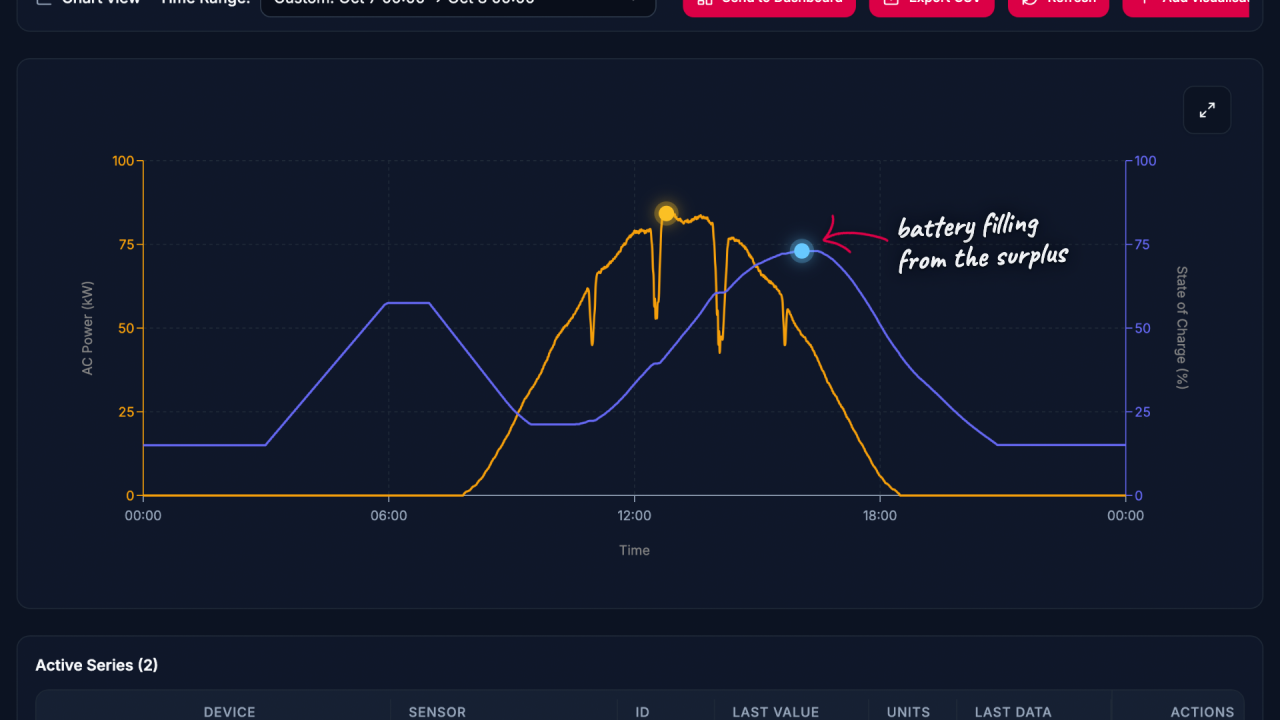
Solar PV and battery storage in Edge
Follow solar PV, battery storage and site consumption in Edge, with Modbus readings, tariff calculations and an alert rule using demonstration data.
Watch video · 4:04 -
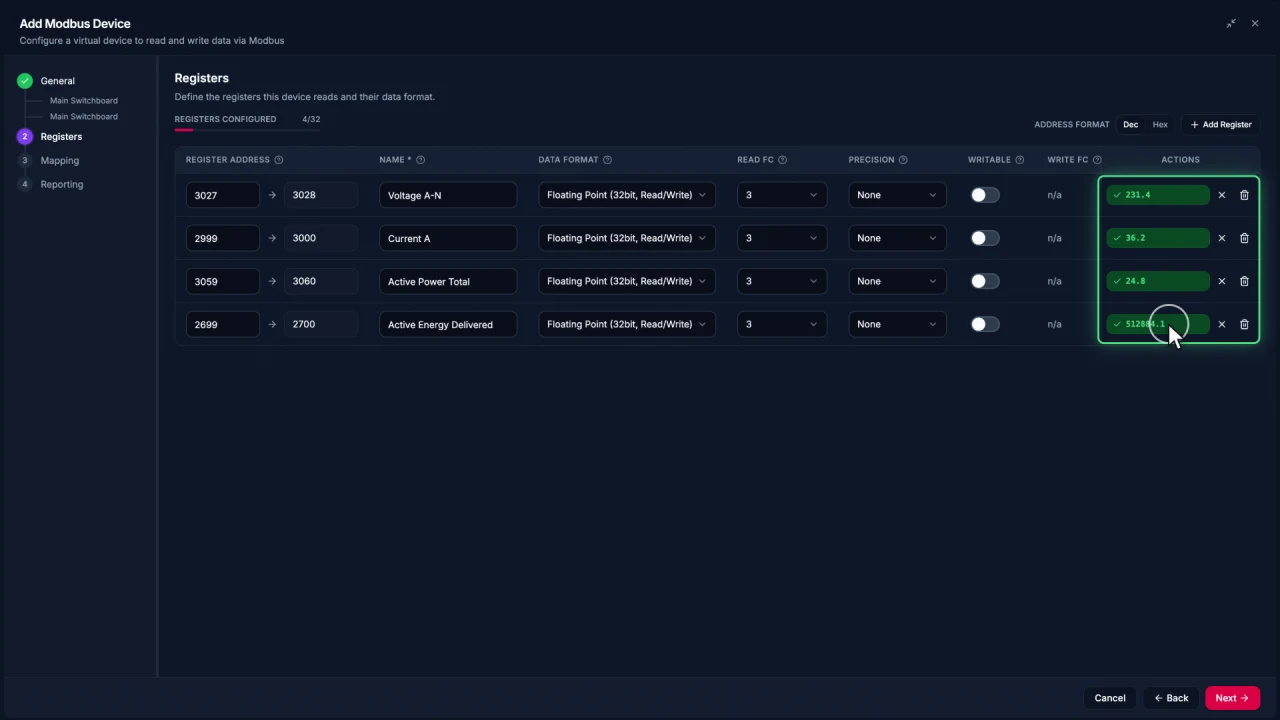
Connecting Modbus meters in Edge
Add a Modbus TCP meter in EpiSensor Edge, configure and test registers, then reuse the verified device template for another meter.
Watch video · 2:30 -
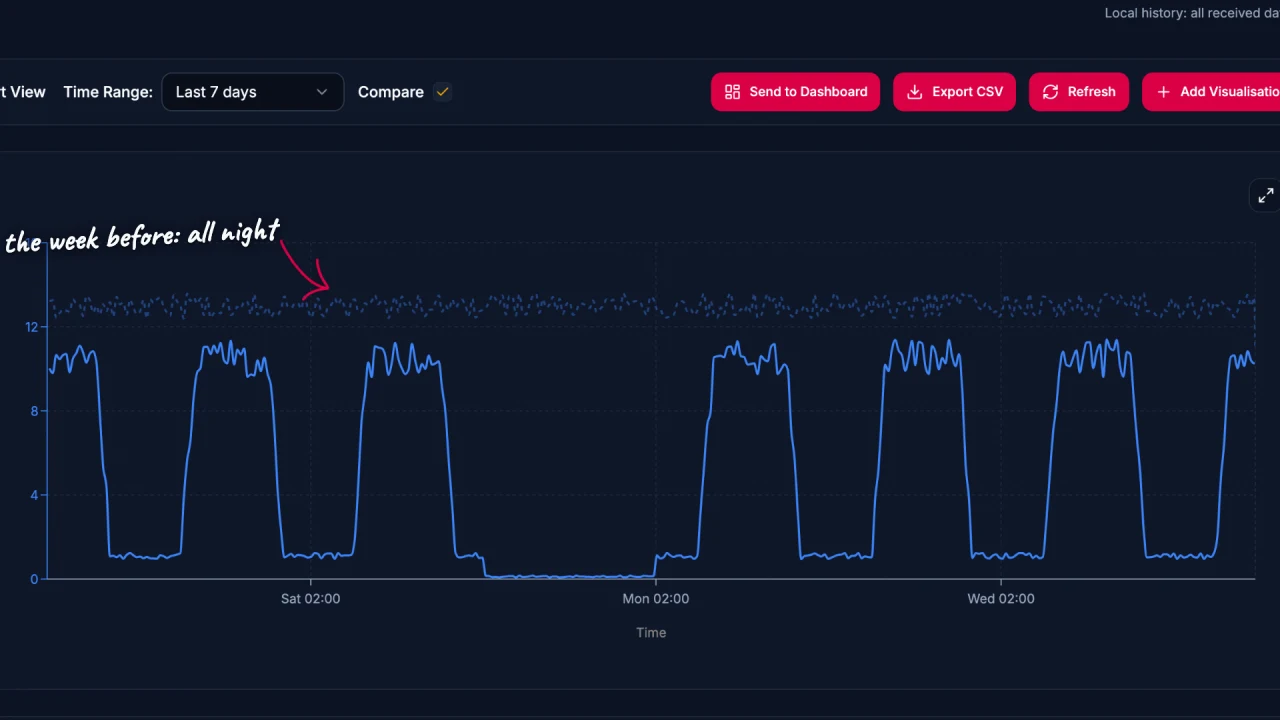
Energy data analysis in Edge
Explore energy data in EpiSensor Edge with charts, period comparisons, zoom and heatmaps. The example traces a compressor running outside expected hours.
Watch video · 2:17 -
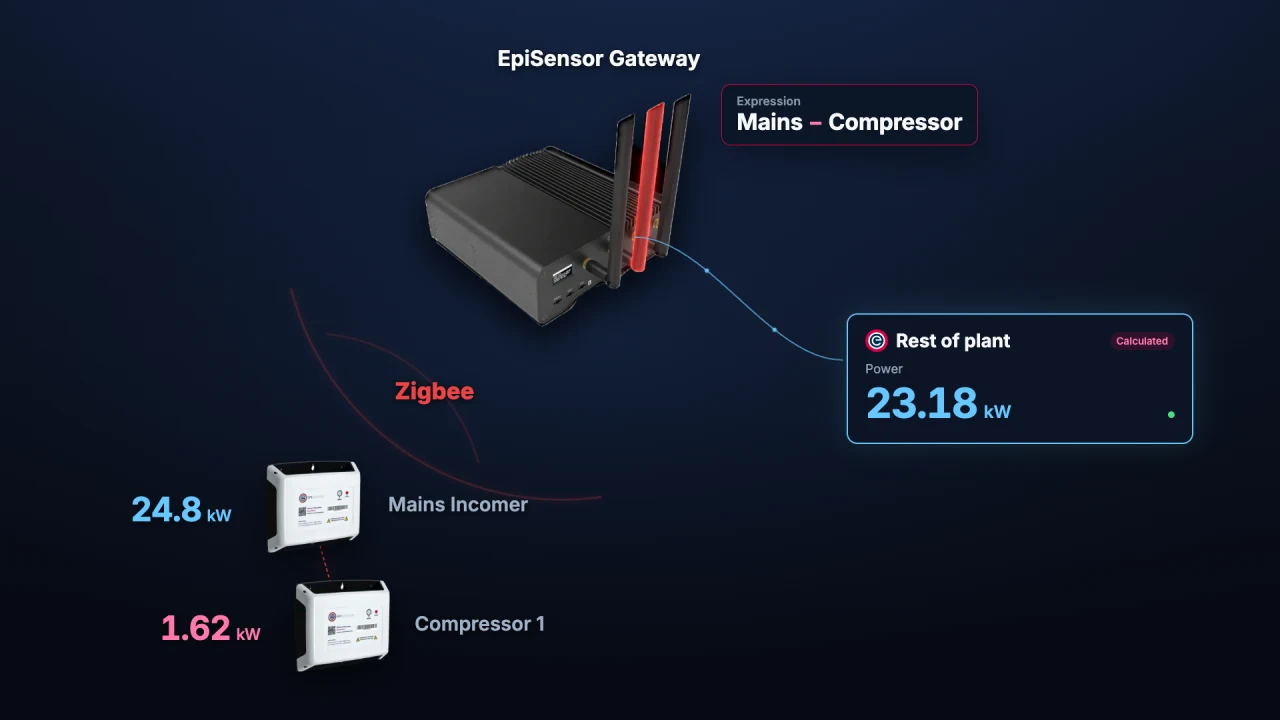
Calculated Devices in Edge
Create calculated measurements from sensors already in Edge. Run operations on the Gateway and chart, monitor or automate the resulting sensor.
Watch video · 1:56 -
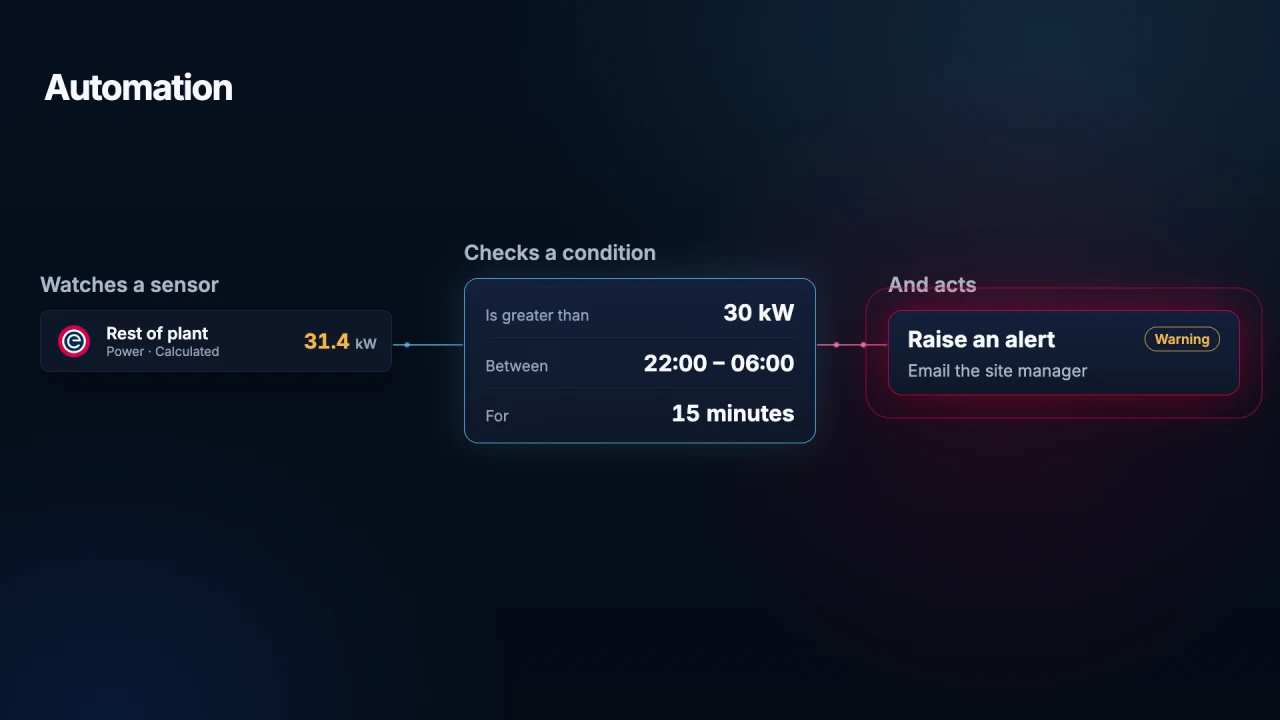
Automation in Edge
Use local Edge automation to monitor a sensor, check a condition and act on it. See how a Gateway alerts staff to unexpected overnight energy use.
Watch video · 1:45 -
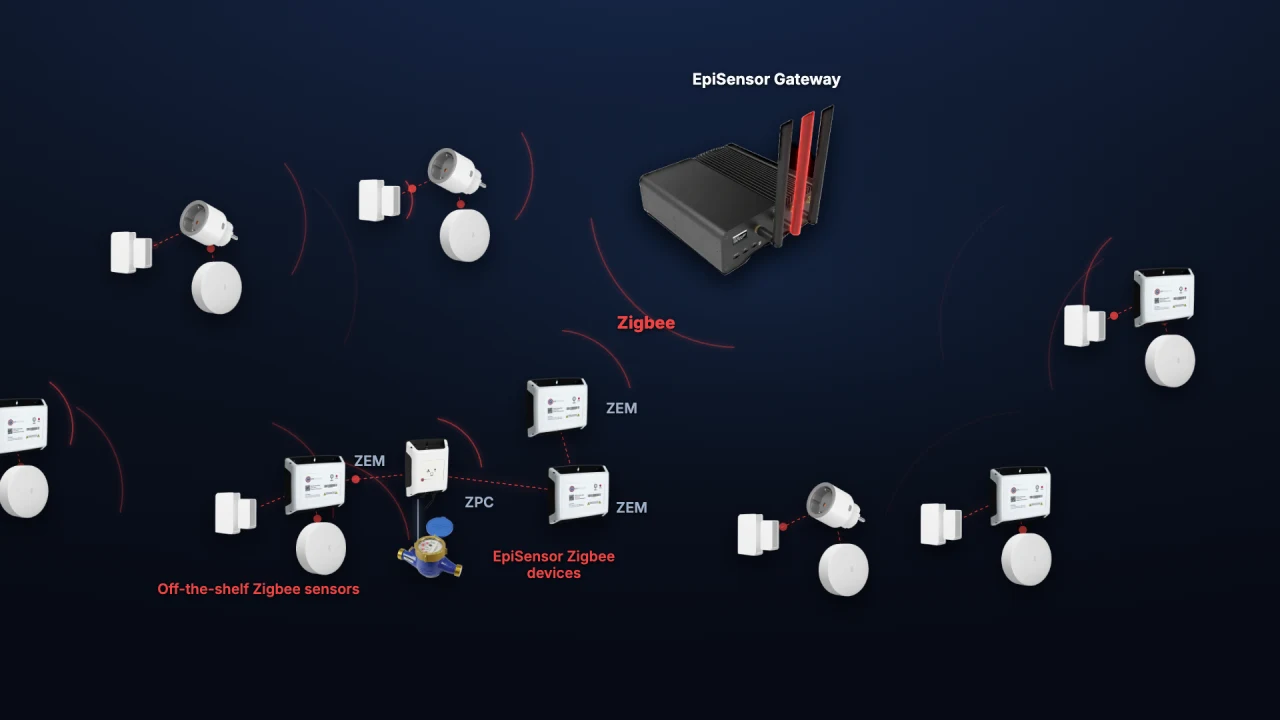
Adding Zigbee devices in Edge
Add a ZEM electricity monitor, door contact and temperature sensor to Edge. See how industrial meters and everyday sensors share one wireless network.
Watch video · 1:59