Videos
Watch practical Edge walkthroughs and ZEM installation videos. Connect sensors, work with energy data, create calculations and automate site monitoring.
The videos and transcripts are in English.
Edge walkthroughs
-
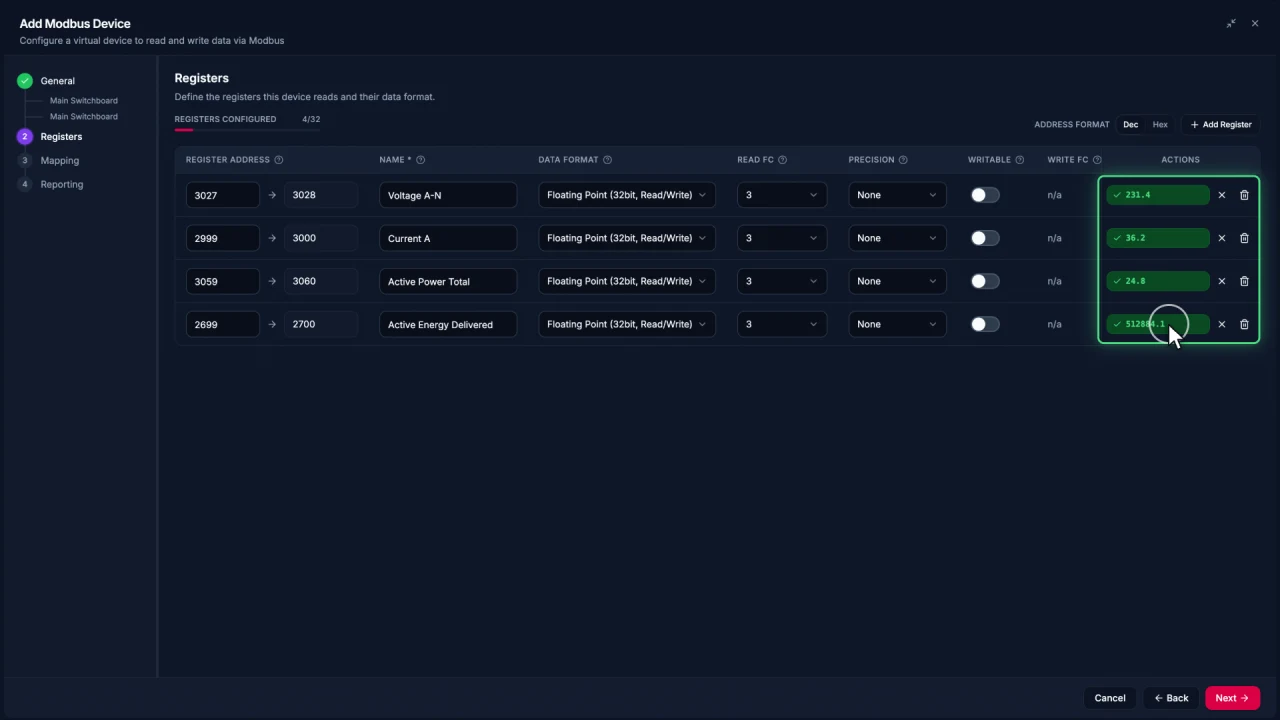
Connecting Modbus meters in Edge
Add a Modbus TCP meter in EpiSensor Edge, configure and test registers, then reuse the verified device template for another meter.
Watch video · 2:30 -
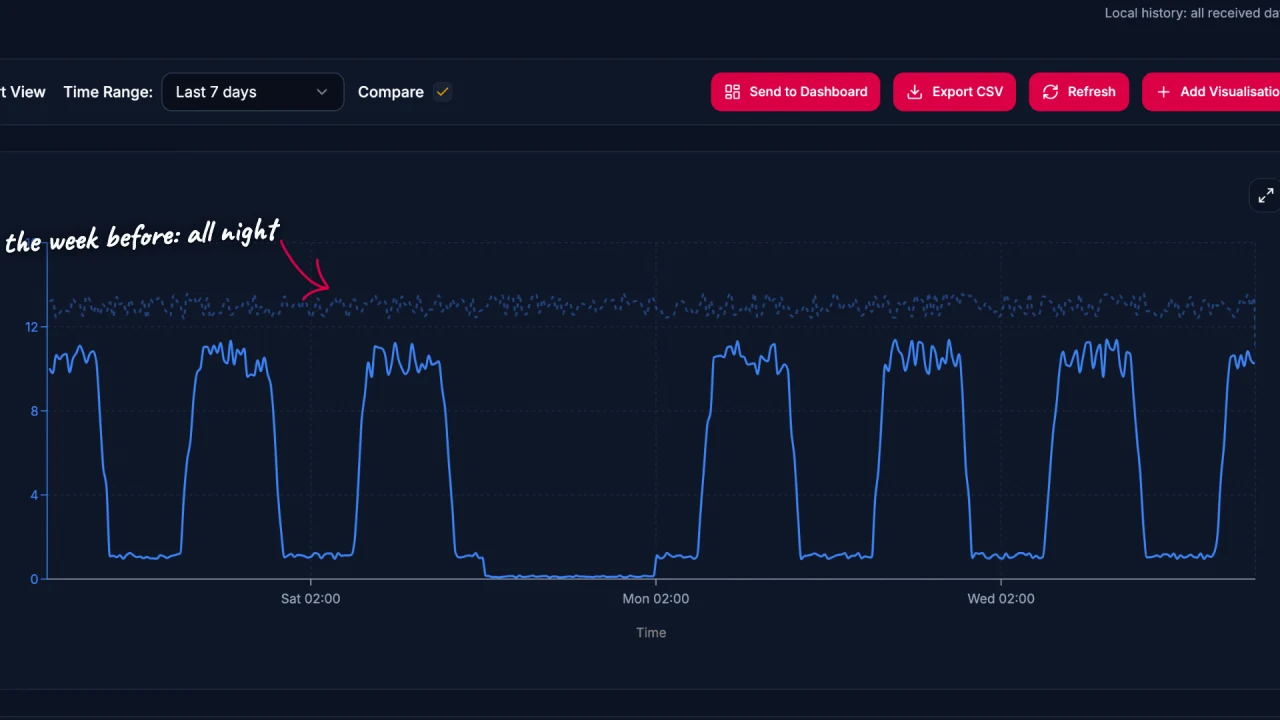
Energy data analysis in Edge
Explore energy data in EpiSensor Edge with charts, period comparisons, zoom and heatmaps. The example traces a compressor running outside expected hours.
Watch video · 2:17 -
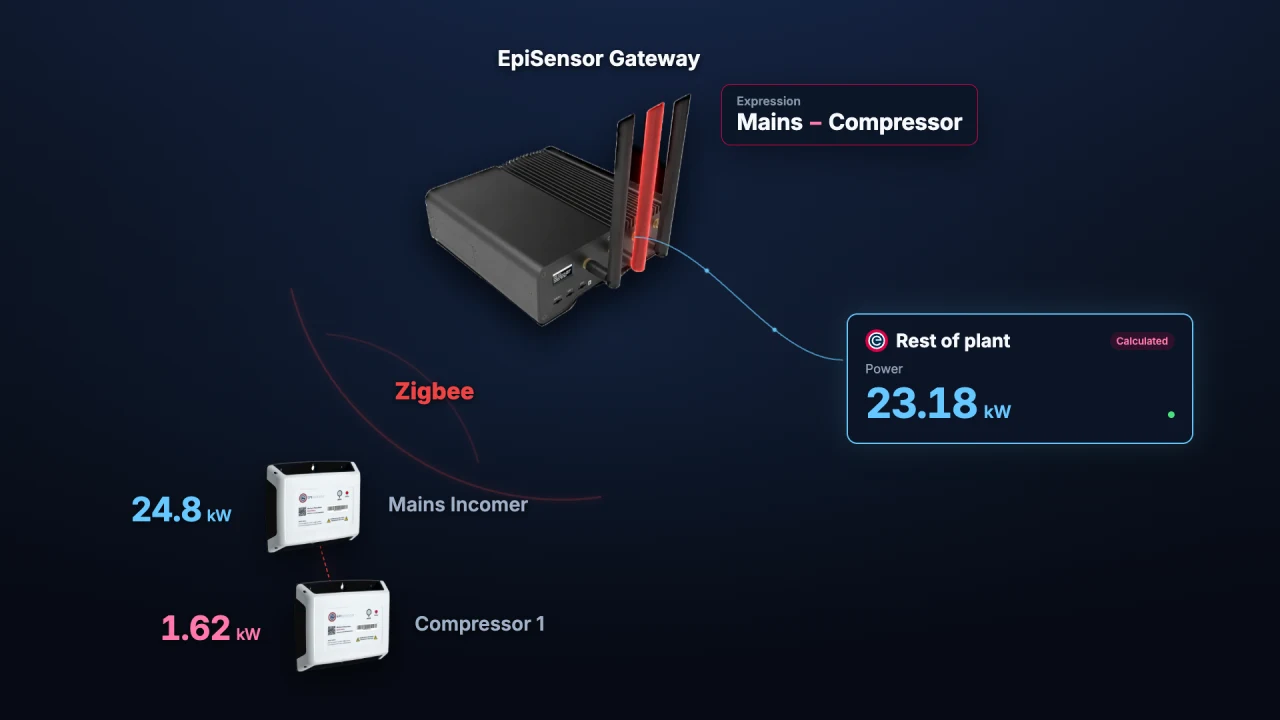
Calculated Devices in Edge
Create calculated measurements from sensors already in Edge. Run operations on the Gateway and chart, monitor or automate the resulting sensor.
Watch video · 1:56 -
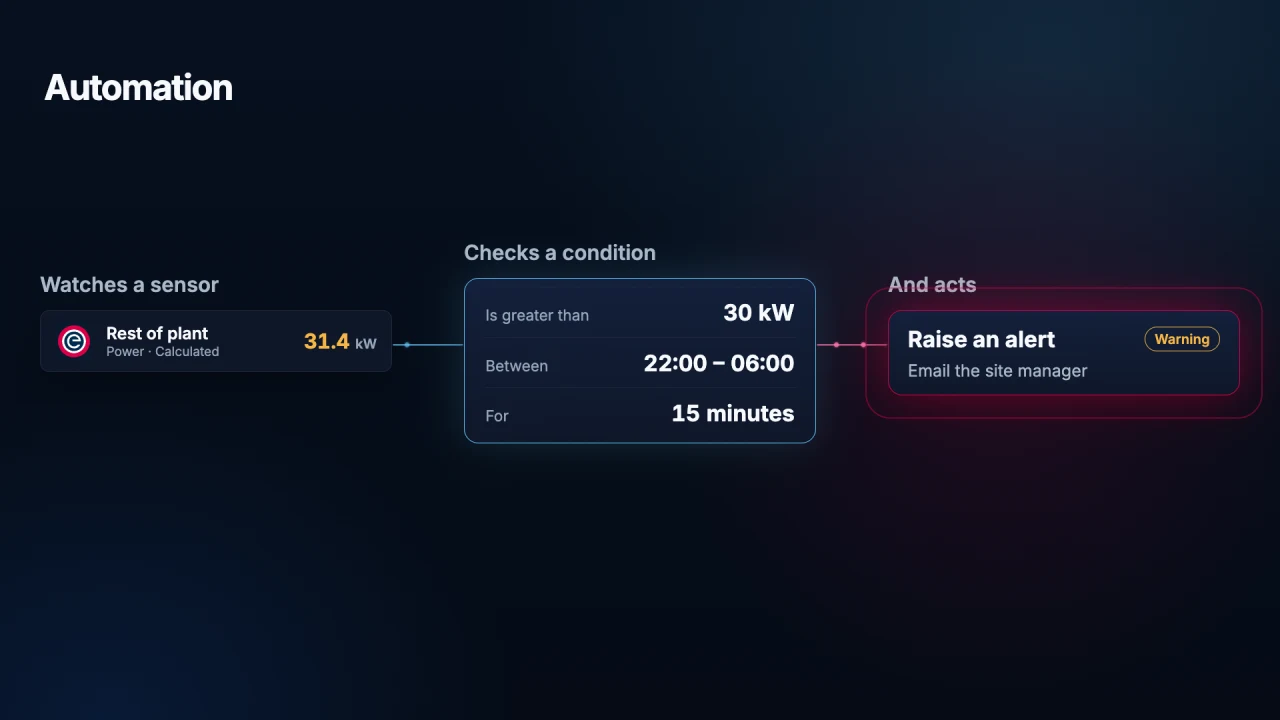
Automation in Edge
Use local Edge automation to monitor a sensor, check a condition and act on it. See how a Gateway alerts staff to unexpected overnight energy use.
Watch video · 1:45 -
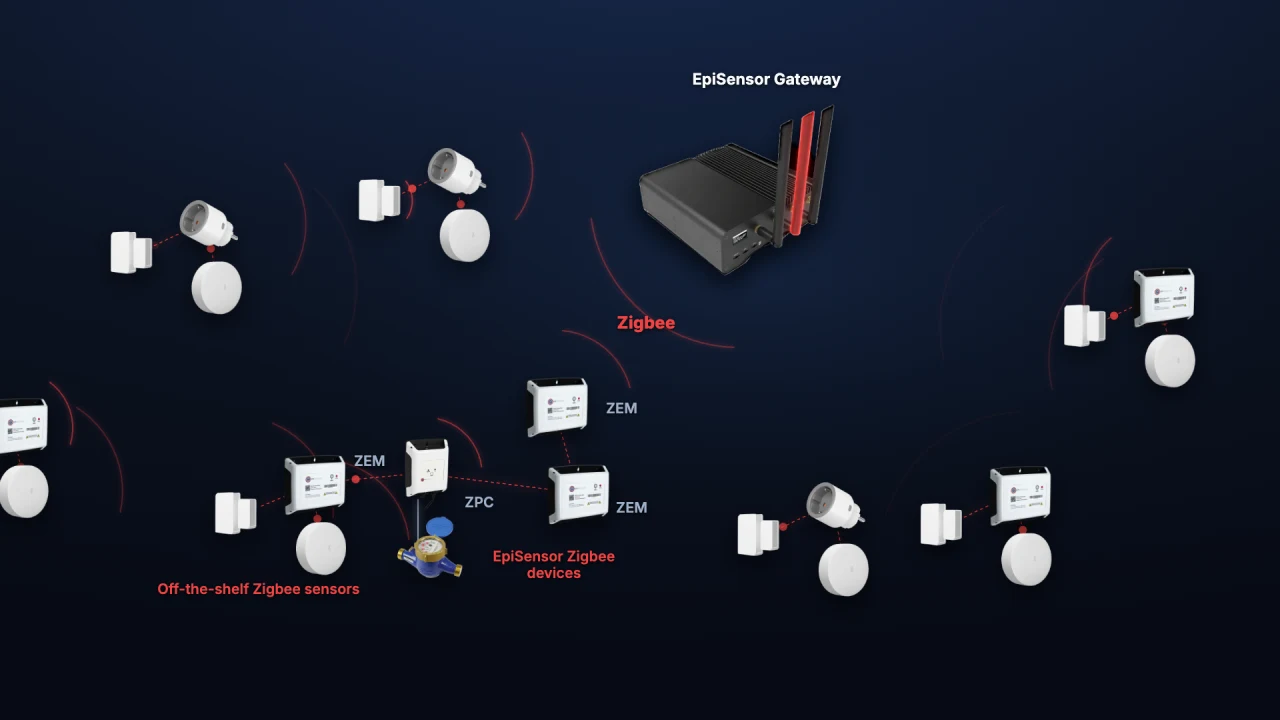
Adding Zigbee devices in Edge
Add a ZEM electricity monitor, door contact and temperature sensor to Edge. See how industrial meters and everyday sensors share one wireless network.
Watch video · 1:59
ZEM installation
-
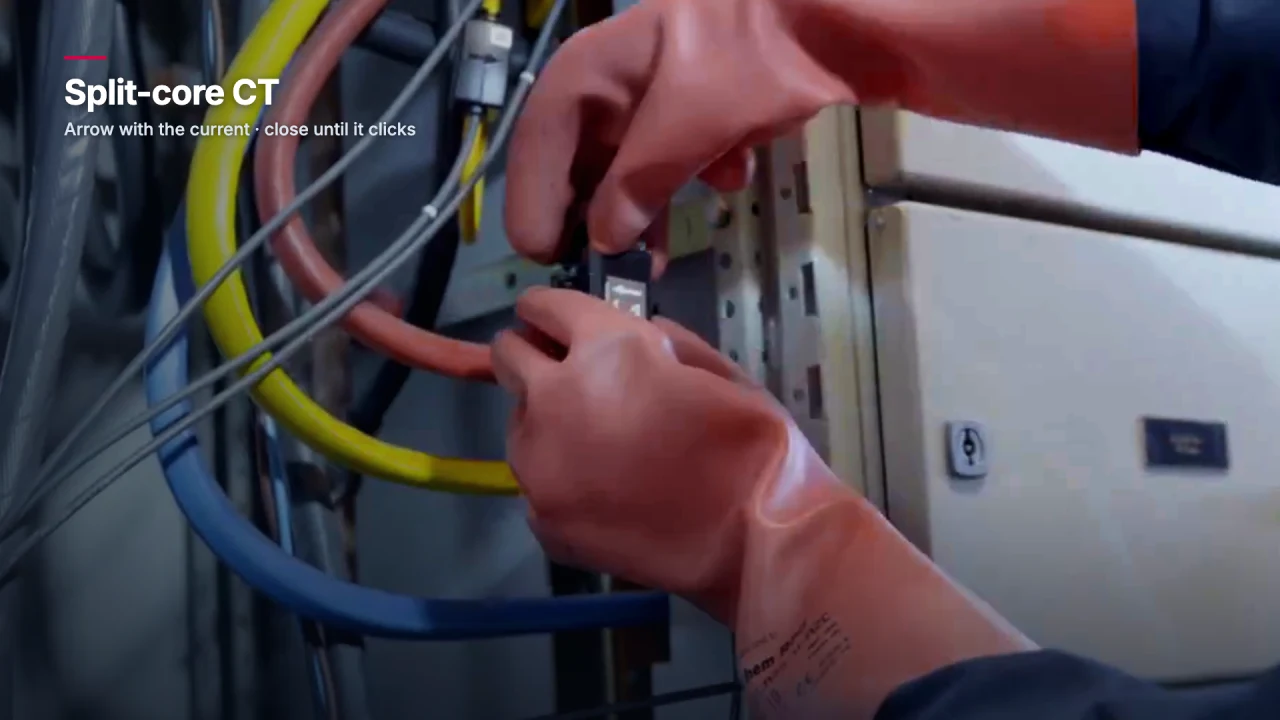
Installing ZEM current transformers
Fit ZEM split-core CTs or Rogowski coils safely. Check direction arrows, phase pairing and sensor placement before closing the electrical panel.
Watch video · 2:26 -
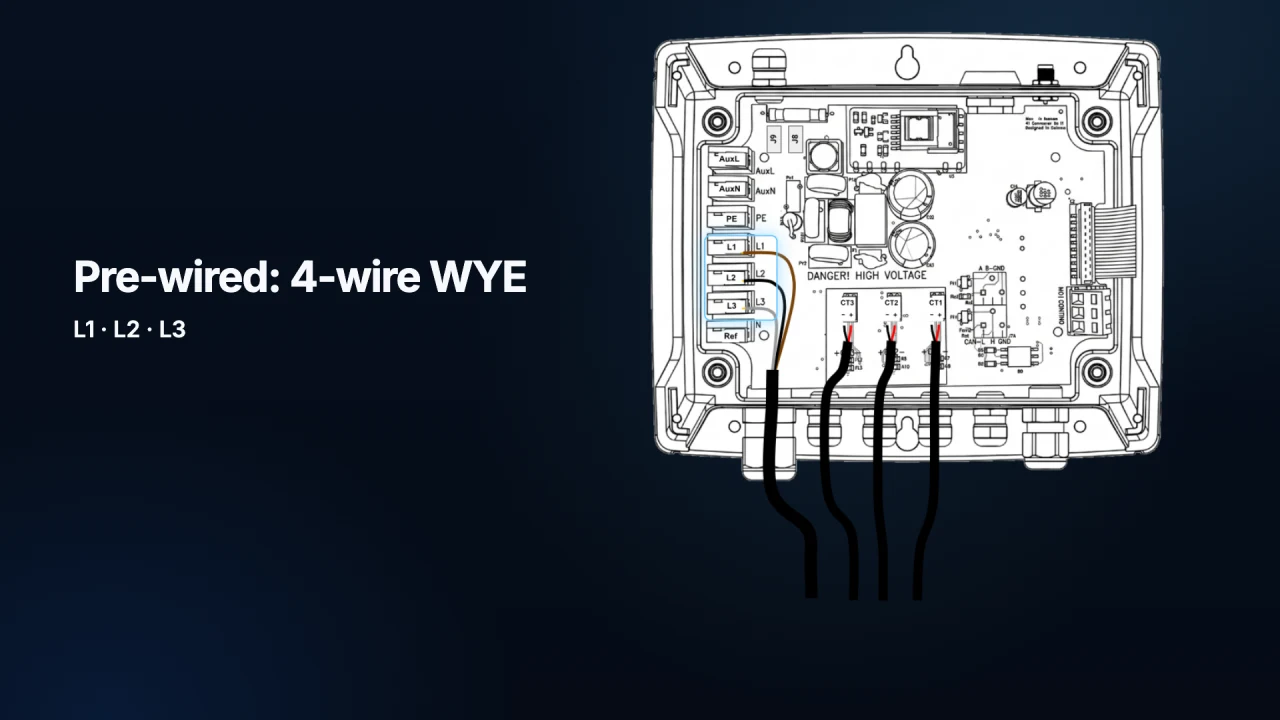
Connecting the ZEM voltage reference
Connect the ZEM voltage reference and check supply selection, phase pairing, WYE or Delta configuration, and commissioning before use.
Watch video · 2:55
For full installation instructions and specifications, visit Documentation.