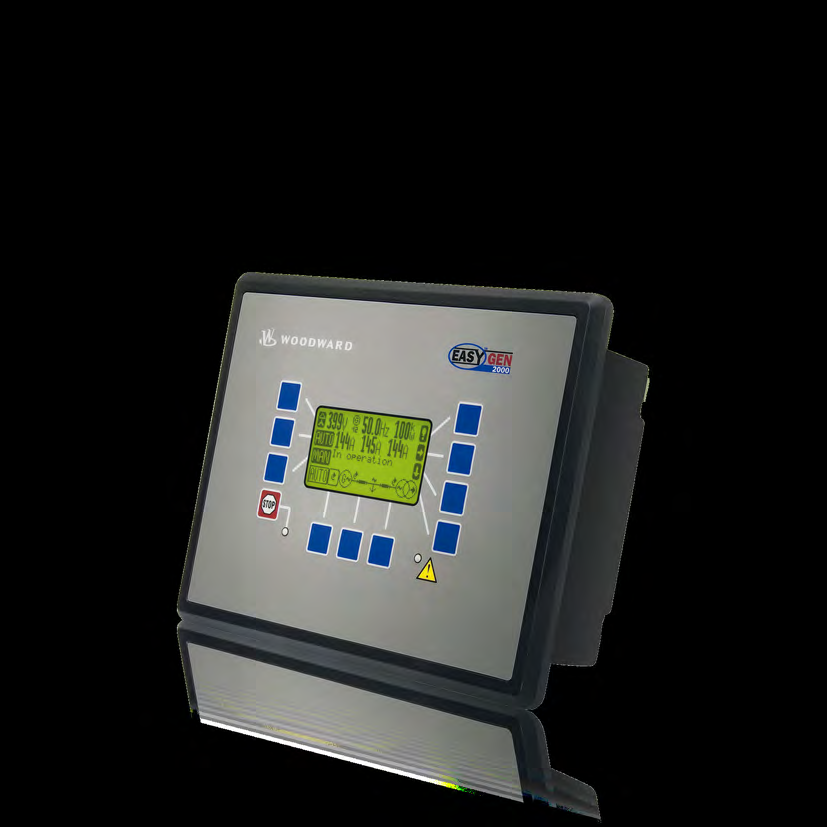
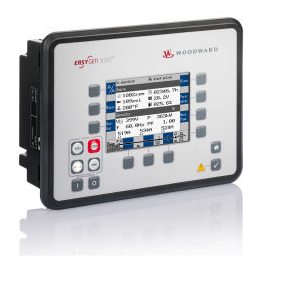
Woodward easYgen-3500XT
Paralleling generator set controller
Woodward easYgen-3500XT-P1 and P2 controllers expose generator measurements through Modbus TCP or RS-485 Modbus RTU. Start with the published protocol ID and generator-frequency read below, compare it with the local display, then add voltage, current and power using the selected visualization table.
- Modbus TCP
- Modbus RTU
Paralleling generator set controller
Compatibility
Documented Modbus TCP and Modbus RTU read path
Woodward publishes Modbus TCP server and configurable Modbus RTU slave interfaces, with visualization tables for protocols 5010 and 5016. Edge can read these documented measurements as a Modbus client without a preconfigured import.
easYgen-3500XT-P1, P1-LT, P2 or P2-LT only. Record the full Woodward part number, installed software release, application mode, parameter 3184 protocol selection and approved network interface. Use function 0x03 only against the reviewed visualization range. Do not send credentials or use functions 0x06 or 0x10. Do not issue start, stop, shutdown, acknowledgement, breaker, synchronising, load-share, power, frequency, voltage, power-factor, parameter, LogicsManager or output commands.
Connect it with
-
Modbus Interface ZMB-3XFrom €399 ex VAT Configure Modbus Interface
-
Gateway ZGW-20From €899 ex VAT Configure Gateway
-
Evaluation Gateway on a Raspberry Pi Edge with one device licensedFree Set up Evaluation Gateway on a Raspberry Pi


When the generator controls owner assigns an Ethernet interface and visualization protocol to the protected monitoring network
- Modbus
- Edge
- Platforms
When the RS-485 interface is commissioned as a Modbus RTU slave for an approved monitoring client
- Modbus
- Edge
- Platforms
Models
| Models | Interface | Route into Edge |
|---|---|---|
| easYgen-3500XT-P1, part number 8440-2085; easYgen-3500XT-P1-LT, part number 8440-2086 | Front-panel controller with display; P1 communications and standard I/O; LT version extends the published operating range down to -40 °C | Use manual 37998, release 2.16-0, for the retained software boundary and confirm the installed release before selecting a protocol table. |
| easYgen-3500XT-P2, part number 8440-2088; easYgen-3500XT-P2-LT, part number 8440-2089 | Front-panel controller with display; expanded P2 I/O, three-phase busbar voltage measurement and phase-rotation monitoring; LT version extends the published operating range down to -40 °C | Use manual 37995, release 2.13-0, for the retained software boundary and confirm the installed release before selecting P2-only data. |
| easYgen-3400XT-P1, part number 8440-2084; easYgen-3400XT-P2, part number 8440-2087 | Back-panel controllers without the easYgen-3500XT front display; documented alongside the 3500XT packages | Do not use a 3500XT identity or display assumption for a 3400XT. Record and assess the exact back-panel model separately. |
| Earlier easYgen-3500 and other easYgen-3000 or easYgen-3000XT controllers | Related generations may provide protocol 5003, 5010, 5014 or 5016 for backward compatibility | Do not transfer addresses or software assumptions between generations. Match the exact controller and the protocol selected by parameter 3184. |
Specifications
Woodward separates visualization data from remote-control and configuration data. Visualization starts at Modicon address 450001 and supports read holding registers with function 0x03, including block reads of 1 to 128 registers. The separate control and configuration range supports functions 0x06 and 0x10 and is excluded from this guide.23
- Exact front-panel variants
- P1 8440-2085, P1-LT 8440-2086, P2 8440-2088 and P2-LT 8440-20891
- Applications
- Complex paralleling, prime power, CHP, peak shaving, emergency, import/export, islanded and utility-parallel operation1
- Communications
- Three Ethernet ports, three CAN ports, one RS-485 interface, USB and an interface expansion slot; Modbus TCP slave and Modbus RTU slave roles are published1
- Measurement inputs
- Three-phase generator voltage and current, three-phase mains voltage, single-phase mains or ground current and busbar voltage according to package1
- Voltage and current
- Direct voltage measurement up to 690 VAC; generator current inputs selectable for 1 A or 5 A1
- Visualization protocols
- Protocol selection includes legacy 5003 and 5010 plus XT protocols 5014 and 5016; parameter 3184 records the active choice234
- Environment
- Standard front-panel variants operate from -20 to +70 °C; LT variants from -40 to +70 °C; front protection IP66 with screw fastening or IP54 with clamp fastening, rear IP201
Interface
Documented measurements and integration boundaries for easYgen-3500XT.
- Protocol 5016 visualization includes generator frequency, voltage, current, active power, reactive power and power factor, with scaling registers that must be applied before publication.
- Mains and busbar voltage and frequency, mains power and selected load-sharing system values are available where the exact model and application provide them. P2-only fields must not be assigned to P1 devices.
- Engine speed, battery voltage, start count, maintenance interval, configurable analogue values, controller mode, breaker feedback, operating states, relay states and alarms are documented as visualization data. Their source and meaning still depend on the commissioned sensors, ECU, I/O and logic configuration.
- Protocol 5010 is retained for backward compatibility and is the documented default; Woodward recommends protocol 5016 where an application contains only easYgen-3000XT controllers. The selected protocol is part of every point-set record.
- Remote start, stop, shutdown, acknowledgement, breaker commands, synchronising, setpoints, parameters and output writes remain outside this guide even though the manuals document them on the same Modbus interface.
Assessment
Read-only visualization on easYgen-3500XT-P1, P1-LT, P2 or P2-LT, using the selected protocol. Generator and breaker commands, load sharing, setpoints and configuration writes are separate control functions.
- InteroperabilitySupported with conditions
- Documented Modbus TCP server and configurable Modbus RTU slave interfaces, with published visualization tables and a practical read-only starting example.23
- AccuracySupported with conditions
- Generator, mains, busbar, engine, operating-state and alarm values are documented. Instrument transformers, sensors, ECU sources, application logic, scaling and P1 or P2 restrictions govern interpretation.123
- SecurityLimited
- The manuals describe password-gated Modbus access and warn against Internet exposure without routing and firewall controls. The same interface supports powerful writes, so read-only client and network enforcement are essential.23
- ReliabilitySupported with conditions
- The manuals define protocol identifiers, scaling, exception responses and communication diagnostics. Recovery and stale-value handling still require site testing across controller and downstream-device faults.23
- RuggednessSupported with conditions
- Woodward publishes operating temperature, enclosure protection, humidity, altitude and electrical limits. Installation method and standard or LT variant determine the applicable limits.1
Setup
Read protocol ID and generator frequency
Best-effort starting read from P1 manual 37998, release 2.16-0, pages 985–986 and 1133–1134; P2 manual 37995, release 2.13-0, page 1153 gives the same frequency point. Check parameter 3184 and compare with the local display once before expanding the point list.
- Function
- 03, read holding registers; quantity 1 for each request
- Address convention
- PDU offsets 50000 (0xC350) and 50009 (0xC359); six-digit Modicon references 450001 and 450010 respectively
- Request PDUs
- Protocol ID: 03 C3 50 00 01; generator frequency: 03 C3 59 00 01
- Decode
- Signed 16-bit, big-endian. Protocol ID should be 5016 (0x1398). Frequency is scaled by 100: synthetic 0x1388 = 5000 gives 50.00 Hz.
Acceptance: The frequency row applies to P1 and P2. A protocol ID other than 5016 calls for its own visualization table; do not change the controller protocol just to fit this example.
-
Photograph the type label and record the exact Woodward part number, P1 or P2 package, LT status, serial number, installed software release, application mode and current configuration archive.
-
Have the generator controls owner identify the Ethernet or RS-485 interface approved for monitoring.
Keep load-sharing networks, ToolKit access and operational control paths separate unless the owner explicitly designs the shared traffic.
-
Read parameter 3184 to identify the selected visualization protocol.
The example below uses 5016. Record the TCP endpoint and unit ID, or the RTU address and serial settings; keep the configuration archive with the point list.
-
Configure the Edge client for function 0x03 only.
Do not store or transmit controller credentials and block functions 0x06 and 0x10 in the client and network policy.
-
Read the protocol ID at PDU offset 50000 and generator frequency at 50009.
With protocol 5016, compare frequency with the local display. For power, read signed scaling exponent 50001 and signed power 50010: watts = raw power × 10^exponent. Voltage and current use their own exponents at 50002 and 50003.
-
Test stale communications, controller restart, unavailable ECU or sensor values and restoration without issuing a command.
Revalidate after any controller, firmware, protocol, application, logic or network change.
Common questions
- Can Edge read an easYgen-3500XT over Modbus TCP?
- Yes. Woodward publishes a Modbus TCP server and visualization tables. Read the protocol ID and generator frequency in the worked example, then expand the point list using the selected protocol and its scaling values.23
- Can the RS-485 port be assumed to use Modbus RTU?
- No. Woodward describes a freely configurable RS-485 Modbus RTU slave. Confirm that role, slave address, serial settings and reply delay on the commissioned controller before connecting Edge.23
- Should a new easYgen-3000XT installation use protocol 5010 or 5016?
- Woodward states that 5010 remains the default for backward compatibility and recommends 5016 where the application contains only easYgen-3000XT controllers. Read parameter 3184 and use the matching table rather than assuming either protocol.4
- Can Edge start, stop or parallel a generator through this interface?
- Not under this guide. The manuals document remote control and parameter writes, including start, stop, shutdown, breaker and setpoint functions. Those functions require a separate engineered control design, interlocks, permissions, failure analysis and physical acceptance.23
Related devices
Sources
- easYgen-3400XT/3500XT product specification 37583 (opens in a new tab)
- easYgen-3500XT-P1 and P1-LT manual 37998 (opens in a new tab)
- easYgen-3500XT-P2 and P2-LT manual 37995 (opens in a new tab)
- Questions regarding easYgen-3x00XT Modbus protocols 5003, 5010 and 5016 (opens in a new tab)
Further reading
Product names and trademarks belong to their owners. Publication does not imply endorsement or a commercial relationship.