
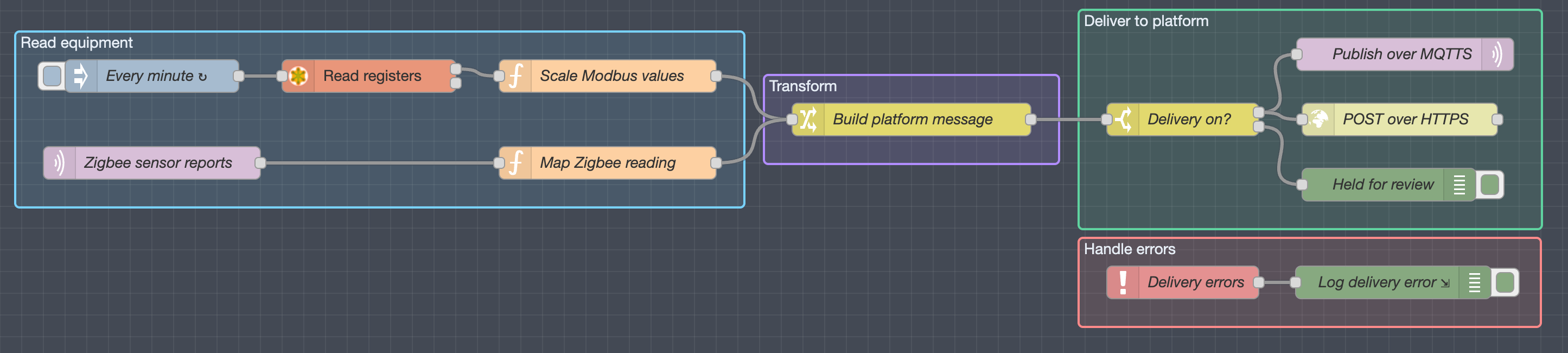
MQTTS is shorthand for MQTT carried over Transport Layer Security (TLS). It is not a separate MQTT version. The MQTT packets are unchanged; TLS wraps them. When the client verifies the certificate, TLS encrypts the connection, detects tampering and proves which broker the client reached.
On an energy site, check three things separately. The gateway reached the right broker. It can publish only to its own topics. The platform stored the right value, unit and timestamp. A green "connected" indicator shows only the first half of the first check.
Do not confuse MQTTS with MQTT-SN, which was formerly called MQTT-S. MQTT-SN is a separate protocol for sensor networks and non-TCP/IP transports (MQTT specifications).
Brokers, topics, QoS and the plain port 1883 that MQTTS replaces are explained in what is MQTT. This guide covers the TLS layer on port 8883.
MQTT and MQTTS at a glance
The MQTT 5.0 specification notes that TCP ports 8883 and 1883 are registered with IANA for MQTT over TLS and plain MQTT. The IANA service names are secure-mqtt and mqtt. The port is a convention. Security comes from the handshake and the certificate check, and a listener on 8883 can still be misconfigured.
| Question | MQTT without TLS | MQTT over TLS ("MQTTS") |
|---|---|---|
| Confidentiality in transit | None. Credentials in CONNECT are readable. | Encrypted between client and TLS endpoint |
| Broker identity | Not verified in practice | Certificate chain and hostname check |
| Client identity | Username and password, or another broker mechanism | The same, or a client certificate (mutual TLS) |
| Topic permission | Broker ACL | Broker ACL. TLS does not change it. |
| Registered port | 1883 | 8883 |
MQTT 5 also defines enhanced authentication through the AUTH packet. Whether it proves the server depends on the method; a challenge-response method such as SCRAM can, a plain token cannot. Few brokers implement it, so broker identity comes from the TLS certificate in nearly every deployment.
TLS versions
Use TLS 1.2 or 1.3. RFC 8996 deprecated TLS 1.0 and 1.1 in 2021. Mosquitto allows TLS 1.3 and 1.2 by default (mosquitto.conf), and AWS IoT Core accepts the same two. A client stuck on TLS 1.0 fails the handshake with a protocol-version alert. That usually means old firmware, not a bad certificate.
Where TLS ends
TLS protects one hop: from the client to whatever terminates TLS. A cloud load balancer that terminates TLS and forwards plain TCP to the broker leaves that inner leg unencrypted unless it re-encrypts. The broker also stops seeing the client certificate, so certificate-based ACLs no longer work. Find out where TLS terminates before you design identity around client certificates. If the payload must stay confidential past the broker, encrypt it at the application layer with its own keys. Hop-by-hop TLS is not end-to-end encryption.
Four security checks
1. Trust and broker identity
The client needs a trust anchor, usually the CA certificate that signed the broker certificate. It validates the chain, the notBefore and notAfter dates defined in RFC 5280, and the name. RFC 9525 describes matching the configured reference identifier, normally the DNS name you typed, against the subject alternative names in the certificate.
Configure the broker's fully qualified domain name, not the IP address it resolved to on the day. A certificate for broker.example.net does not match 203.0.113.40. Send Server Name Indication (SNI) where the service hosts several names on one address; AWS IoT Core needs SNI for custom domains and configurable endpoints.
Trust the issuing CA rather than pinning the broker's leaf certificate. A pinned leaf breaks the gateway at every broker renewal.
2. Client identity
Give each gateway its own identity: a client certificate and private key, or a unique username and password. Never share one certificate across a fleet. Revoking it for one site then disconnects every site.
In Mosquitto, a TLS listener and a client-certificate requirement are separate settings. require_certificate true refuses clients without a valid certificate, and use_identity_as_username true makes the certificate's CN the MQTT username, which the ACL can then use (mosquitto.conf):
listener 8883
cafile   /etc/mosquitto/ca/site-ca.crt
certfile /etc/mosquitto/certs/broker.example.net.crt
keyfile  /etc/mosquitto/certs/broker.example.net.key
require_certificate true
use_identity_as_username true
acl_file /etc/mosquitto/acl
Mosquitto 2.0 and later refuse anonymous clients once a listener is configured, unless allow_anonymous true is set.
3. Topic authorisation
Authentication says who the client is. Authorisation says what it may publish and subscribe to. Give each gateway its own branch and nothing else. With the listener above, the gateway certificate's CN becomes %u in an ACL pattern:
pattern write sites/%u/telemetry/#
pattern read  sites/%u/commands/#
Gateway gw-0417 can now publish under sites/gw-0417/telemetry/ and read its own command topic. It cannot write to another site or to its own command topic. Mosquitto's Dynamic Security plugin expresses the same rules as roles with separate publish, receive and subscribe permissions.
Test one allowed publish and one denied publish. The protocol version changes what a denial looks like. MQTT 3.1.1 (section 3.3.5) gives the broker no way to report it: the broker must either acknowledge as normal or close the connection. If the broker chooses the normal acknowledgement, a 3.1.1 client can mistake a denied QoS 1 publish for success. If the broker closes the connection instead, the client sees a disconnect without a publish rejection reason. MQTT 5 returns reason code 0x87 (Not authorized) in the PUBACK. On 3.1.1, prove the denial with a second client subscribed to the target topic.
4. Application acceptance
Send one known reading and find it in the receiving application: the historian, energy platform or customer database. Compare source, timestamp, value and unit. A broker log proves only that the broker received the message.
A worked example, with fictional names. Gateway gw-0417 reads 412.6 kW from the main meter at 14:03:00 UTC and publishes to sites/gw-0417/telemetry/main-meter:
{
  "device": "main-meter",
  "quantity": "active_power",
  "value": 412.6,
  "unit": "kW",
  "ts": "2026-09-22T14:03:00Z",
  "id": "gw-0417-main-meter-20260922T140300Z"
}
The platform record must show the same device, 412.6, kW and 14:03:00Z. If it shows 14:03:07, the platform stamped arrival time and dropped the source time. If it shows 0.4126, a unit mapping divided by 1,000. Both errors are invisible at the broker.
Testing from the command line
Two tools cover most commissioning faults. Run them from a laptop on the same network segment as the gateway.
Check the certificate chain and hostname with OpenSSL:
openssl s_client -connect broker.example.net:8883 \
  -servername broker.example.net \
  -verify_hostname broker.example.net \
  -CAfile site-ca.crt -verify_return_error -brief < /dev/null
A good result shows the negotiated protocol (TLSv1.2 or TLSv1.3) and a successful verification. Repeat with -verify_hostname wrong.example.net and with a different CA file. Both must fail. If they succeed, the check is not happening.
Then publish with the gateway's credentials using mosquitto_pub:
mosquitto_pub -h broker.example.net -p 8883 -V mqttv5 -d \
  --cafile site-ca.crt --cert gw-0417.crt --key gw-0417.key \
  -i gw-0417 -q 1 \
  -t sites/gw-0417/telemetry/main-meter -f reading.json
The -d output shows the CONNACK and the PUBACK reason code. Change the topic to sites/gw-0999/telemetry/main-meter and publish again. With MQTT 5 you should see reason code 135 (0x87). Keep private keys off tickets, chat and screenshots.
Firewalls, port 443 and WebSockets
Outbound TCP 8883 is often blocked on customer networks, and the request to open it can take weeks. Two alternatives run over port 443:
- MQTT over WebSockets with TLS (
wss://). Section 6 of the MQTT 5 specification defines the WebSocket transport, with the subprotocol namemqtt. Mosquitto supports it withprotocol websocketson a listener. AWS IoT Core serves it atwss://<endpoint>/mqtton 443. - MQTT on 443 with ALPN. AWS IoT Core accepts plain MQTT with an X.509 client certificate on 443 if the client sends the ALPN protocol name
x-amzn-mqtt-cain its TLS ClientHello (AWS protocol table).
Both depend on the broker offering them. A site proxy that inspects TLS will also break mutual TLS, because the proxy cannot present the gateway's client certificate. Ask for a proxy bypass for the broker's hostname.
Certificate lifetimes and the Gateway clock
Certificate expiry is the most common MQTTS failure after handover. It arrives months later, when nobody from commissioning is watching.
Publicly trusted TLS server certificates are getting shorter. Under CA/Browser Forum ballot SC081v3, the maximum validity fell to 200 days on 15 March 2026. It falls to 100 days on 15 March 2027 and 47 days on 15 March 2029. A cloud broker using a public certificate will therefore renew several times a year. A gateway that trusts the issuing root does not notice. A gateway pinned to the leaf fails at every renewal. Private CAs are outside these rules, so the project sets their lifetimes. Write down who renews the broker certificate, who renews each gateway certificate, and when the first renewal falls due.
The client checks notBefore and notAfter against its own clock. A gateway that starts with a wrong date, such as 1 January 1970 after a long power cut on hardware without a battery-backed clock, rejects a valid certificate as "not yet valid". The EpiSensor Gateway sets its clock over NTP, normally UDP 123. Allow that path through the site firewall, and check the Gateway time before you debug a handshake.
QoS and delivery
MQTT quality of service applies to one sender-to-receiver leg. Publisher to broker and broker to subscriber are separate exchanges with separate acknowledgements.
| QoS | Behaviour | What it means for meter data |
|---|---|---|
| 0 | At most once, no acknowledgement | A lost reading stays lost. The next reading does not replace it. |
| 1 | At least once, PUBACK | Retransmission can create duplicates. Deduplicate on a record ID. |
| 2 | Exactly once on that leg, four-packet handshake | Not end-to-end, and some brokers do not offer it |
At QoS 1 the broker sends PUBACK once it has accepted ownership of the message. The MQTT 5 specification states that the receiver need not complete onward delivery before it replies. Read the reason code before you record success. 0x00 is success. 0x10 (No matching subscribers) means the broker accepted a message that nobody was subscribed to receive. 0x87 (Not authorized) and 0x97 (Quota exceeded) are rejections. Even 0x00 says nothing about what the platform did next.
Check destination limits in the platform documentation. AWS IoT Core supports QoS 0 and 1 but not QoS 2. AWS also warns that an MQTT connection can last as little as a few minutes (connection limits), so the client must reconnect cleanly.
Other MQTT features solve different problems:
- A retained message keeps the latest message on a topic for the next subscriber. It holds one value, not a history.
- A persistent session (clean start off, with a session expiry interval) keeps subscriptions and queued QoS 1 and 2 messages for a subscriber while it is offline. The broker sets the queue limits. It does not buffer data that the gateway never managed to send.
- Keep alive sets how often the client must send a packet. The broker closes the connection after 1.5 times the interval with no traffic. At 60 seconds, a dead link is noticed within 90.
- A Will message is published by the broker when the client disappears without a clean DISCONNECT. Use it to mark the gateway offline on a status topic.
Put the source timestamp in the payload. Replayed readings then land at the right time and do not look current.
Client ID collisions
The broker allows one live connection per client ID. When a second client connects with the same ID, the broker disconnects the first. MQTT 5 sends reason code 0x8E (Session taken over). If both clients reconnect automatically, they evict each other every few seconds. The broker log shows a steady connect and disconnect cycle for one ID, often from two addresses. The usual cause is a cloned gateway image or a test laptop using the gateway's credentials. Tie the client ID to the certificate identity, and the ACL can block the copy.
MQTTS in EpiSensor Edge
EpiSensor Edge runs a Node-RED flow editor on the Gateway. A flow reads field data, shapes it into the agreed topic and payload, and publishes through an MQTT broker node. On the broker node, enable TLS and select a TLS configuration. In that configuration, load the CA certificate, plus the client certificate and key if the broker needs them. Tick "Verify server certificate", and set the server name when the broker needs SNI.
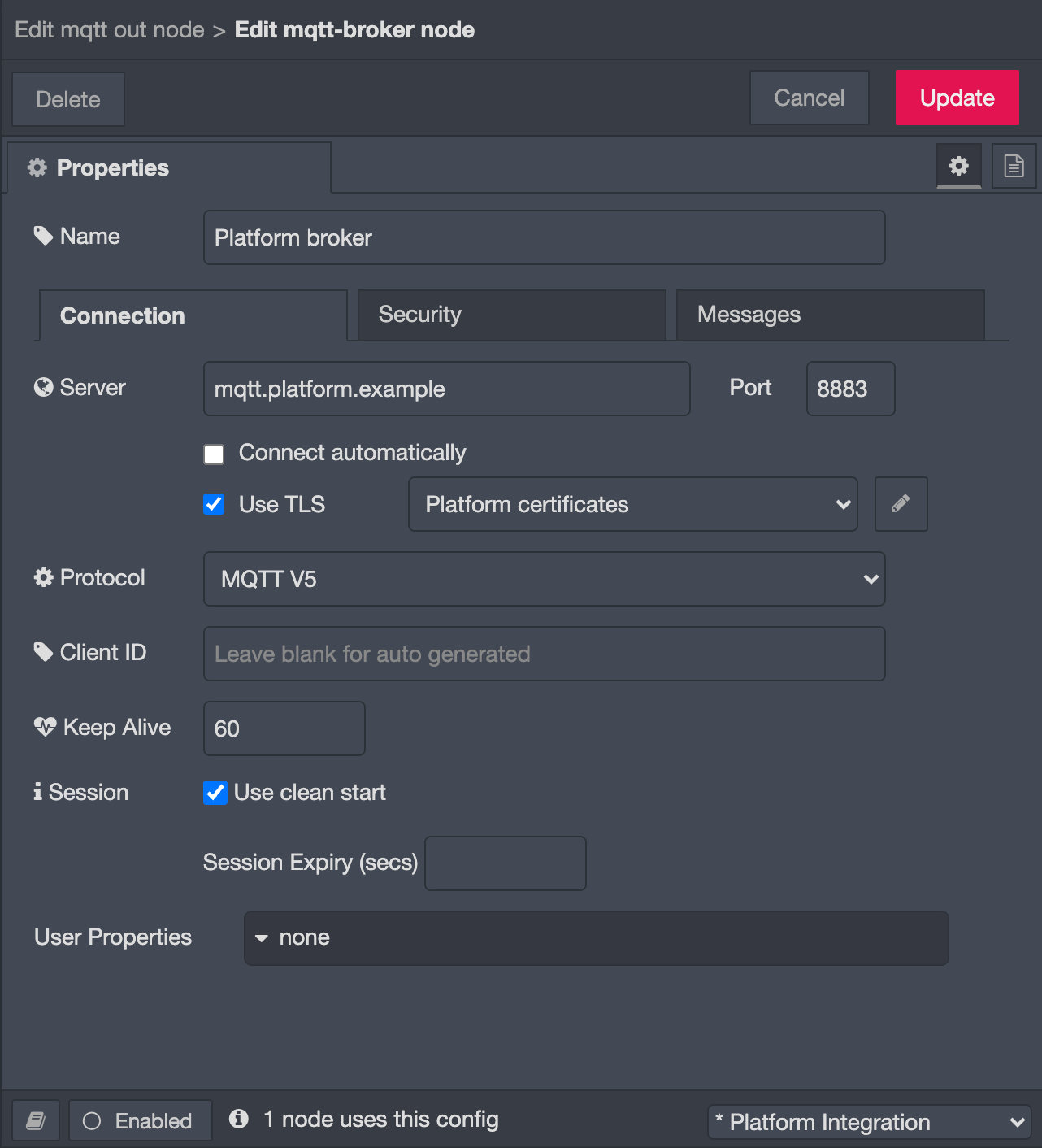
Edge-managed integrations handle outages with a disk-backed retry queue. When a delivery fails, Edge writes it to the queue, checks every minute for the destination to return, and replays it with the original timestamps. The queue has no age limit, so a long outage keeps growing it; size the Gateway storage for the longest outage you plan for. A batch still in memory when the power drops can be lost, and a replay can deliver a batch twice if the broker received it before Edge recorded completion. An MQTT out node you add to your own flow sits outside this queue. Test what it does across a Gateway restart before you rely on it.
A typical platform connection publishes mapped measurements to the platform's broker on TCP 8883, authenticated with a per-Gateway client certificate. Each platform needs its own broker details, topic contract and acceptance test; connecting Edge to your platform covers the ways Edge sends data out. For a multi-vendor site, the interoperability guide covers the data contract that MQTT support alone leaves open.
Commissioning checklist
Work through these steps in order. None of them needs a live control action.
- Write down the broker FQDN, port, MQTT version, client ID, authentication method, topic layout, payload format, QoS and retain settings.
- Check the Gateway clock, DNS resolution and the outbound firewall rule for the broker's hostname and port.
- Inspect the certificates. Check the chain, names and expiry dates, and that the client key matches its certificate.
- Enable certificate verification on the Gateway. Prove that a wrong hostname and an untrusted CA are refused.
- Confirm that no other device uses the Gateway's client ID or credentials.
- Publish to an allowed topic, then attempt one denied publish.
- Send one known reading and compare source, timestamp, value and unit in the receiving platform.
- Watch at least three reporting intervals. A single value may be retained or stale.
- Disconnect the WAN for a known period. After reconnection, check for gaps, duplicates and timestamps in the platform.
- Record the certificate expiry dates and who renews each one. Test a replacement certificate before you remove the old one.
For the measurement itself, the sensor-data guide covers source time, quality and gap handling. The SCADA guide separates a protocol acknowledgement from device state.
Commands and control
A command topic needs more than a telemetry topic. Give each command an expiry, so a message delayed by an outage is discarded rather than executed late. Give the controller its own command topic with read-only access. Make the command idempotent, because QoS 1 can deliver it twice. Confirm the result from a readback of the device state, and from an independent measurement where the risk justifies it.
Do not set retain on command topics. The broker replays a retained command to every new subscriber, so a controller that reconnects after a restart can execute a stale setpoint. Safety interlocks stay in the local controller; the BMS and SCADA integration guide shows where Edge sits beside it. Do not test connectivity with a production actuation.
Troubleshooting by layer
Start at the lowest layer that explains the symptom. Never fix a fault by turning off certificate verification or widening a topic ACL.
| Symptom | Check first | It does not tell you |
|---|---|---|
| Broker name does not resolve | DNS and the configured hostname | Anything about certificates |
| TCP connection times out | Route, firewall and port; try the 443 options above | Whether the credentials are right |
| Works from a laptop, fails on site | Outbound 8883 blocked or a TLS-inspecting proxy | That the Gateway is faulty |
| Handshake fails after a power cut | Gateway clock and NTP | That the certificate has expired |
| Handshake or verification error | Chain, CA file, hostname, SNI, key pair, TLS version | Permission to publish |
| Connects and drops every few seconds | Duplicate client ID (0x8E), keep alive, network stability | That delivery is stable |
| Connected but publish refused | PUBACK reason code, topic ACL, client identity | A sensor mapping fault |
| PUBACK 0x00 but no platform record | Topic, payload mapping, then platform ingestion | That the data is stored |
| Reconnects but history is missing | Retry queue, batching, session expiry, broker limits | That replay is lossless |
Log each test with the time, Gateway and broker identity, flow revision, topic (with site names redacted), expected result and observed result.
Common questions
What is MQTTS?
MQTTS is shorthand for MQTT carried over a Transport Layer Security (TLS) connection. It is not a separate MQTT version: the CONNECT, PUBLISH and SUBSCRIBE packets are the same, and TLS wraps them. The registered port is TCP 8883.
What is the difference between MQTT and MQTTS?
Plain MQTT on port 1883 sends every packet, including the username and password in CONNECT, as readable bytes. MQTTS encrypts them and lets the client verify the broker's certificate. Topic permissions still come from the broker's access rules in both cases.
Is a connection on port 8883 always secure?
Only if the client verifies the certificate. A client with verification turned off will complete a TLS handshake with any server that answers on 8883, including the wrong one. Test with a wrong hostname and an untrusted CA; both must be refused.
Does a QoS 1 acknowledgement mean the platform stored the data?
No. The PUBACK comes from the broker and covers the publisher-to-broker hop only. Check its MQTT 5 reason code, then look for the reading in the platform's own database.
Does Edge buffer MQTT messages through an outage?
Edge-managed integrations write a failed delivery to a disk-backed retry queue and replay it with the original timestamps once the destination returns. A batch still in memory when the power drops can be lost. An MQTT out node you add to your own flow sits outside that queue, so test its outage behaviour separately.