Tuya · ZigbeeSDM01V1.5
Sets the SDM01V1.5 to report every 60 seconds, and Edge reads its 23 voltage, current, power, power factor, frequency and imported and exported energy values. Export names stay site-specific.
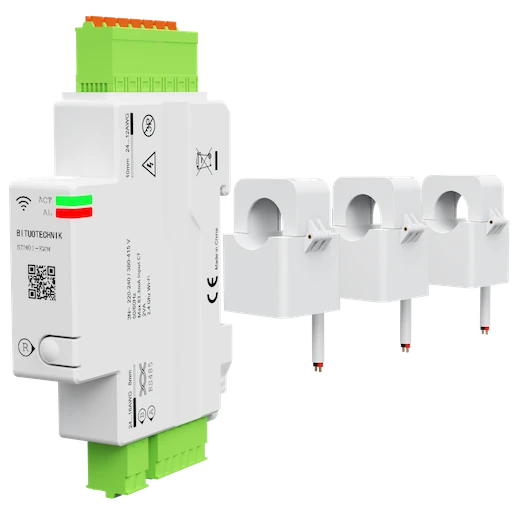
What Edge creates from this Zigbee device
Edge recognises the device by either identity below and creates these sensors and settings for it. The template file changes only the 1 setting it lists.
Zigbee identities_TZE284_gomuk3dc/SDM01V1.5_TZE204_gomuk3dc/SDM01V1.5
Sensors 23
| Sensor | Edge ID | Unit | Reading | Registry property |
|---|---|---|---|---|
| Voltage A | 6911 | V | Instantaneous | voltage_a |
| Voltage B | 6912 | V | Instantaneous | voltage_b |
| Voltage C | 6913 | V | Instantaneous | voltage_c |
| Power A | 6914 | W | Instantaneous | power_a |
| Power B | 6915 | W | Instantaneous | power_b |
| Power C | 6916 | W | Instantaneous | power_c |
| Current A | 6917 | A | Instantaneous | current_a |
| Current B | 6918 | A | Instantaneous | current_b |
| Current C | 6919 | A | Instantaneous | current_c |
| Energy | 6920 | kWh | Cumulative | energy |
| Produced Energy | 6921 | kWh | Cumulative | produced_energy |
| Power Factor | 6922 | % | Instantaneous | power_factor |
| Power | 6923 | W | Instantaneous | power |
| AC Frequency | 6924 | Hz | Instantaneous | ac_frequency |
| Energy A | 6925 | kWh | Cumulative | energy_a |
| Energy B | 6926 | kWh | Cumulative | energy_b |
| Energy C | 6927 | kWh | Cumulative | energy_c |
| Produced Energy A | 6928 | kWh | Cumulative | energy_produced_a |
| Produced Energy B | 6929 | kWh | Cumulative | energy_produced_b |
| Produced Energy C | 6930 | kWh | Cumulative | energy_produced_c |
| Power Factor A | 6931 | % | Instantaneous | power_factor_a |
| Power Factor B | 6932 | % | Instantaneous | power_factor_b |
| Power Factor C | 6933 | % | Instantaneous | power_factor_c |
Settings 1
| Setting | Type | Accepts | Registry field |
|---|---|---|---|
| Update Frequency | Number | 5 to 3600 s, step 1 | exposes.update_frequency |
Export enabled and the export identifier stay site-specific on every mapped sensor: the template leaves both to the site.
What the download changes
Only the settings below are applied. Protection thresholds, export identifiers and device identity remain under site control.
| Setting | Value the file sets | Registry field |
|---|---|---|
| Update Frequency | 60 | exposes.update_frequency |
Import, apply, then prove one known value
- 1Download the reviewed JSON
Sign in with an account that has approved Edge download access.
- 2Import in Edge
Open Settings → Device Templates, choose Import, and select the downloaded file.
- 3Apply to the exact model
Pair the device and confirm Edge identifies SDM01V1.5 before applying the baseline.
- 4Commission before rollout
Check identity, value, unit and timestamp against one known condition before enabling exports or repeating the setup.
Sources
This template applies only to Tuya SDM01V1.5. The device photograph shows Tuya SDM01V1.5 and is published from the pinned Zigbee2MQTT documentation snapshot under its GPL-3.0 licence. Product names and trademarks belong to their respective owners; publication does not imply endorsement or a commercial relationship.