NodOn · ZigbeeSIN-4-1-21
Portable Zigbee configuration for the SIN-4-1-21 Edge registry profile. It leaves the relay off after power restoration and uses automatic wired-switch detection. Edge supplies relay-state, instantaneous-power and cumulative-energy sensors; impulse duration and export identifiers remain site-specific.
What Edge creates from this Zigbee device
Edge recognises either registry identity shown below. What it creates for this model comes from the pinned Edge registry; the downloaded file adds only the 2 disclosed baseline settings.
Registry identitiesNodOn/SIN-4-1-21
Sensors 3
| Sensor | Edge ID | Unit | Reading | Registry property |
|---|---|---|---|---|
| Relay Statewritable | 6701 | - | Binary | state |
| Power | 6702 | W | Instantaneous | power |
| Energy | 6703 | kWh | Cumulative | energy |
Settings 3
| Setting | Type | Accepts | Registry field |
|---|---|---|---|
| Power On Behavior | Choice | Off, On, Toggle, Previous | exposes.power_on_behavior |
| Impulse Mode (ms) | Number | 0 to 10000 ms, step 1 | exposes.impulse_mode_configuration |
| Switch Type | Choice | Bistable, Monostable, Auto Detect | exposes.switch_type_on_off |
Export enabled and the export identifier stay site-specific on every mapped sensor: the template leaves both to the site.
Commands 1
| Command | Applies to | Sends | Registry command |
|---|---|---|---|
| Switch | 6701 Relay State | Enabled = 0, Disabled = 1 | set-sensor |
What the download changes
Only the settings below are applied. Protection thresholds, export identifiers and device identity remain under site control.
| Setting | Value the file sets | Registry field |
|---|---|---|
| Power On Behavior | off | exposes.power_on_behavior |
| Switch Type On Off | auto_detect | exposes.switch_type_on_off |
Import, apply, then prove one known value
- 1Download the reviewed JSON
Sign in with an account that has approved Edge download access.
- 2Import in Edge
Open Settings → Device Templates, choose Import, and select the downloaded file.
- 3Apply to the exact model
Pair the device and confirm Edge identifies SIN-4-1-21 before applying the baseline.
- 4Commission before rollout
Check identity, value, unit and timestamp against one known condition before enabling exports or repeating the setup.
Sources
- NodOn SIN-4-1-21 device definition (opens in a new tab)
- Zigbee Multifunction Relay Switch with Metering user guide (opens in a new tab) (PDF)
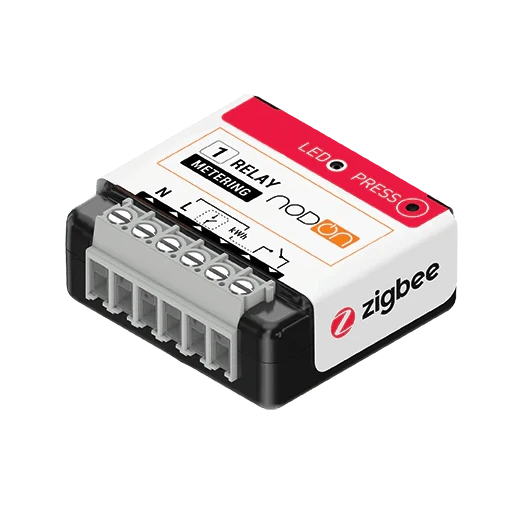
This template applies only to NodOn SIN-4-1-21. The device photograph shows NodOn SIN-4-1-21 and is published from the pinned Zigbee2MQTT documentation snapshot under its GPL-3.0 licence. Product names and trademarks belong to their respective owners; publication does not imply endorsement or a commercial relationship.