
System Manager

Every Gateway, from one desktop app

System Manager is the EpiSensor app for creating and managing EpiSensor Gateways. Use it to turn a Raspberry Pi into an EpiSensor Gateway for development and evaluation, and to monitor, license, back up, restore and upgrade the Gateways you already have.

  • macOS
  • Windows
  • Linux
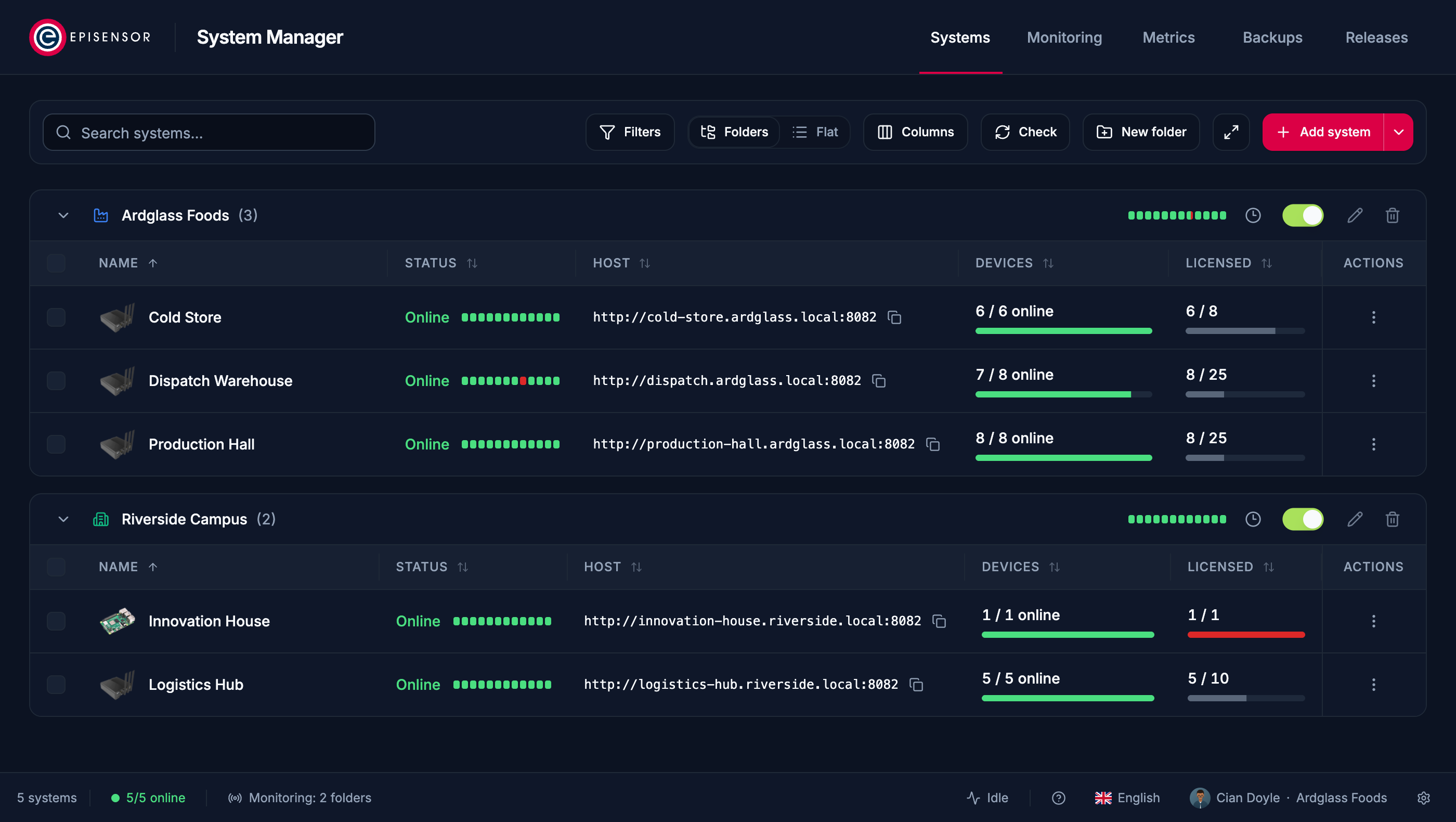
System Manager's Systems view: five Gateways in two folders, each online with its hardware photograph, its last twelve checks, its device count and its licensed devices against its allowance, with Monitoring, Metrics, Backups and Releases in the navigation.

Manage all your EpiSensor Gateways

Turn a Raspberry Pi into a Gateway

Back up and restore

Monitor Gateways remotely

The Systems view on a demonstration estate.
  • Manage all your EpiSensor Gateways
  • Turn a Raspberry Pi into a Gateway
  • Monitor Gateways remotely
  • Back up and restore

Download System Manager

The latest release for each platform, for EpiSensor customers and partners.

Checking your access…

Loading releases…

What System Manager does

It runs on your own computer and talks to your Gateways directly, over your network or VPN.

Raspberry Pi 4 and 5

Turn a Raspberry Pi into an EpiSensor Gateway

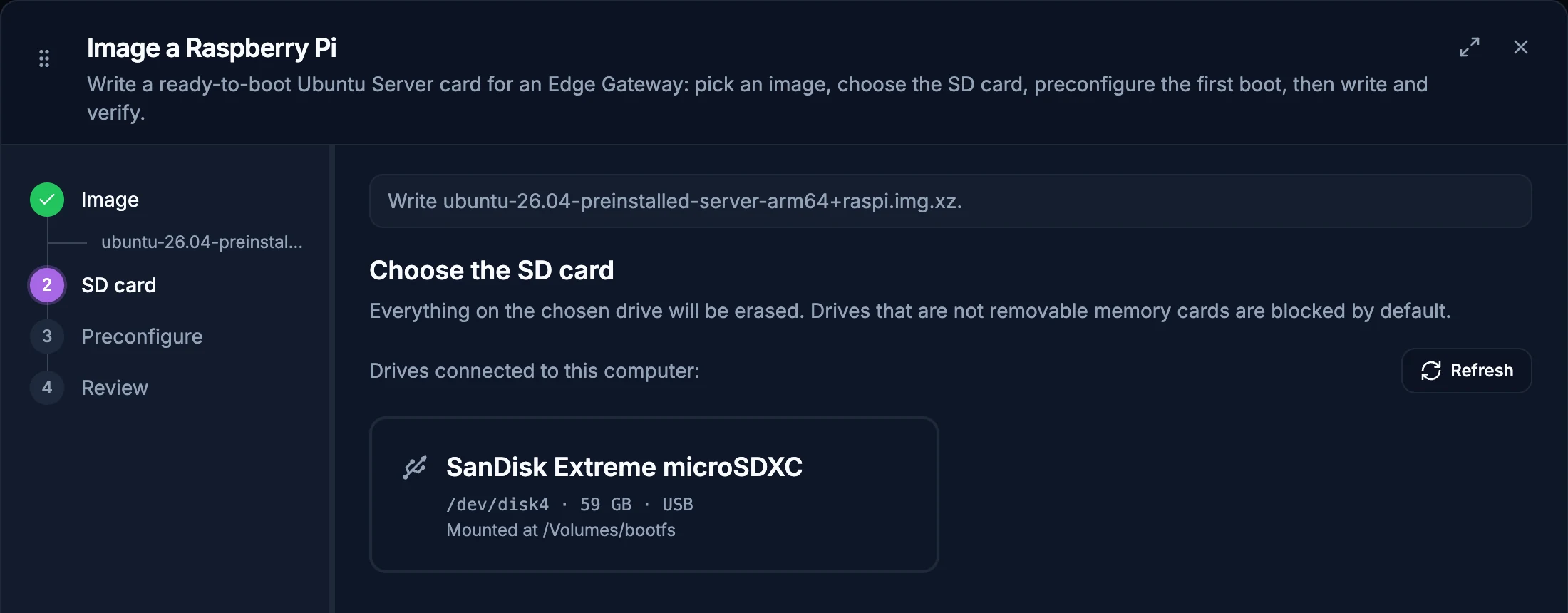
Build a Gateway for development and evaluation from a board you already have. Choose an image and a memory card, and System Manager writes the card, checks it and installs Edge.

  1. Write the card Ubuntu Server on a microSD card, with Wi-Fi and the first boot set up, and verified once written.
  2. Boot the Pi It starts on your network under the name you gave it.
  3. Install Edge From the same app, and the Pi is a Gateway you manage like any other.

For commercial use on your own hardware, Edge takes a standalone licence. Every EpiSensor Gateway ships with Edge installed and licensed.
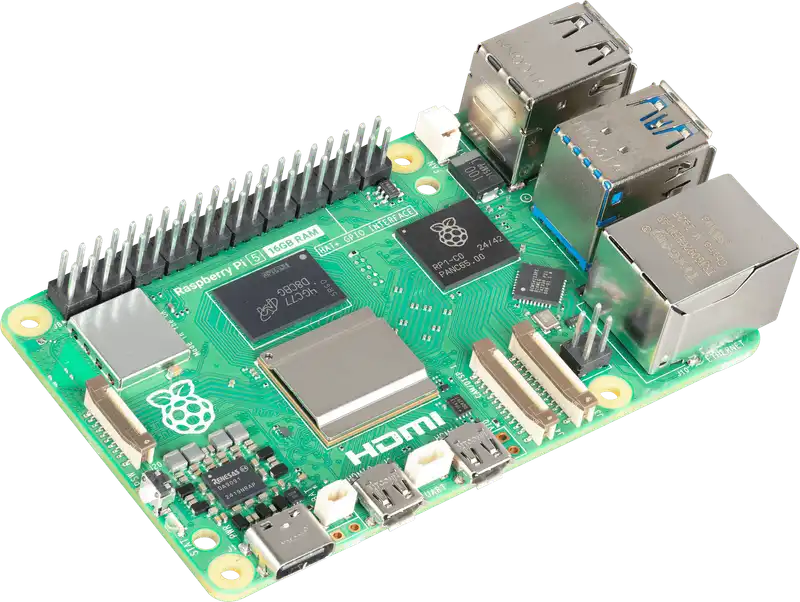
A Raspberry Pi 5 board seen from above at an angle, with its USB, Ethernet, HDMI and power connectors.
Evaluation Gateway Edge V03.00 · 1 device licensed Online
The Image a Raspberry Pi wizard at its SD card step, with a SanDisk Extreme microSDXC card listed and steps for image, SD card, preconfigure and review.

Raspberry Pi 5 photograph by Raspberry Pi Ltd, used under its brand asset guidelines. Raspberry Pi is a trademark of Raspberry Pi Ltd.
Monitor Gateways remotely

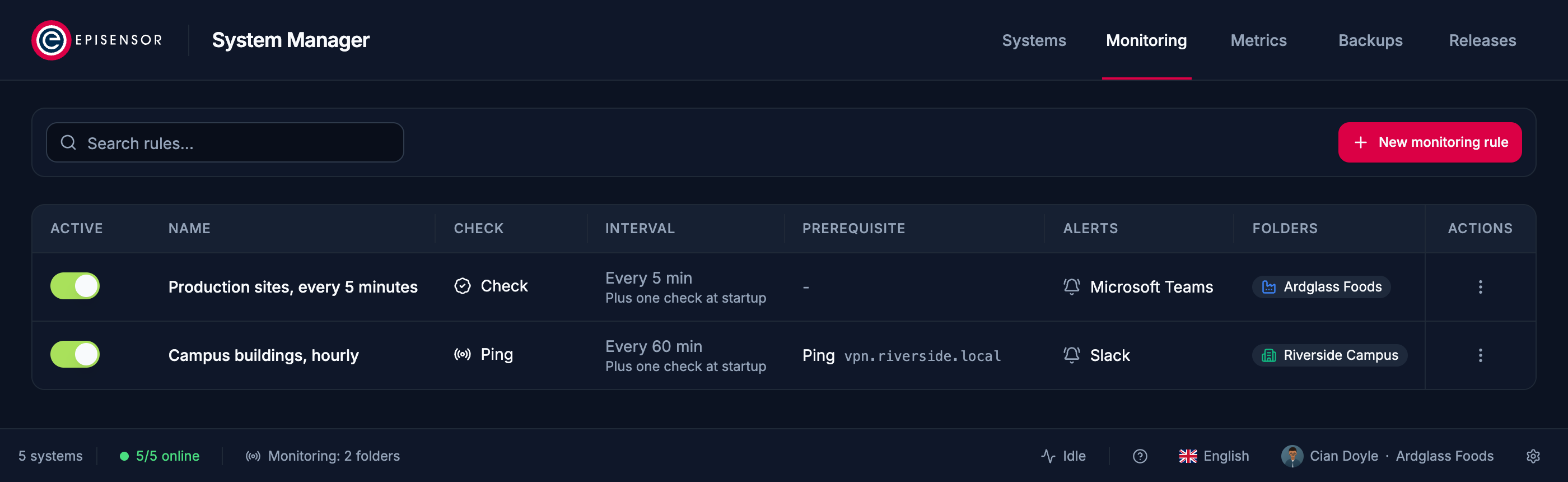
Give a folder of Gateways a monitoring rule, and your team hears in Microsoft Teams, Slack or any webhook when one goes offline and when it recovers.

The Monitoring view with two active rules: production sites checked every five minutes with Microsoft Teams alerts, and campus buildings pinged hourly after a VPN check, with Slack alerts.

Back up before you change anything

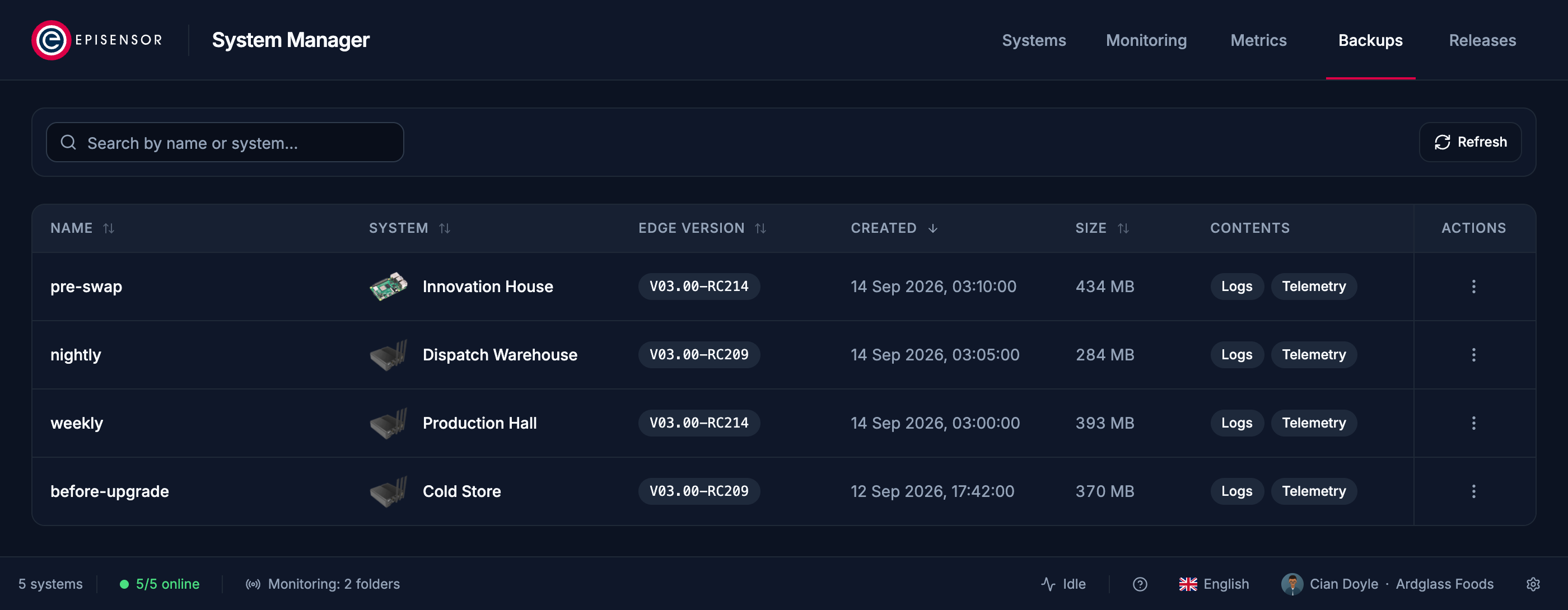
Take a full backup of a Gateway before an upgrade or a hardware swap, and restore it to the same Gateway or a replacement.

The Backups view listing four backups, named weekly, nightly, before-upgrade and pre-swap, each naming the Gateway it came from with its picture, beside the Edge version, date, size and contents.

Upgrades

Install new Edge releases on one Gateway or a whole folder, and keep System Manager itself up to date automatically.

Licences

An Edge licence sets how many devices a Gateway may have. System Manager shows each Gateway's devices against its allowance, and installs a licence file on the Gateway it was issued for.

Find Gateways

Scan your network for Gateways, or import a list, and sign in to each one once.

Your Gateways in your pocket

The Edge app for iPhone and Android is the application you use in a browser, laid out for a phone. Sign in to a Gateway with your Edge user and the site is with you: rooms and their readings, every device and its sensors, charts, the rules running on site, alerts, and the Gateway's own settings.

  • iPhone
  • Android
  • Sign in with your Gateway user, as in the browser

Ask for the mobile app when you request access, or contact our team.

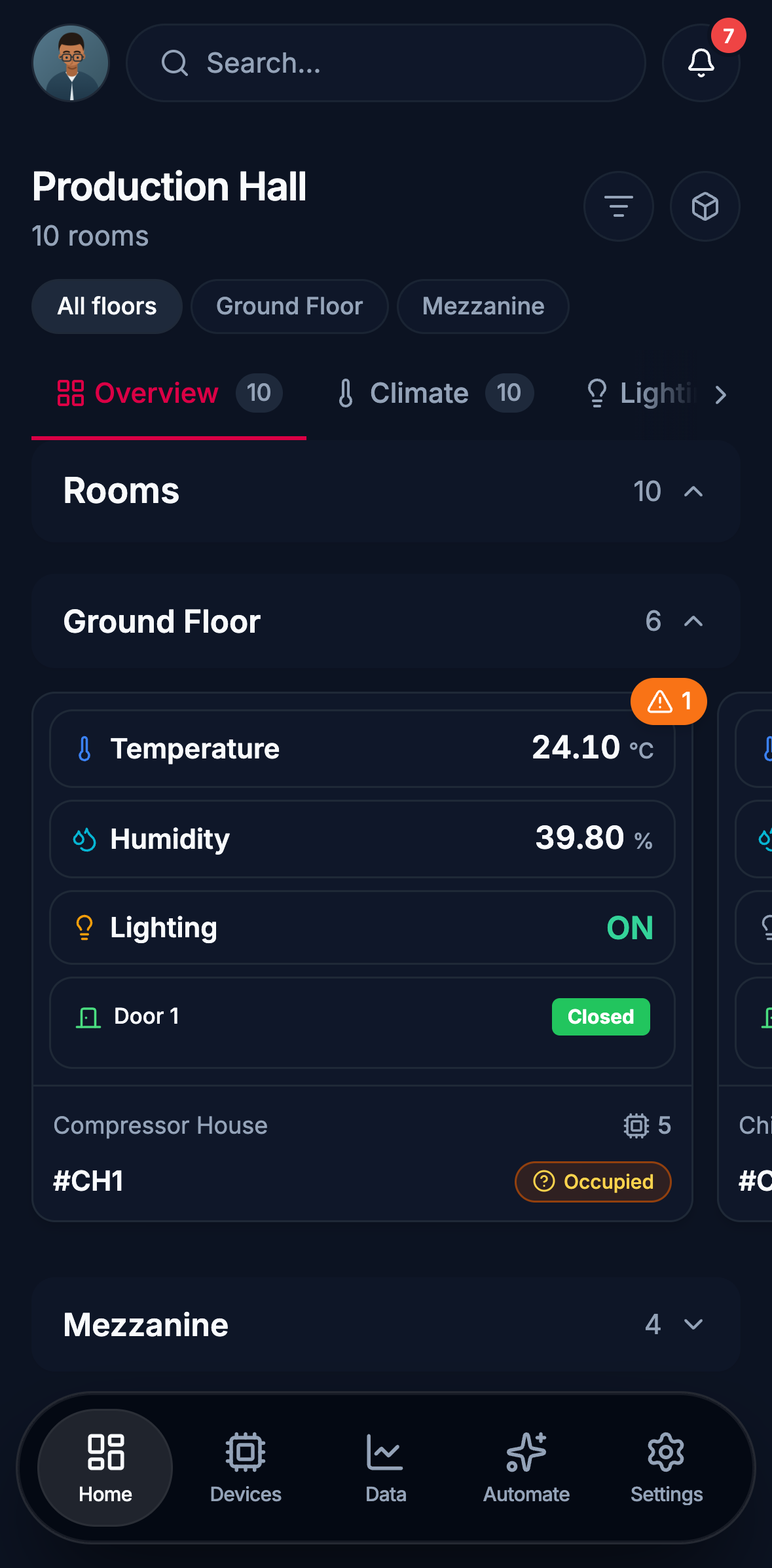
  • Edge on a phone: the Production Hall home screen, its ground floor rooms with live temperature, humidity, lighting and door state, the mezzanine collapsed below them, and navigation for Home, Devices, Data, Automate and Settings.
    Home Every floor of the building, and what each room is reporting now.
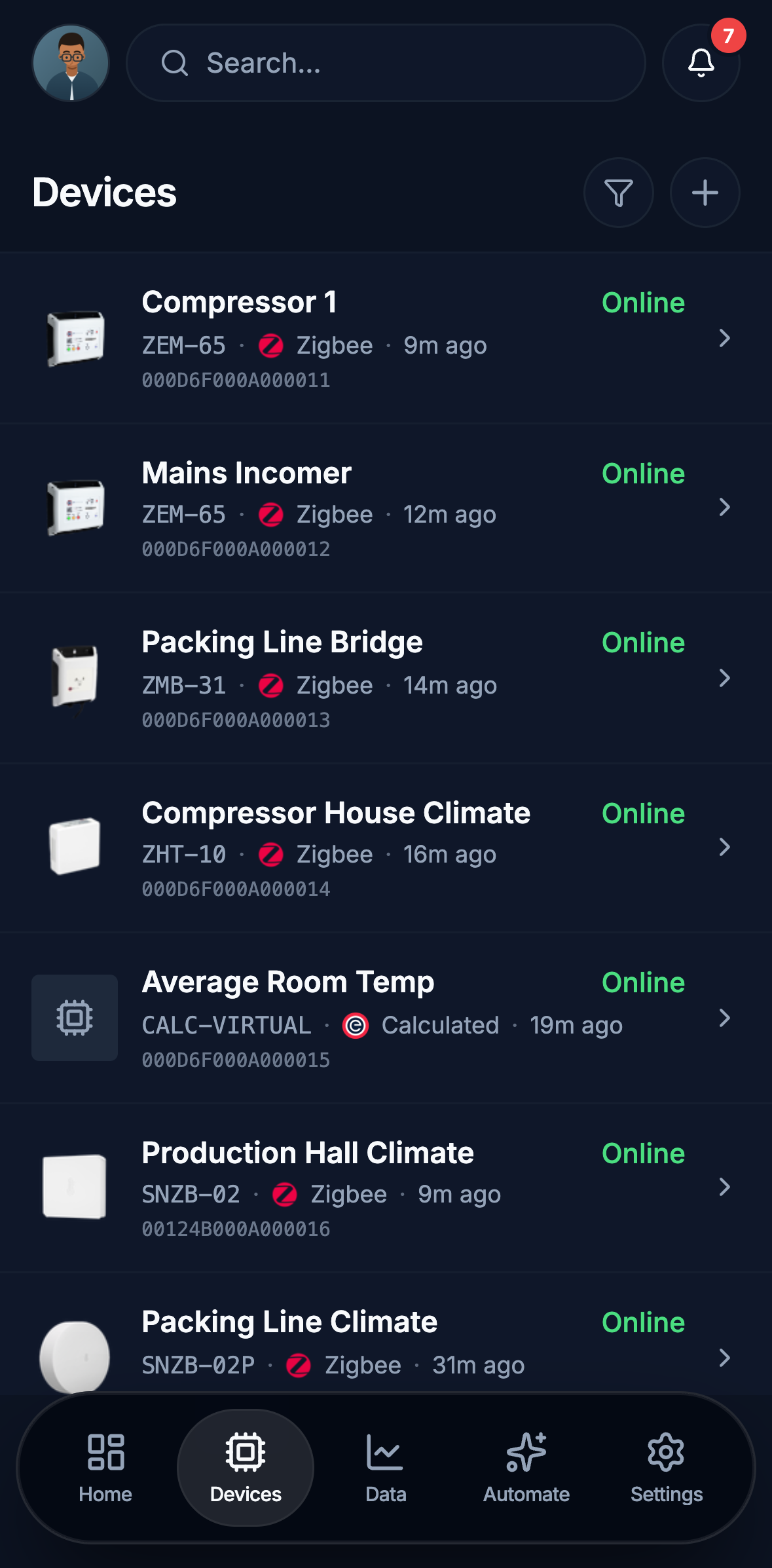
  • Edge on a phone: the device list, each row with the device name, its model and protocol, when it last reported and whether it is online. Electricity monitors, a Modbus bridge, climate sensors and a calculated device.
    Devices Every device on the Gateway: model, protocol, whether it is online and when it last reported.
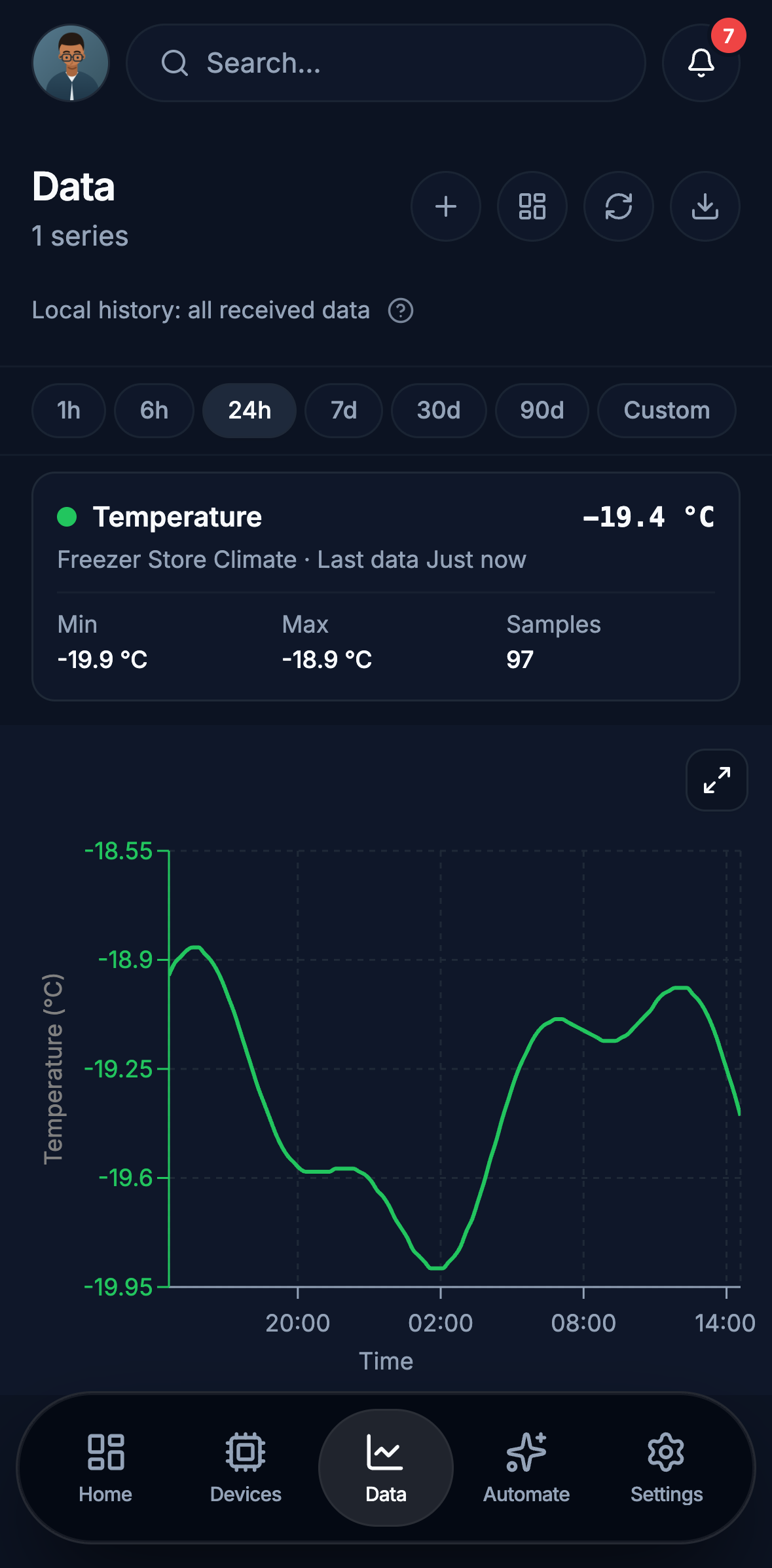
  • Edge on a phone: 24 hours of a freezer store temperature, reading -19.4 degrees Celsius, with its minimum, maximum and 97 samples above the chart, and the time ranges from one hour to custom.
    Data Any sensor over an hour, a day or a month, with its minimum, maximum and sample count.